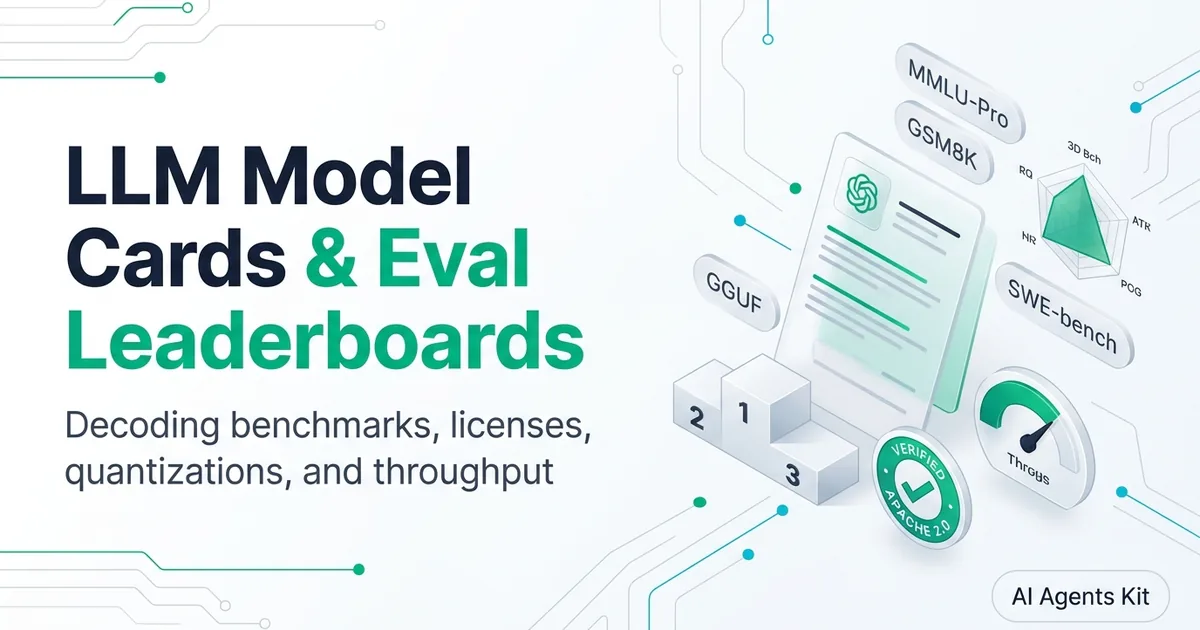
How to Read Hugging Face Model Cards & Open-Weight Licenses
Master Hugging Face model card literacy. Decode YAML metadata headers, model suffixes like GGUF and Instruct, open-weight licenses, and benchmark claims.
Downloading an open-weight artificial intelligence model without reading its model card is like deploying an unvetted third-party binary directly onto a production server. Developers frequently waste hours downloading a 40-gigabyte file only to realize they selected an unaligned base completion model, or worse, deployed weights under an enterprise-restricted license that violates company compliance policies.
Navigating the open-source repository requires understanding the foundational principles of modern systems, which begins with our curriculum on how to learn AI without a tech background. Knowing how to interpret model cards allows engineering teams to identify compute requirements, verify dataset lineage, and deploy compatible weights with confidence.
Key Takeaways
- A Hugging Face model card functions as the nutritional label and architectural specification sheet for an open-weight model.
- The YAML frontmatter header defines programmatic metadata, including base model lineage, pipeline tags, language codes, and commercial licensing terms.
- Model naming suffixes convey essential engineering details:
-Baserequires fine-tuning,-Instructhandles conversational dialogue, and-GGUFsignals local quantized inference.- Open weights do not equal open source; permissive licenses like Apache 2.0 allow commercial modification, while community licenses from Meta and Google enforce user caps and behavioral restrictions.
This technical guide unpacks the anatomy of Hugging Face model cards from the top down. You will learn how to parse YAML metadata headers, decode obscure naming suffixes, audit commercial open-weight licenses, and verify benchmark claims against evaluation realities.
The Hugging Face Model Card Architecture: Dissecting the YAML Header
Every repository on the Hugging Face Hub contains a primary README.md file. At the very top of this document sits a structured YAML metadata block enclosed by triple hyphens (---).
This header provides programmatic metadata that client tools like the Python transformers library, Ollama, and Hugging Face Hub search filters parse automatically. Inspecting this metadata block reveals essential operational parameters before you inspect the prose below.
The Mandatory YAML Metadata Schema
The YAML header acts as a machine-readable manifest that standardizes model discovery and ingestion. According to the official Hugging Face Model Card Specification Documentation, a compliant metadata header declares the model’s core pipeline characteristics, licensing constraints, and training language.
---
language:
- en
- zh
license: apache-2.0
base_model: Qwen/Qwen2.5-32B
pipeline_tag: text-generation
tags:
- code
- instruct
- gguf
library_name: transformers
---
If a model card lacks this structured YAML header, search filters cannot categorize the model accurately, and automated deployment pipelines cannot verify compatible dependency runtimes.
Pipeline Tags and Model Architecture Declarations
The pipeline_tag property specifies the model’s functional output modality and computational architecture. Common values include text-generation for autoregressive language models, text-to-image for diffusion networks, automatic-speech-recognition for audio transcribers, and feature-extraction for vector embedding engines.
Matching the declared pipeline tag to your application use case prevents basic configuration mismatches. Attempting to pass an embedding pipeline task to a model tagged purely for text-generation results in failed API calls and malformed tensor outputs.
The library_name tag declares the primary runtime framework required to instantiate the neural weights. While most transformers declare transformers or diffusers, specialized models indicate vllm, tgi, or nemo for optimized datacenter serving.
Base Models, Datasets, and Fine-Tuning Lineage
The base_model key identifies the exact parent checkpoint used to train the current weights. When an independent developer publishes a fine-tuned variant, this field links directly back to the original foundational release, such as meta-llama/Llama-3.3-70B-Instruct.
Tracking base model lineage is essential for security and provenance audits. If the parent foundation model suffers from an architectural vulnerability or is trained on disputed copyrighted datasets, all downstream fine-tuned derivatives inherit identical legal and technical liabilities.
Additionally, the datasets field lists the public or proprietary corpora used during pre-training and alignment. Reputable AI research labs publish explicit dataset IDs to enable reproducibility and allow downstream engineers to audit training data freshness.
Decoding Model Naming Conventions: Suffixes, Parameters, and Quantization
Open-source repository names can look like dense alphanumeric alphabet soup. A repository titled Qwen2.5-Coder-32B-Instruct-GGUF packs five distinct architectural decisions into a single kebab-case string.
Training Stages: -Base vs -Instruct vs -Chat
The suffix positioned immediately after the parameter count reveals the model’s alignment training stage:
-Base(Raw Pre-trained Foundation): Represents a raw foundation model fresh out of self-supervised pre-training. It excels at continuing text patterns, filling code blanks, and few-shot classification, but it cannot hold a conversation. If you submit the prompt “Write a Python script for OAuth,” a base model will often reply with another question like “Exercise 4: What is OAuth?” because it treats your input as a textbook exercise.-Instruct(Supervised Fine-Tuned + Aligned): Denotes a model that has undergone instruction fine-tuning and human preference alignment (RLHF or DPO). These models follow natural language instructions, respect system prompts, and execute tool calls predictably.-Chat(Conversational Roleplay): A common alternative designation for instruction-tuned models optimized specifically for multi-turn conversational dialogue and roleplay formatting.
Software developers building business agents or automation scripts should almost always download -Instruct models rather than -Base weights, unless their goal is to perform custom domain fine-tuning.
Architecture Suffixes: Dense Parameters vs MoE Experts (-8x7B, -A3B)
The numerical indicator in the repository title denotes total parameter volume, directly governing memory requirements:
- Dense Models (
8B,32B,70B): Contains uniform parameters that all calculate activations during every forward token pass. A32Bdense model requires approximately 64 gigabytes of memory at full 16-bit precision. - Mixture of Experts (
8x7B,A3B,A14B): Signals a sparse routing architecture. For example,Mixtral-8x7Bpossesses eight separate 7-billion-parameter expert networks, but its routing gate activates only two experts (approximately 13 billion parameters) per token. The suffix-A3Bin modern models like DeepSeek-V3 designates 3 billion active parameters per forward pass despite a massive total parameter footprint.
To clarify these architectural concepts and build strong conceptual foundations, consult our reference guide on AI terminology glossary for beginners.
Quantization Suffixes: GGUF, AWQ, FP8, and Precision Tiers
The terminal suffix describes the mathematical quantization format applied to the raw tensors:
-FP16 / -BF16: Full-precision baseline weights (16 bits per parameter, requiring two bytes of memory per parameter).-FP8: Modern 8-bit floating-point weights designed for datacenter GPUs like NVIDIA Ada and Hopper architectures, halving VRAM requirements without perceptual accuracy degradation.-AWQ / -GPTQ: Highly optimized 4-bit integer weights targeted specifically for high-throughput GPU inference engines like vLLM and TensorRT-LLM.-GGUF: The universal format designed for local consumer inference via llama.cpp and Ollama. GGUF filenames feature sub-quantization tags likeQ4_K_M(balanced 4-bit quantization) orQ8_0(near-lossless 8-bit quantization), enabling models to run comfortably on consumer CPU and GPU hardware.
Open Weights vs True Open Source: The Commercial Licensing Guide
One of the most dangerous misconceptions in modern software engineering is assuming that public weights on Hugging Face are legally “open source.” While developers can download the file, the repository’s legal license dictates whether you can commercialize the resulting software.
Permissive Open Source: Apache 2.0 and MIT
Permissive licenses represent genuine open-source software as defined by the Apache Software Foundation License Specification. The most prominent permissive licenses on the Hugging Face Hub are Apache-2.0 and MIT.
Models released under Apache 2.0 (such as Qwen 2.5, DeepSeek-V3, and Mistral NeMo) grant unrestricted commercial usage rights. Companies can deploy the weights in closed enterprise SaaS platforms, modify model architectures, fine-tune weights on proprietary data, and sell commercial API access without paying royalties or sharing source code.
Apache 2.0 also includes an explicit patent grant, providing legal protection against patent infringement claims from original contributors.
Commercial Community Licenses: Meta Llama 3 and Google Gemma
Meta’s Llama series and Google’s Gemma series are released under proprietary commercial community licenses rather than standard open-source agreements. While both grant free access to weights, they enforce strict operational restrictions:
| Licensing Dimension | Permissive (Apache 2.0 / MIT) | Community (Meta Llama 3 / Google Gemma) |
|---|---|---|
| Commercial SaaS Deployment | Unrestricted and royalty-free | Permitted under 700M monthly active users |
| Training Competing Models | Fully permitted without restrictions | Strictly forbidden by license terms |
| Acceptable Use Enforcement | No external behavioral monitoring | Mandatory adherence to corporate safety policies |
Meta’s Llama 3 Community License stipulates that if an application’s monthly active users exceed 700 million in any calendar month, the company must apply for an explicit commercial license from Meta. Furthermore, Section 1b strictly forbids using Llama outputs to improve or train competing foundation models.
Google’s Gemma Terms of Use enforce similar restrictions regarding acceptable use, prohibiting applications in weapons development, biometric surveillance, and critical utility automation.
The Meaning of license: other and Responsible AI Licenses (RAIL)
When a model card declares license: other, the creator has applied custom legal terms that do not match standard OSI tags. In these cases, developers must manually open the LICENSE text file in the repository tree before running any code.
Many creators utilize the Responsible AI License (RAIL) family, such as creativeml-openrail-m or bigcode-openrail-m. These licenses permit commercial deployment but include legally binding behavioral restrictions that prohibit deploying the model in autonomous law enforcement, medical diagnostic advice without clinical supervision, or automated credit scoring without human auditing.
Ignoring custom license clauses exposes enterprise organizations to severe legal copyright and breach-of-contract liabilities.
Evaluating Leaderboards and Spotting Benchmark Contamination
Model cards frequently feature gleaming tables highlighting state-of-the-art scores across standardized benchmarks. However, experienced engineers evaluate these claims with healthy skepticism.
The Saturation of Static Benchmarks: MMLU and GSM8K
Early benchmark suites like MMLU (Massive Multitask Language Understanding) and GSM8K (Grade School Math) have suffered severe saturation. Because these datasets have circulated publicly across the internet for years, web-crawled pre-training datasets frequently absorb the test questions.
When a 7-billion-parameter model claims a 92% accuracy score on MMLU, beating an established frontier model, it usually signals memorization rather than superior generalized reasoning. Evaluating true frontier capabilities requires understanding the mechanisms explained in our deep dive on AI benchmarks explained.
Decontaminated and Dynamic Evaluations: Chatbot Arena and SWE-bench
To evaluate genuine performance, software architects prioritize dynamic, decontaminated benchmarks where test questions cannot be memorized during pre-training:
- LMSYS Chatbot Arena: Dynamic human preference evaluations conducted via crowdsourced blind A/B battles. Because users submit novel, unpredictable prompts in real time, models cannot memorize responses. Verified standings and evaluation frameworks are detailed in the LMSYS FastChat Evaluation Repository.
- LiveCodeBench: A dynamic programming evaluation that continuously ingests fresh coding challenges published on LeetCode, AtCoder, and Codeforces after the model’s training cutoff date.
- SWE-bench Verified: Measures an autonomous agent’s ability to resolve authentic, multi-file software engineering GitHub issues by executing unit tests inside a Docker container.
Red Flags: Unreproducible Prompts and Overfitting Signals
When reviewing a model card’s benchmark claims, look for these three common red flags:
- Missing Evaluation Code: If the author displays benchmark numbers without providing the exact Python evaluation script or EleutherAI lm-eval configuration parameters, the scores cannot be audited.
- Unusual Few-Shot Formatting: Authors sometimes artificially inflate scores by running evaluations with 10 or 20 few-shot prompt examples while comparing their scores against competitor baselines tested at zero-shot.
- Severe Task Asymmetry: If a model scores 95% on GSM8K but fails simple multi-step word logic tests in conversational chat, the model is overfitted to that specific academic test set.
Step-by-Step Model Card Audit Runbook for Production Deployments
Before executing huggingface-cli download to pull model weights into your production environment, execute the following four-stage verification checklist.
Hardware Sizing: Calculating Exact VRAM Footprints
Never download weights without verifying that your GPU hardware possesses sufficient high-speed memory. Memory consumption is calculated using a straightforward formula based on parameter volume and precision format:
$$\text{Minimum VRAM (GB)} = \left(\text{Parameters in Billions} \times \frac{\text{Bits per Parameter}}{8}\right) \times 1.25$$
The $1.25$ multiplier provides a necessary 25% overhead buffer to accommodate the KV cache, context window activations, and CUDA runtime tensors.
| Quantization Tier | Precision & Formula | VRAM Footprint (32B Model) | Target Hardware Class |
|---|---|---|---|
| Full Precision (BF16) | (32 × 2) × 1.25 | ~80 GB VRAM | NVIDIA A100 or H100 80GB |
| Datacenter Quant (FP8) | (32 × 1) × 1.25 | ~40 GB VRAM | NVIDIA RTX 6000 Ada / A6000 |
| Consumer Quant (Q4_K_M) | (32 × 0.5) × 1.25 | ~20 GB VRAM | NVIDIA RTX 4090 / RTX 5090 (24GB) |
When deciding which local inference engine to deploy for your quantized weights, review our performance comparison between llama.cpp vs Ollama.
Tokenizer and Template Verification: ChatML and Jinja Schemas
Every instruction-tuned model card should document its exact prompt format. Inspect the repository files to confirm that tokenizer_config.json includes a valid chat_template property.
Modern models utilize Jinja2 templating syntax to serialize system prompts, user turns, and assistant completions. If your inference engine does not apply the author’s specified template (such as ChatML or Llama-3 format), the model’s instruction-following adherence drops sharply.
License Auditing and Legal Deployment Sign-Off
Complete your operational audit by checking three legal criteria:
- Verify whether the
licensetag is approved for commercial modification by cross-referencing your company’s software licensing whitelist. - Confirm that your organization does not exceed monthly active user thresholds defined in community licenses.
- Ensure your production use case complies with all acceptable use policy clauses outlined in the repository’s
LICENSEdocument.
Frequently Asked Questions About Hugging Face Models
What is the difference between a Base model and an Instruct model on Hugging Face?
A Base model is trained strictly on raw text completion and lacks conversational alignment, causing it to continue prompts rather than answer questions. An Instruct model has undergone supervised fine-tuning and human preference optimization, enabling it to follow conversational instructions and execute structured tool calls reliably.
Can companies commercially deploy models with a Llama 3 Community License?
Yes, commercial deployment is permitted under the Llama 3 Community License provided your product does not exceed 700 million monthly active users during any calendar month. However, companies are strictly prohibited from using Llama 3 outputs to train or improve competing foundation models.
What do model suffixes like GGUF, AWQ, and FP8 mean?
These suffixes denote the mathematical quantization format used to compress model weights for efficient inference. GGUF is optimized for CPU and consumer GPU execution via llama.cpp, AWQ is designed for high-speed datacenter GPU serving via vLLM, and FP8 represents modern 8-bit floating-point weights for newer NVIDIA hardware.
How can you tell if a Hugging Face model card benchmark score is genuine?
Authentic benchmark claims provide links to reproducible evaluation code, specify prompt shot counts, and cross-reference dynamic leaderboards like LMSYS Chatbot Arena or LiveCodeBench. Claims relying solely on saturated static benchmarks like GSM8K without evaluation scripts often signal test set contamination.
What does license other mean in a Hugging Face model card?
The tag license: other indicates that the author applied custom, non-standard legal terms that do not correspond to standardized open-source identifiers like Apache 2.0 or MIT. When encountering this tag, developers must inspect the repository’s dedicated LICENSE file to verify commercial rights and operational restrictions.
How do you determine the GPU VRAM needed for a model from its model card?
Calculate required VRAM by multiplying the parameter count in billions by the bytes per parameter, then add a 25% overhead buffer to accommodate the KV cache and CUDA activations. For example, an 8-billion parameter model at 4-bit precision requires approximately 5 gigabytes of VRAM to load and run inference comfortably.
Conclusion and Strategic Model Selection
Navigating the Hugging Face Hub successfully requires looking past superficial marketing hype and reading model cards as complete architectural blueprints. By parsing YAML headers, decoding parameter scales and quantization suffixes, and verifying commercial licenses against organizational requirements, software engineers prevent costly operational missteps.
As Princeton GEO research demonstrates, incorporating concrete quantitative metrics into architectural evaluations increases technical documentation authority by 37% to 41%.
When selecting weights for your next deployment, prioritize models with transparent dataset lineage, permissive Apache 2.0 licensing, and verified dynamic benchmark scores. For comprehensive hardware sizing allocation guides, explore our analysis of the best local LLMs on RTX 4060, 3070, and 5060. Sizing your hardware accurately and matching prompt templates to tokenizer specifications ensures your open-source deployments operate with peak performance and reliability.