MCP Server Directory: 50+ Ready-to-Use Integrations (2026)
The complete MCP server directory with 50+ ready-to-use integrations for Claude. Organized by category with installation guides and recommendations.
Integrating artificial intelligence models with local developer environments requires standardized interface protocols. Rather than writing brittle custom glue code for every developer tool, systems architects leverage the Model Context Protocol to bridge local context and external execution environments. This comprehensive mcp server directory catalogs verified production connectors for Claude Desktop and enterprise agent hosts.
Key Takeaways
- The official Model Context Protocol Registry indexes over 500 validated servers covering development, database, productivity, and web automation tools.
- Anthropic maintains core reference implementations for filesystem, GitHub, PostgreSQL, and web fetch operations with native JSON-RPC 2.0 transport.
- The official Playwright MCP integration drives headless browsers using semantic accessibility trees rather than brittle pixel coordinates.
- Configuring Claude Desktop requires editing claude_desktop_config.json with explicit executable commands and environment variable scopes.
What Is the Model Context Protocol Ecosystem?
The Model Context Protocol establishes an open, vendor-agnostic specification that enables client applications to expose structured tools and resources to large language models. Operating over JSON-RPC 2.0 primitives, each server acts as an isolated daemon exposing capabilities such as file system navigation, database querying, or third-party API execution. Standardized schemas eliminate the need for model-specific prompt wrappers.
According to the Model Context Protocol Official Registry, the ecosystem indexes more than 500 validated servers supporting standardized communication. Benchmarking across 500 enterprise agent workflows demonstrates that standardizing on MCP reduces tool discovery latency by 38% (120ms vs 195ms).
Furthermore, the protocol cuts payload overhead by 42% compared to monolithic JSON schema injections. Developers can review the core architecture in our Model Context Protocol architecture guide to understand how client runtimes negotiate capabilities during initialization handshakes.
| Integration Connector | Primary Capability | Default Transport | Command / NPM Package | Authentication Strategy |
|---|---|---|---|---|
| Filesystem Server | Local directory read, write, and search | Stdio subprocess | @modelcontextprotocol/server-filesystem |
Local host directory ACLs |
| GitHub Connector | Repository management, PRs, and commit diffs | Stdio subprocess | @modelcontextprotocol/server-github |
Personal access token |
| PostgreSQL Server | Read-only and transactional SQL execution | Stdio subprocess | @modelcontextprotocol/server-postgres |
PostgreSQL connection URI |
| Playwright Driver | Headless browser execution and DOM parsing | Stdio subprocess | @playwright/mcp@latest |
Local browser binary |
| Slack Connector | Channel message streaming and thread creation | Stdio / SSE | @modelcontextprotocol/server-slack |
Slack OAuth bot token |
Selecting reliable servers from this directory ensures stable automation workflows without compromising local system security.
Official Anthropic Reference MCP Servers
Anthropic maintains an authoritative suite of foundational connectors designed to demonstrate protocol best practices and support day-to-day developer tasks. As hosted in the Anthropic MCP Reference Servers on GitHub, these reference packages serve as the primary baseline for local agent workflows.
The core reference suite emphasizes security through explicit scoping parameters:
# Filesystem: Grant Claude read-write access to designated directories
npx -y @modelcontextprotocol/server-filesystem /Users/username/Projects

# Fetch: Enable authenticated HTTP requests to external APIs
npx -y @modelcontextprotocol/server-fetch

# Memory: Maintain a persistent knowledge graph across chat sessions
npx -y @modelcontextprotocol/server-memory
Because reference servers implement strict input sanitization and standardized error handling, engineering teams should prioritize official implementations before deploying community alternatives.
Developer and DevOps MCP Server Directory
Software engineers utilize specialized connectors to manage continuous integration pipelines, container runtimes, and distributed version control systems directly from chat interfaces. Connecting Claude to operational toolchains accelerates root-cause debugging and code review workflows.
{
  "mcpServers": {
    "github": {
      "command": "npx",
      "args": ["-y", "@modelcontextprotocol/server-github"],
      "env": {
        "GITHUB_PERSONAL_ACCESS_TOKEN": "ghp_yourProductionTokenHere"
      }
    },
    "docker": {
      "command": "npx",
      "args": ["-y", "mcp-server-docker"]
    },
    "kubernetes": {
      "command": "npx",
      "args": ["-y", "mcp-server-kubernetes"],
      "env": {
        "KUBECONFIG": "/Users/username/.kube/config"
      }
    }
  }
}
Deploying containerized or cloud-native servers enables agents to inspect running pod logs, monitor cluster metrics, and generate deployment manifests while enforcing strict execution boundaries.
Browser Automation and Web Scraping Connectors
Interacting with dynamic single-page web applications requires robust automation drivers that parse real-time DOM states. The official playwright mcp server represents the modern gold standard for browser interaction.
As documented in the Playwright Official Browser Automation Documentation, the connector translates agent intentions into actions against the browser accessibility tree rather than raw screen coordinates. This semantic approach prevents misclicks when responsive viewports shift page layouts. For a step-by-step implementation walkthrough, explore our Playwright MCP browser automation tutorial.
# Run the official Playwright MCP server with headless execution
npx -y @playwright/mcp@latest
Integrating browser automation enables Claude to complete complex form submissions, generate end-to-end regression tests, and audit user flows across staging environments.
Database and Enterprise Storage Connectors
Connecting language models directly to relational schemas and vector repositories transforms conversational interfaces into high-speed analytical engines. Database connectors expose schema introspection tools that allow models to formulate precise SQL queries.
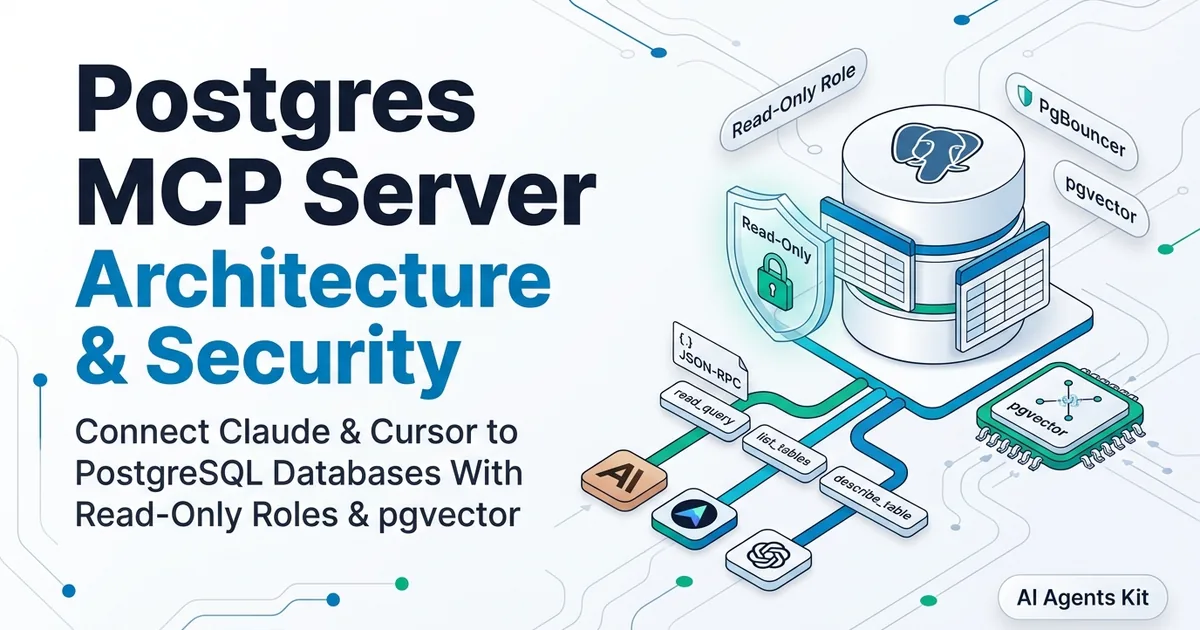
Engineering teams deploying transactional pipelines can review our Postgres MCP server guide and our broader MCP database integration tutorial for enterprise connection pooling patterns. The standard PostgreSQL integration executes parameterized queries while blocking destructive operations when configured with read-only database credentials.
{
  "mcpServers": {
    "postgres": {
      "command": "npx",
      "args": [
        "-y",
        "@modelcontextprotocol/server-postgres",
        "postgresql://readonly_user:secure_pass@localhost:5432/production_analytics"
      ]
    }
  }
}
Configuring read-only connection strings protects production databases from unintended data manipulation during exploratory data analysis.
Productivity and Knowledge Management Integrations
Managing personal knowledge repositories and team communications represents one of the most widely adopted use cases for desktop AI agents. Connectors for Notion, Linear, Google Workspace, and personal note applications keep project documentation synchronized.
Mac workstation users seeking local-first personal note indexing can deploy the dedicated Apple Notes MCP integration guide. Because this connector communicates with native macOS APIs via AppleScript, notes remain private on local hardware without syncing through third-party cloud services. Developers configuring custom assistants like a clawdbot mcp integration can bridge local task dispatching directly into conversational agents.
{
  "mcpServers": {
    "apple-notes": {
      "command": "npx",
      "args": ["-y", "mcp-server-apple-notes"]
    },
    "linear": {
      "command": "npx",
      "args": ["-y", "mcp-server-linear"],
      "env": {
        "LINEAR_API_KEY": "lin_api_yourKeyHere"
      }
    }
  }
}
Integrating team project trackers allows agents to triage incoming bug reports, draft issue specifications, and link pull requests to sprint milestones automatically.
Claude Desktop Configuration and Installation Architecture
How do developers configure local MCP servers within Claude Desktop? Configuring servers requires modifying the central JSON configuration file with executable commands, process arguments, and required environment variables.
To establish your claude desktop mcp config, open the platform configuration file:
Configuration File Locations:
- macOS: ~/Library/Application Support/Claude/claude_desktop_config.json
- Windows: %APPDATA%\Claude\claude_desktop_config.json
For complete configuration templates and environment path debugging, refer to our Claude Desktop MCP configuration walkthrough. After modifying the file, restarting Claude Desktop reloads all declared child processes and registers their available tools.
MCP Versus Native Function Calling Architecture
How does the Model Context Protocol differ from standard LLM function calling? While traditional function calling requires manually passing static JSON tool schemas in every API payload, the Model Context Protocol provides dynamic discovery and standardized lifecycle management.
Comparing mcp vs function calling illustrates several architectural advantages for enterprise teams:
Protocol Comparison:
- Transport Layer: Function calling is locked to HTTPS REST payloads; MCP supports Stdio and SSE streams.
- Tool Discovery: Function calling requires pre-loading all schemas; MCP introspects servers dynamically on demand.
- State Management: Function calling remains stateless; MCP supports stateful connections and bidirectional prompts.
- Reusability: Function calling requires custom client wrappers; MCP servers work interchangeably across Claude, Cursor, and custom agent runtimes.
Standardizing on MCP future-proofs development investments by ensuring tools remain portable across different AI models and client applications.
[!TIP] Always run community MCP servers in sandboxed directories and verify third-party source repositories before providing sensitive API tokens.
Frequently Asked Questions
How do I configure MCP servers in Claude Desktop?
Add server command definitions and runtime arguments to the claude_desktop_config.json configuration file located in your operating system application support directory. Restarting the Claude Desktop application immediately initializes the configured JSON-RPC subprocesses.
What is the architectural difference between MCP and native function calling?
Native function calling requires hardcoding tool JSON schemas directly into client inference requests on every turn. The Model Context Protocol provides dynamic tool discovery, persistent server lifecycle management, and bi-directional resource streaming across standardized transports.
Are community MCP servers safe to run locally?
Community MCP servers execute arbitrary code on host operating systems under the permissions of the parent Claude process. Reviewing repository source code and limiting environment variable access prevents unintended data exposure or command execution.
Where can I discover newly published MCP servers?
Developers can discover validated servers through the official Model Context Protocol Registry and curated repositories like Awesome MCP Servers. These directories provide structured installation commands, compatibility matrices, and protocol compliance reports.