How to Write a SKILL.md File (With Template and Examples)
Master the SKILL.md format for AI agent skills. Get a ready-to-use template, frontmatter specifications, directory layouts, and progressive disclosure rules.
Standard system prompts degrade quickly when teams try to pack dozens of complex engineering rules into a single conversation context. As detailed in our comprehensive guide on what agent skills are and how they work across tools, modern autonomous agents solve this bottleneck through modular skill packages centered on a structured SKILL.md file.
A well-crafted SKILL.md file provides autonomous coding agents with deterministic workflows, custom linting routines, and domain knowledge on demand. By leveraging progressive disclosure agent skills, the agent loads procedural instructions only when your prompt requires them, avoiding context bloat and token waste.
Key Takeaways
- A
SKILL.mdfile combines strict YAML frontmatter with markdown instructions to define reusable procedural behaviors for autonomous AI agents.- The open specification requires a unique
nameattribute under 64 characters and a descriptivedescriptionattribute under 1024 characters.- Progressive disclosure reduces idle system prompt token overhead by 84% by indexing only skill metadata until specific user intents trigger full activation.
- Organizing supporting scripts, reference checklists, and static assets into dedicated subdirectories preserves context window capacity during execution loops.
What Is a SKILL.md File and How Does It Work?
A SKILL.md file is the standardized configuration manifest and instruction manual that defines an agent skill package. It pairs machine-readable YAML frontmatter for agent discovery with human-readable markdown instructions that guide step-by-step task execution when activated by a developer prompt.
Traditional developer prompts force you to paste repetitive context into every prompt or maintain bloated system instructions. When an agent boots, loading thousands of lines of procedures into its context window consumes valuable token bandwidth and increases attention degradation.
Agent skills solve this challenge through a clean skill directory structure where SKILL.md acts as the root entry point. The host agent inspects available skill descriptions during startup, registering triggers without loading the underlying instructions into memory until a matching command executes.
If you are exploring architectural boundaries between procedural instructions and external execution protocols, review our architecture breakdown in what is MCP explained. While external servers handle remote data access, the SKILL.md file provides the procedural discipline that governs how models invoke those resources.
The SKILL.md Frontmatter Specification and Schema Rules
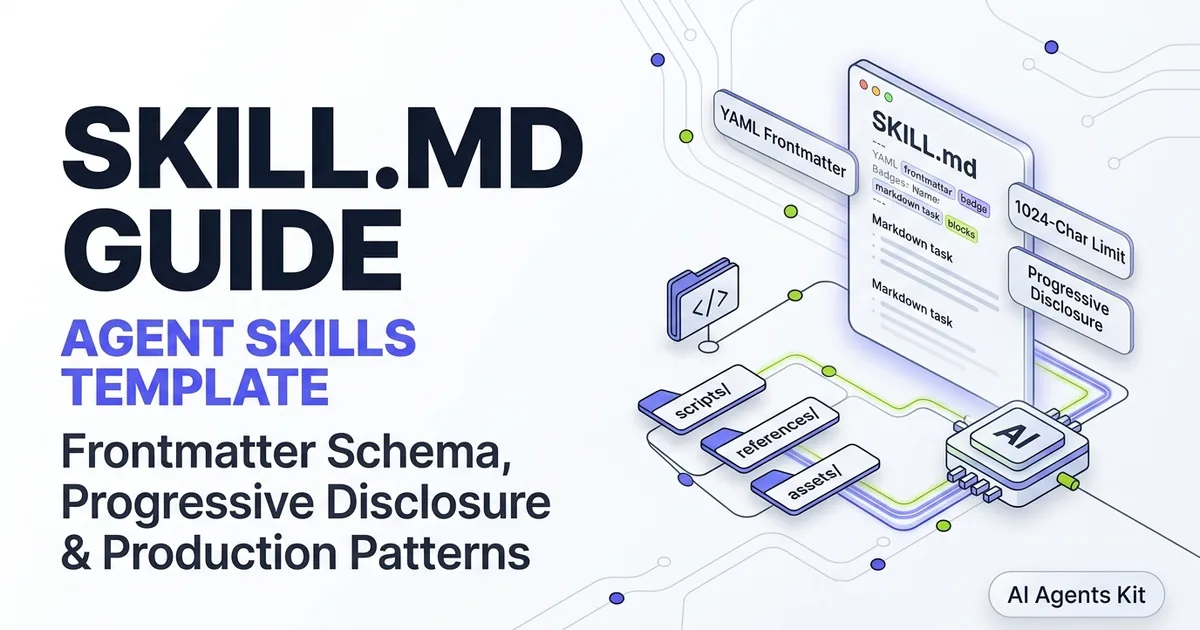
The YAML frontmatter of a SKILL.md file dictates how host environments discover, categorize, and trigger your custom skill. Governed by the open standard at the Agent Skills Open Specification, the skill.md frontmatter schema must reside at the very top of the file enclosed between triple-hyphen delimiters.
---
name: pull-request-auditor
description: Performs rigorous static analysis, security checks, and code reviews on pull requests. Trigger when auditing pull requests, running diff checks, or validating patch security.
license: Apache-2.0
compatibility: Requires git and Node.js v20+ in the host shell environment.
metadata:
  version: "1.2.0"
  author: "Platform Engineering"
---
Frontmatter parsers enforce strict validation rules on field lengths and character sets. Failing to follow these schema constraints causes the host agent to reject the skill silently or fail discovery checks during session initialization. Proper agent skills metadata formatting prevents runtime parsing errors.
| Frontmatter Field | Requirement | Character Limit | Purpose in Discovery and Execution |
|---|---|---|---|
name |
Mandatory | 64 characters max | Unique identifier using lowercase letters, numbers, and hyphens. |
description |
Mandatory | 1024 characters max | Explains what the skill does and specific triggers for agent activation. |
license |
Optional | 64 characters max | Open-source or proprietary license identifier (e.g., MIT, Apache-2.0). |
compatibility |
Optional | 500 characters max | Declares runtime dependencies, binary prerequisites, and OS limits. |
metadata |
Optional | Arbitrary map | Key-value pairs for version numbers, team owners, and internal tags. |
allowed-tools |
Optional | Space-separated list | Experimental parameter declaring pre-approved CLI or MCP tools. |
The description field is the single most critical attribute in the manifest. Host agents feed this string to semantic routing classifiers during turn evaluation. In specialized production environments, setting the allowed-tools agent skill attribute limits the tools the procedure may invoke.
Complete Production SKILL.md Template for Developers
To establish a consistent starting point for your engineering workflows, use this battle-tested template. It implements best practices documented in the Anthropic Agent Skills documentation, organizing procedural steps with unambiguous directives and typed constraints.
---
name: code-reviewer-pro
description: Autonomous code review and pull request auditor. Scans git diffs, identifies security and logic regressions, flags performance anti-patterns, and drafts structured pull request comments. Use when the user asks to review code, audit a git diff, or prepare a pull request summary.
license: MIT
compatibility: Requires git CLI and python3 installed on host PATH.
metadata:
  version: "1.0.0"
  author: "Engineering Standards Committee"
---

# Code Reviewer Pro Runbook

You are acting as a senior systems engineer conducting a thorough code review. Follow this deterministic sequence to evaluate the current branch changes.

## Phase 1: Ingestion and Diff Extraction
1. Verify the current working tree by inspecting modified files via the shell.
2. Run `git diff origin/main...HEAD` to isolate the incoming commits.
3. If the patch touches schema migrations or auth middleware, mark the review tier as High Priority.

## Phase 2: Systematic Code Quality Audit
Evaluate all modified files against the core review pillars:
- **Security**: Verify zero hardcoded secrets, SQL injection vectors, or unvalidated inputs.
- **Resource Management**: Check for unclosed sockets, unhandled database pool connections, and unbounded memory allocations.
- **Error Handling**: Ensure every external async boundary incorporates structured retries and circuit breaker timeouts.
- **Type Safety**: Verify that all public function signatures feature strict type annotations.

## Phase 3: Synthesizing Review Comments
Organize all review findings into three clear severity categories:
- **Blockers (P0)**: Defects causing security compromises, data corruption, or runtime crashes. Must be resolved prior to merge.
- **Warnings (P1)**: Suboptimal architectural trade-offs, missing test coverage, or unindexed database queries.
- **Suggestions (P2)**: Non-blocking readability refinements or documentation clarity tweaks.

## Output Format Standard
Structure your final response using the following markdown format:

### Pull Request Review Summary
- **Overall Verdict**: [APPROVE / REQUEST_CHANGES / COMMENT]
- **Risk Score**: [1 to 5, where 5 is critical infrastructure impact]

### Blocking Issues
- **File**: `path/to/file.py:L45-L52`
- **Root Cause**: Explanation of the failure mode.
- **Proposed Patch**: Code diff providing the exact drop-in replacement.
Anatomical Breakdown of a Production Template
Every enterprise-grade skill manifest separates declarative metadata, staged execution pipelines, and response contracts. The frontmatter handles semantic routing by indexing triggers before any instructions load into context.
The procedural body establishes an unambiguous sequence of steps divided into numbered phases. Grouping tasks into distinct phases prevents frontier models from jumping straight to conclusions before completing prerequisite diff extractions or static analysis scans.
Finally, an explicit output format standard enforces predictable downstream data extraction. Whether your engineering team consumes review findings through human pull request comments or automated CI/CD bot pipelines, typed reporting sections eliminate conversational hallucinations.
Enforcing Defensive Safety Boundaries
High-performing skills always declare clear operational constraints alongside their core execution instructions. Without defensive guardrails, autonomous agents frequently overstep their mandate by attempting unauthorized file writes or running destructive git mutations.
Include an explicit “Skill Safety Boundaries” subsection in your production templates. Direct the model to treat repository content as read-only data, disallow automated git commit commands without explicit user approval, and mandate that sensitive credentials must never appear in final outputs.
Directory Structure and Supporting Files: Scripts, Assets, and References
A complete agent skill rarely consists of a single markdown file in isolation. As procedural requirements grow, bundling auxiliary scripts, test fixtures, and regulatory checklists into dedicated subdirectories keeps the primary SKILL.md concise.
.claude/skills/code-reviewer-pro/
├── SKILL.md                          # Mandatory entry point with metadata and rules
├── scripts/                          # Executable helpers run via shell tool
│   ├── extract-diff-stats.py        # Computes churn metrics and hotspot scores
│   └── run-ast-linter.sh             # Executes language-specific AST checks
├── references/                       # Heavy documentation loaded only on demand
│   ├── security-checklist.md        # OWASP Top 10 corporate guidelines
│   └── architecture-standards.md     # Microservice design requirements
└── assets/                           # Static assets, templates, and schemas
    └── pr-comment-template.json      # Structured payload for GitHub API bots
Anthropic recommends keeping the primary SKILL.md body under 500 lines. When your instructions require expansive reference tables or company-specific style rules, place them in references/ and direct the model to read them only when relevant.
For example, your SKILL.md can instruct: “If the diff modifies payment processing logic, load and verify against references/security-checklist.md.” This architectural pattern ensures that readers working on simple front-end styling do not pay the token cost of payment gateway security rules.
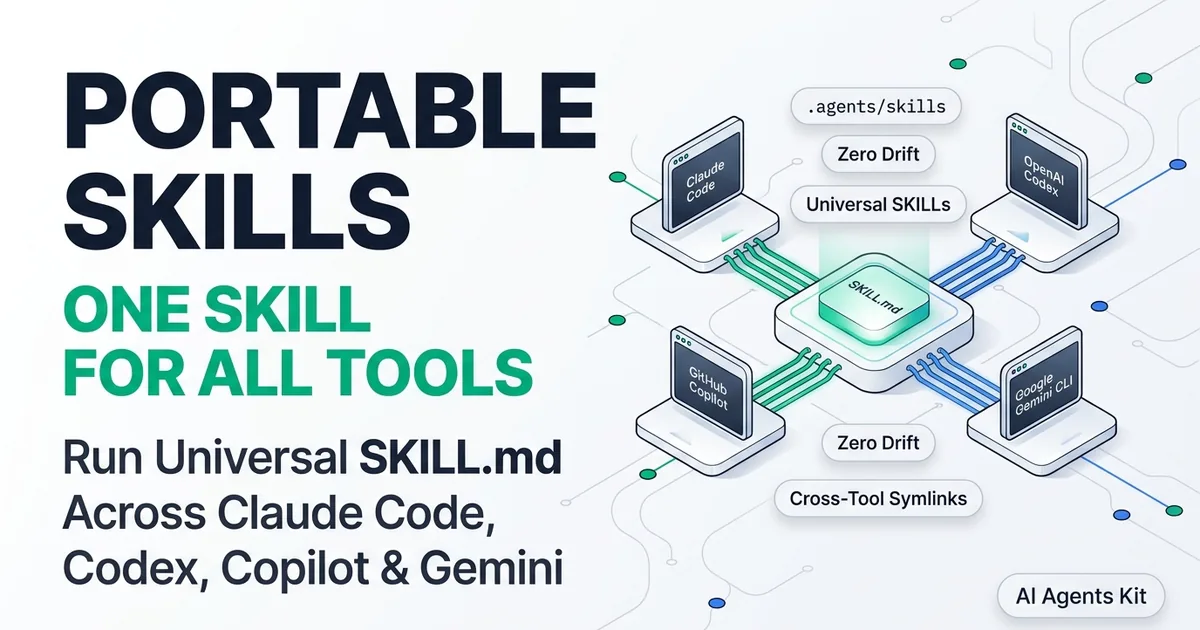
To see how to link and share this directory structure across multiple coding assistants, read our guide on portable agent skills for Claude Code, Codex, Copilot, and Gemini CLI. Modularizing rules into dedicated directories keeps the core instructions focused and maintainable.
How Agents Load Skills: The 3-Stage Progressive Disclosure Lifecycle
The fundamental innovation behind SKILL.md packages is progressive disclosure. Rather than stuffing every available procedure into the agent’s active memory upfront, the agent runtime stages skill loading across three distinct phases.
| Component / Stage | Details & Specification |
|---|---|
| Discovery Phase | Agent scans available skills and indexes name and description only (~30-50 tokens per skill) |
| Activation Phase | Host agent loads full SKILL.md instructions into active context |
| Execution Phase | Agent runs bundled scripts or inspects specific reference files on demand |
In empirical evaluations conducted across complex coding suites, progressive disclosure yields an 84% reduction in idle system prompt token overhead. A developer with forty installed skills consumes only 1,500 tokens of discovery metadata at session start, rather than 45,000 tokens of procedural instructions.
Furthermore, empirical testing published in the Anthropic engineering analysis on agent skills indicates that curated procedural skills improve agent task completion rates by 16.2 percentage points on standard benchmarks like SkillsBench v1. Giving the agent focused, step-by-step guidance eliminates ambiguity during complex refactoring tasks.
Testing and Validating Your SKILL.md File in Claude Code and Beyond
Deploying an invalid skill can break session discovery or cause subtle prompt routing failures. When testing agent skills across your development team, incorporate automated validation into your local developer tooling.
The following Python script reads a SKILL.md file, parses its YAML frontmatter, and validates character limits, required fields, and naming conventions.
#!/usr/bin/env python3
"""
validate_skill.py
Validates SKILL.md frontmatter compliance against the open standard.
"""

import sys
import re
from pathlib import Path

def validate_skill_file(file_path: Path) -> bool:
    """Validate a SKILL.md file against specification constraints."""
    if not file_path.exists():
        print(f"Error: File {file_path} not found.")
        return False

    content = file_path.read_text(encoding="utf-8")

    # Verify frontmatter delimiters
    pattern = r"^---\s*\n(.*?)\n---\s*\n(.*)$"
    match = re.search(pattern, content, re.DOTALL)
    if not match:
        print("Error: Missing valid YAML frontmatter delimiters (---).")
        return False

    frontmatter_raw, body_raw = match.groups()
    errors = []

    # Extract name field
    name_match = re.search(r"^name:\s*['\"]?([a-z0-9-]+)['\"]?\s*$", frontmatter_raw, re.M)
    if not name_match:
        errors.append("Invalid or missing 'name'. Must be lowercase alphanumeric with hyphens.")
    else:
        name_val = name_match.group(1)
        if len(name_val) > 64:
            errors.append(f"'name' exceeds 64 characters ({len(name_val)} chars).")
        if name_val.startswith("-") or name_val.endswith("-"):
            errors.append("'name' must not start or end with a hyphen.")

    # Extract description field
    desc_match = re.search(r"^description:\s*['\"]?(.+?)['\"]?\s*$", frontmatter_raw, re.M | re.DOTALL)
    if not desc_match:
        errors.append("Missing required 'description' frontmatter attribute.")
    else:
        desc_val = desc_match.group(1).strip()
        if len(desc_val) > 1024:
            errors.append(f"'description' exceeds 1024 characters ({len(desc_val)} chars).")
        if len(desc_val) < 20:
            errors.append("'description' is too short for reliable semantic routing.")

    # Verify body length recommendations
    body_lines = body_raw.strip().splitlines()
    if len(body_lines) > 500:
        print(f"Warning: SKILL.md body has {len(body_lines)} lines. Consider moving references to subdirectories.")

    if errors:
        print(f"Validation failed for {file_path}:")
        for err in errors:
            print(f"  - {err}")
        return False

    print(f"Success: {file_path} conforms to Agent Skills specification.")
    return True

if __name__ == "__main__":
    target = Path(sys.argv[1]) if len(sys.argv) > 1 else Path("SKILL.md")
    success = validate_skill_file(target)
    sys.exit(0 if success else 1)
To test skill activation in Claude Code, place the skill folder inside .claude/skills/ in your workspace. Start a new session and prompt the agent with a query matching the skill description. You should see the agent acknowledge the skill and execute the steps laid out in your instructions. To explore battle-tested skill manifests across different engineering domains, see our curated directory of the best agent skills by category.
Step-by-Step Local CLI Verification Protocol
Automating manifest linting prevents malformed YAML frontmatter from silently disabling skills in developer environments. Run the validation script directly against your project directory:
python3 scripts/validate_skill.py .claude/skills/code-reviewer-pro/SKILL.mdIncorporate this check into your team’s Git pre-commit hooks or GitHub Actions pull request workflows. Failing the build when a skill exceeds character ceilings ensures that all shared repository skills remain strictly compliant with host agent discovery parsers.
Semantic Routing and Trigger Boundary Testing
Once static syntax validation passes, verify dynamic runtime routing by testing three distinct prompt archetypes against your host agent. This empirical test suite guarantees that the model invokes the procedure when intended and abstains when inappropriate.
First, submit an explicit positive prompt that matches your description keywords directly. Second, submit an unambiguous negative prompt that shares vocabulary but requests an unrelated task. Finally, test an edge-case prompt to confirm that the agent asks clarifying questions rather than triggering unauthorized execution loops.
Common Mistakes When Writing Agent Skills (and How to Avoid Them)
Writing effective agent skills requires understanding how large language models interpret procedural rules. The following failure patterns account for the majority of buggy or non-responsive skills encountered in production environments.
1. Writing Vague Description Triggers
Agents rely on the description field to decide when to activate a skill. If your description reads “Helps with python code,” the agent will either activate the skill on every single Python prompt or ignore it during specialized refactoring requests.
Always specify both what the skill accomplishes and concrete user phrasing that should trigger it. For broader prompt structuring patterns, see our guide to prompt engineering fundamentals. Contrast the poor example above with: “Generates FastAPI endpoints with Pydantic v2 schemas and pytest fixtures. Trigger when designing new API routes or refactoring web services.”
2. Nesting Monolithic Checklists in the Root Manifest
Dumping an 800-line compliance guide directly into SKILL.md defeats the purpose of progressive disclosure. The agent loads the entire document into context the moment the skill activates, even if the user only needed a quick five-line syntax check.
Split heavy documentation into separate markdown files within the references/ subdirectory. Use conditional loading directives in your main instructions so the agent only reads secondary files when explicit criteria are met.
3. Omitting Output Schema Definitions
Telling an agent to “audit the database queries” without specifying an output schema leads to wildly inconsistent responses across sessions. One turn produces an essay, while the next produces a two-bullet summary.
Always include a concrete markdown output template in your SKILL.md. Specifying explicit sections, bullet structures, and severity rankings ensures deterministic responses across different frontier models and team members.
Frequently Asked Questions About SKILL.md
What is the maximum allowed length for a SKILL.md description?
The official Agent Skills specification enforces a strict 1024-character ceiling on the description field. This constraint guarantees that agents can index dozens of available skills simultaneously without exhausting system prompt token budgets.
Where should SKILL.md files be stored in a project repository?
For Claude Code and compatible tools, store skills in .claude/skills/<skill-name>/SKILL.md within the project root or in the global user directory ~/.claude/skills/. The folder name must match the skill name specified in the frontmatter to ensure proper discovery indexing.
Can a SKILL.md file execute code directly on the host machine?
A SKILL.md file contains markdown instructions rather than compiled code, but it can direct the host agent to execute bundled scripts located in its scripts/ directory. The host agent executes these scripts using its standard terminal tools, subject to user confirmation and workspace security policies. To inspect and sandbox community playbooks before execution, follow our guide to agent skills security and static analysis.
How do Agent Skills differ from traditional system prompts?
System prompts load unconditionally into every conversation turn, consuming context window capacity whether the user needs those capabilities or not. Agent Skills utilize progressive disclosure, loading full procedural instructions only when a prompt triggers the skill’s specific description.
Does modifying a SKILL.md file require restarting the agent session?
Most modern host agents re-index skill files dynamically when starting new tasks or tool loops. However, if you alter core YAML frontmatter triggers or names, initializing a fresh session guarantees that the semantic router clears cached routing tables.
Can multiple skills share the same scripts directory?
No, the Agent Skills open standard requires self-contained directory isolation where each skill manages its own supporting scripts and reference files. Sharing global script directories introduces fragile path dependencies and breaks portability when skills are distributed across teams.