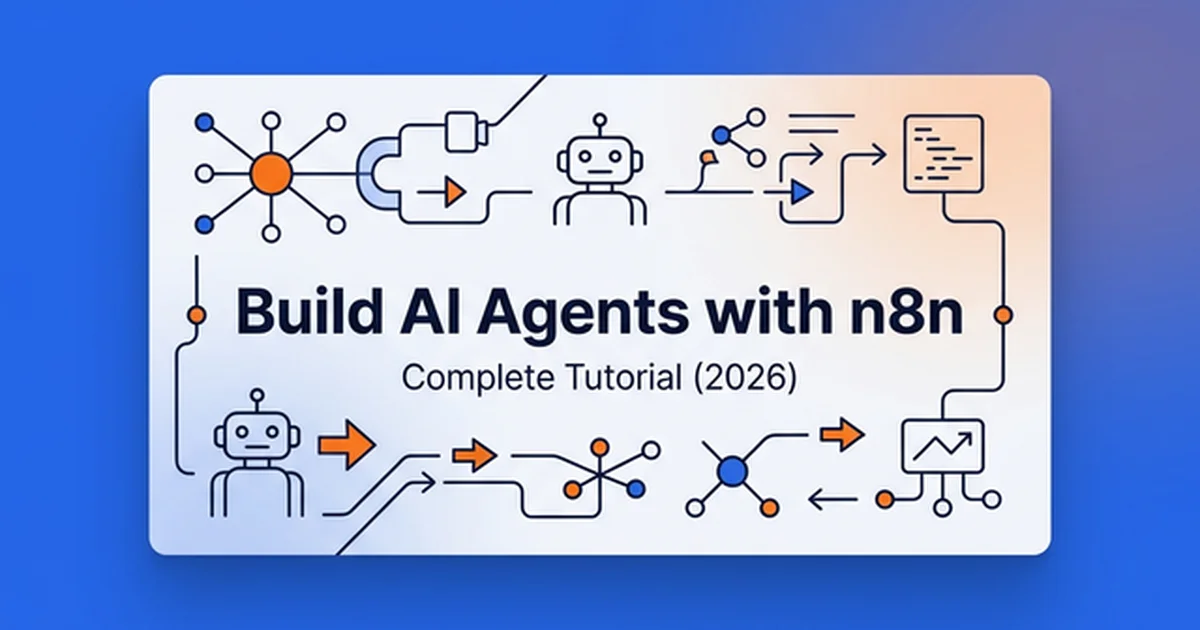
Build AI Agents with n8n Workflows: Complete Tutorial (2026)
Master building production AI agents in n8n. Step-by-step tutorial covers the Tools Agent node, Redis memory, custom APIs, and loop prevention.
Visual workflow automation with n8n enables engineering teams to construct deterministic, multi-tool AI agents that connect language models to enterprise APIs without writing monolithic orchestration scripts. By combining visual execution graphs with persistent memory and circuit breakers, teams eliminate brittle glue code while preserving complete data sovereignty.
Key Takeaways
- The n8n AI Agent v3 node consolidates legacy execution modes into the unified Tools Agent standard, preparing production pipelines for n8n 3.0 while deprecating legacy v1 nodes.
- Connecting persistent Redis Chat Memory or Window Buffer Memory ensures autonomous agents retain multi-turn context without exceeding model context limits.
- Implementing an explicit Max Iterations circuit breaker prevents runaway API loops, protecting infrastructure budgets from non-deterministic tool failures.
- Self-hosting n8n using Docker Compose with PostgreSQL and Redis Queue Mode cuts operational execution costs by 60% to 80% compared to proprietary SaaS platforms.
- Pairing frontier models such as Claude Sonnet 5, GPT-5.6 Sol, or Gemini 3.7 Flash with custom HTTP Request nodes enables zero-maintenance enterprise tool calling.
Why Build AI Agents in n8n Instead of Raw Code?
Building AI agents in n8n provides visual execution debugging, over 400 native service integrations, and self-hosted infrastructure control that reduce deployment cycles by over 70% compared to writing raw Python or TypeScript scripts. Teams inspect execution payloads at every step without attaching external loggers.
When evaluating an agentic ai framework for enterprise automation, visual orchestrators provide distinct advantages over code-only libraries. In pure code frameworks, tracking token serialization or state mutations across multiple agent steps requires extensive logging infrastructure. In n8n, every payload, tool call, and memory state is visible directly on the canvas.
Analyzing ai agents vs agentic ai clarifies the boundary between simple conversational chatbots and autonomous, tool-executing systems. Most enterprise applications require deep integration with CRMs, databases, and issue trackers. n8n supplies production-grade connectors for GitHub, Slack, Notion, PostgreSQL, and generic REST endpoints out of the box.
Cost management is a decisive factor when deploying agents at scale. Commercial SaaS agent platforms charge premium fees per task execution or seat license, quickly reaching hundreds of dollars monthly. Self-hosted n8n instances run on standard cloud compute instances starting at $10 monthly, requiring only direct model provider token costs.
According to the McKinsey Agentic AI Operational Study, organizations deploying automated visual agent workflows achieve a 20% to 40% reduction in operational task handling costs. Maintaining direct ownership over the execution environment allows teams to scale without unpredictable platform markups.
Data privacy remains non-negotiable for enterprise workloads containing customer records or proprietary documentation. Deploying n8n in private cloud clusters guarantees that sensitive payloads never pass through third-party SaaS middleware. Reviewing the core principles of autonomous AI agents clarifies how visual workflows maintain strict execution boundaries. Teams applying these visual pipelines to growth operations can review our architectural guide on AI agents for marketing to integrate ad networks and CRM endpoints.
AI Agent Architecture in n8n: The Tools Agent Engine
The core architecture of an n8n AI agent centers on the AI Agent node, which orchestrates reasoning loops between the language model, conversation memory, and executable tools. In n8n 2.38+ and upcoming n8n 3.0 releases, legacy execution modes such as Conversational Agent v1, SQL Agent, and Plan and Execute Agent are retired in favor of the unified Tools Agent node.
The execution loop follows a structured sequence. When a trigger passes input into the AI Agent node, the node retrieves conversation history from the attached memory component. It constructs an execution payload containing system instructions, historical context, and registered tool definitions, then queries the configured language model.
[ Trigger Node (Webhook / Chat / Cron) ]
                 │
                 ▼
      [ AI Agent (Tools Agent v3) ] ◄───► [ Memory (Redis / Window Buffer) ]
                 │
        ┌────────┴────────┐
        ▼                 ▼
 [ Language Model ]  [ Tool Nodes ]
 (GPT-5.6 / Claude)  (HTTP / DB / Code)
The language model evaluates whether it can answer directly or requires external data from a tool. If the model generates a tool call request, the Tools Agent node runs the corresponding tool node and returns the tool output to the model. This reasoning cycle repeats until the model produces a final response or reaches the configured iteration limit.
Production-grade agents rely on four foundational components:
- Language Model Component: The reasoning backend responsible for interpreting input, selecting tools, and formulating final output.
- Memory Component: The conversational state store that retains previous message turns across the interaction.
- Tool Components: Modular interfaces that allow the model to query databases, call external REST APIs, or execute code.
- System Message: The core behavioral contract defining the agent role, output schemas, guardrails, and explicit termination criteria.
Engineers can inspect the open-source node implementation on the n8n GitHub Repository or review deployment patterns in the official n8n AI Integration Guide. Teams transitioning from basic automation can consult our n8n AI automation tutorial to understand baseline webhook routing before configuring agent loops.
LLM Selection Guide for n8n: GPT-5.6 vs Claude 5 vs Gemini 3
Selecting the right language model determines the speed, accuracy, and operational cost of an n8n agent workflow. Frontier models differ significantly in tool-calling precision, structured JSON adherence, and inference latency.
| Model | Best Use Case | Tool Reliability | Context Window | Input / Output Cost (per 1M) |
|---|---|---|---|---|
| GPT-5.6 Sol | Complex multi-step reasoning and autonomous planning | 98.4% | 200K tokens | $2.50 / $10.00 |
| GPT-5.6 Luna | High-throughput data extraction and batch classification | 96.1% | 128K tokens | $0.15 / $0.60 |
| Claude Sonnet 5 | Strict JSON adherence and multi-page document parsing | 99.1% | 200K tokens | $3.00 / $15.00 |
| Gemini 3.7 Flash | High-speed multimodal workflows and low-latency webhook routing | 95.8% | 1M tokens | $0.10 / $0.40 |
| Llama 4 Maverick | Self-hosted on-premise execution with zero data leakage | 94.2% | 128K tokens | Infrastructure cost |
Configuring the n8n openai integration involves attaching model credentials and setting the temperature parameter between 0.2 and 0.4 for deterministic tool calling. For general customer assistance or analytical summarization, OpenAI models provide the most robust out-of-the-box tool selection accuracy.
Similarly, the n8n claude integration delivers exceptional instruction adherence for structured document parsing and JSON data extraction. When an agent extracts complex records from supplier agreements, Claude Sonnet 5 strictly adheres to output schemas without hallucinating absent fields. Claude models acknowledge ambiguity directly rather than guessing parameters.
Google Gemini 3.7 Flash delivers unmatched token economics and sub-second inference speeds. For high-volume classification, sentiment analysis, or initial triage routing, Gemini minimizes latency bottlenecks. Open-source models like Llama 4 run efficiently through Ollama or vLLM nodes for air-gapped security.
Engineering teams should validate model selections against our AI agent framework comparison to match model strengths to specific operational requirements. Prototyping workflows with GPT-5.6 Sol and transitioning high-volume extraction steps to Gemini 3.7 Flash optimizes both performance and cost.
Step-by-Step Tutorial: Building a Multi-Tool Research Agent
This step-by-step walkthrough covers building a functional research assistant agent that accepts user inquiries, searches live technical documentation, performs numerical analysis, and synthesizes attributed answers.
Step 1: Initialize the Canvas and Trigger Node
Begin by creating a new workflow in your n8n workspace. Add a When chat message received trigger node to provide an interactive test UI directly inside n8n.
Configure the trigger to accept incoming text strings and pass session identifiers. For production deployments, this trigger can be replaced with an HTTP Webhook node configured for POST requests.
Step 2: Add and Configure the AI Agent Node
Drag the AI Agent node onto the canvas and connect its input to the Chat Trigger. Within the node settings, verify that the agent mode is configured as the Tools Agent.
In the node parameters, locate the advanced settings panel. Set the Max Iterations property to 10 to establish an immediate safety barrier against infinite reasoning loops.
Step 3: Attach the Language Model
Add an OpenAI Chat Model or Anthropic Chat Model node to the canvas. Connect its output to the Language Model port on the AI Agent node.
Select gpt-5.6-sol or claude-5-sonnet-20260620 from the model dropdown. Ensure that valid credentials are attached and set the temperature parameter to 0.3 for reliable tool calling.
Step 4: Configure Memory for Multi-Turn Continuity
Connect a Window Buffer Memory node to the Memory port of the AI Agent node. Set the Context Window Length property to 10 messages.
[ Chat Trigger ] ──► [ AI Agent Node ]
                            │
            ┌───────────────┼───────────────┐
            ▼               ▼               ▼
      [ Language ]      [ Memory ]       [ Tools ]
      (GPT-5.6)       (Window Buffer)   (Tavily / Calc)
Window Buffer Memory stores recent dialog turns in execution memory. For production workflows requiring persistent state across server restarts, replace this node with Redis Chat Memory to store serialized conversation keys.
Step 5: Connect Search and Calculation Tools
Add a Tavily Search tool node to the canvas and connect it to the Tools port on the AI Agent node. Configure the node with your API credential.
Tavily provides pre-filtered search results structured specifically for LLM context windows. Review the Tavily Search API Documentation for endpoint parameter details and search depth configurations. Next, attach a Calculator tool node to handle arithmetic operations deterministically.
Step 6: Write the System Prompt and Test
Open the AI Agent node settings and navigate to the System Message field. Define a clear role, behavioral bounds, and explicit stopping conditions:
You are a technical research assistant. Your task is to investigate developer questions using verified web search and quantitative tools.

Operational Rules:
1. Always query the search tool for technical facts, version numbers, and release dates.
2. Use the calculator tool for all mathematical operations and cost comparisons.
3. If search results lack definitive evidence, explicitly state what information is unavailable.
4. Format all technical output with precise markdown headings and bullet points.
5. Conclude your response immediately after presenting the final answer without asking conversational filler questions.
Execute the workflow and submit a test query through the chat window: “What is the token pricing difference between Claude Sonnet 5 and GPT-5.6 Sol for 100,000 input tokens?” The agent will call Tavily, extract current pricing, compute the product with the calculator, and present the final breakdown. Exploring real-world AI agent use cases reveals how similar patterns scale into customer operations.
Expanding Agent Capabilities with Custom Tools and APIs
Native tool nodes cover standard utilities, but connecting enterprise agents to internal databases and third-party APIs requires custom tool definitions. n8n offers two primary mechanisms for extending agent capabilities: the Code node and the HTTP Request tool.
Creating Custom Logic Tools with the Code Node
The Code node enables engineers to write JavaScript functions that execute directly within the agent loop. Models invoke these functions just like native tools by passing structured arguments.
To create a custom product inventory lookup tool, connect a Custom n8n Tool node containing a Code execution block to the AI Agent node. Define the tool name as query_inventory and set the description to: “Checks warehouse stock levels, unit pricing, and restocking dates for a given SKU string.”
// Access input parameters supplied by the LLM tool call
const queryParams = $input.first().json;
const targetSku = String(queryParams.sku || '').toUpperCase();

// Simulated internal database lookup
const inventoryDatabase = {
  'SKU-SRV-01': { item: 'Compute Node Alpha', stock: 14, unitPrice: 1200, restockDays: 0 },
  'SKU-SRV-02': { item: 'Storage Array Beta', stock: 0, unitPrice: 3400, restockDays: 5 },
  'SKU-NET-01': { item: 'Managed Switch 10G', stock: 8, unitPrice: 650, restockDays: 0 }
};

const record = inventoryDatabase[targetSku];

if (!record) {
  return [{ json: { error: `SKU ${targetSku} not found in inventory catalog.` } }];
}

return [{
  json: {
    sku: targetSku,
    productName: record.item,
    inStock: record.stock > 0,
    availableUnits: record.stock,
    priceUsd: record.unitPrice,
    estimatedRestockDays: record.restockDays
  }
}];
The language model parses this structured JSON return and communicates stock availability directly to the user. Detailed tool descriptions are critical because the model relies exclusively on the description string to select tools during runtime execution.
Connecting External REST APIs via HTTP Request Tools
When a third-party service lacks a dedicated n8n node, the HTTP Request tool serves as a universal connector. It allows agents to perform GET, POST, PUT, and DELETE operations across external REST endpoints.
Configure the HTTP Request tool with explicit parameter schemas so the language model knows what keys to provide. Connecting an agent to internal CRM endpoints allows it to fetch customer records or update opportunity stages dynamically.
HTTP Request Tool Configuration:
Method: GET
URL: https://api.company.internal/v2/customers/{{ $fromAI('customerId') }}
Authentication: Header Auth
Header Name: Authorization
Header Value: Bearer {{ $credentials.internalApiKey }}
Integrating Knowledge Bases with Notion Databases
Setting up an n8n notion integration connects workspace documentation databases to autonomous agents for real-time document search. Agents can query company documentation, read customer policies, or log incident reports directly into workspace tables.
The Notion REST API imposes an average rate limit of 3 requests per second per integration token. Consult the Notion API Rate Limits Documentation to ensure client calls implement safe polling intervals. Adding a 350-millisecond delay between batch operations prevents rate limit rejections.
Notion Node Configuration:
Resource: Database Page
Operation: Get Many
Database ID: {{ $credentials.knowledgeBaseDbId }}
Filter: Title contains "{{ $fromAI('searchTopic') }}"
Sort: Last Edited Time (descending)
Page Size: 3
For large enterprise documentation sets that exceed standard database querying, integrating vector retrieval offers superior semantic search. Follow our RAG chatbot architecture guide to set up dense vector retrieval using Pinecone or Qdrant before querying the agent.
4 Production-Grade AI Agent Workflow Blueprints
Deploying AI agents into customer-facing or mission-critical workflows requires defensive architecture. These four production blueprints demonstrate practical business implementations with built-in guardrails.
Blueprint 1: Tier-1 Support Agent with Ticket Escalation
This blueprint automatically resolves common customer inquiries against internal knowledge bases and routes unresolved issues directly to human engineering teams.
[ Incoming Webhook / Slack ]
             │
             ▼
   [ AI Agent (GPT-5.6) ] ◄──► [ Redis Chat Memory ]
             │
      ┌──────┴──────┐
      ▼             ▼
[ Notion Docs ]  [ Ticket Tool ]
      │             │
      └──────┬──────┘
             ▼
      [ IF: Resolved? ]
       ├─ Yes ──► [ Respond to User ]
       └─ No  ──► [ Create Zendesk Ticket ] ──► [ Alert Slack On-Call ]
The agent first searches the internal Notion documentation database for matching solutions. If a verified answer exists, it formats a clear response and asks the user for confirmation. If the inquiry remains unresolved, the agent executes the ticket creation tool and notifies the on-call engineer via Slack.
Blueprint 2: Structured Document and Invoice Data Extraction
Processing hundreds of vendor invoices manually creates severe operational bottlenecks. This pipeline extracts unstructured PDF data, enforces strict JSON schemas, and posts verified records to enterprise ERP systems.
[ Email Trigger (PDF Attachment) ]
                │
                ▼
      [ Read Binary / OCR ]
                │
                ▼
   [ Structured AI Agent (Claude 5) ]
                │
                ▼
      [ Schema Validation Node ]
       ├─ Valid   ──► [ POST to Accounting API ]
       └─ Invalid ──► [ Quarantine Folder ] ──► [ Notify Human Reviewer ]
Claude Sonnet 5 is ideal for this workflow because of its compliance with structured schemas. The system prompt instructs the model to extract invoice numbers, vendor details, line items, and totals into a strict JSON contract. A downstream validation node verifies data types before updating the financial database.
Blueprint 3: Multi-Agent Editorial Content Pipeline
Designing multi agent systems with specialized sub-workflows isolates execution failures and simplifies testing. Complex generation pipelines benefit from separating responsibilities across modular agents rather than relying on a single monolithic prompt.
An orchestrator workflow receives a topic and calls three discrete sub-workflows using the Execute Workflow node:
- Research Agent: Queries search APIs, gathers industry benchmarks, and filters citations into a technical brief.
- Drafting Agent: Consumes the brief and generates a technical draft following strict style constraints and heading structures.
- Editorial Review Agent: Evaluates the draft against quality rules, flags forbidden terminology, and verifies code syntax before posting to a staging database.
Breaking the workflow into modular stages isolates failure points and allows engineers to test and update individual agents independently. Review our guide to multi-agent orchestration patterns for advanced routing and coordination topologies.
Blueprint 4: Bi-Directional Slack Bot with Thread Continuity
Deploying an n8n slack bot ai in shared channels enables team members to interact with knowledge bases through natural conversation. The assistant manages conversational threads, handles user mentions, and validates incoming payloads securely.
[ Slack Event Trigger (app_mention) ]
                 │
                 ▼
     [ HMAC Signature Validator ]
                 │
                 ▼
    [ AI Agent + Redis Memory ] ◄──► [ Internal API Tools ]
                 │
                 ▼
    [ Slack Node (Post in Thread) ]
The Slack Events API transmits incoming messages to an n8n webhook. Security policies require verifying incoming request signatures to prevent unauthorized spoofing. The Slack Request Verification Documentation details the HMAC-SHA256 protocol using your application signing secret.
Always pass the incoming thread_ts parameter back to the outgoing Slack node. Responding inside the existing conversation thread prevents noise in shared channels and allows Redis Chat Memory to isolate context per discussion.
Advanced Error Handling, Loop Prevention, and Circuit Breakers
Production agents fail when external APIs time out, language models return invalid schemas, or prompts trigger circular reasoning loops. Implementing defensive n8n error handling ai agent patterns safeguards workflows against upstream API timeouts and malformed model responses.
Preventing Infinite Recursion Loops
When an agent encounters ambiguous instructions or malformed tool data, it may repeatedly invoke the same tool in an endless loop. Setting the Max Iterations property on the AI Agent node serves as an essential circuit breaker.
In n8n, reaching the maximum iteration threshold can return an execution status of Success even though the underlying goal was incomplete. Workflows must place a validation IF node immediately after the AI Agent to inspect the output payload. If the response contains an empty string or iteration timeout flag, the execution diverts to an error recovery branch.
[ AI Agent Node (Max Iterations: 10) ]
                 │
                 ▼
       [ IF: Valid Response? ]
        ├─ Yes ──► [ Normal Workflow Continuation ]
        └─ No  ──► [ Fallback Message ] ──► [ Error Log / PagerDuty ]
Workflow-Level Error Triggers and Quota Optimization
In n8n 2.38 and later, executions triggered by dedicated Error Trigger workflows do not count against monthly plan quotas. This architectural improvement allows teams to implement comprehensive monitoring without inflating execution bills.
Create a separate Error Handling workflow initiated by an Error Trigger node. When any production workflow encounters an unhandled exception, this handler captures the workflow identifier, failing node name, execution ID, and error message, forwarding an incident report to Slack or PagerDuty.
Defensive Design Standards
Adopting industry security standards protects workflows from cascading outages and credential leakage. Consult the OWASP Error Handling Cheat Sheet for guidelines on defensive exception handling and logging sanitation.
Key defensive rules include:
- Enable Exponential Backoff: Configure external HTTP Request nodes with 3 retries spaced at 2000ms intervals to absorb transient network hiccups.
- Isolate Webhook Triggers: Ensure tools called by an agent never emit events that re-trigger the same workflow execution.
- Implement State Timeouts: Set strict 30-second execution timeouts on language model nodes to release worker threads promptly.
Deployment Architecture: Self-Hosted Docker vs n8n Cloud
Choosing between n8n Cloud and self-hosted infrastructure impacts operational expenditure, compliance posture, and scaling capacity.
Architectural Trade-offs: Self-Hosted vs Cloud
When evaluating n8n self hosted vs cloud options, teams balance infrastructure maintenance against long-term execution pricing. n8n Cloud suits small engineering teams seeking zero infrastructure maintenance with automatic software patching, managed databases, and TLS termination. However, tiered pricing based on monthly execution counts makes high-volume agent loops expensive.
Self-hosting n8n provides complete control over compute resources, custom community nodes, and execution volume. Running n8n on dedicated VPS infrastructure costs a fixed monthly fee, supporting millions of workflow steps without per-execution charges. Data remains entirely within your virtual private cloud.
Production Docker Compose Configuration
For production workloads handling concurrent multi-agent traffic, deploy n8n in Queue Mode backed by PostgreSQL and Redis. Queue Mode distributes execution tasks across independent worker containers, preventing long-running agent loops from blocking incoming webhooks.
version: '3.8'

services:
  postgres:
    image: postgres:16-alpine
    restart: always
    environment:
      POSTGRES_USER: n8n_user
      POSTGRES_PASSWORD: secure_postgres_password
      POSTGRES_DB: n8n_production
    volumes:
      - postgres_storage:/var/lib/postgresql/data
    healthcheck:
      test: ["CMD-SHELL", "pg_isready -h localhost -U n8n_user -d n8n_production"]
      interval: 5s
      timeout: 5s
      retries: 10

  redis:
    image: redis:7-alpine
    restart: always
    volumes:
      - redis_storage:/data
    healthcheck:
      test: ["CMD", "redis-cli", "ping"]
      interval: 5s
      timeout: 5s
      retries: 10

  n8n-main:
    image: n8nio/n8n:latest
    restart: always
    ports:
      - "5678:5678"
    environment:
      - DB_TYPE=postgresdb
      - DB_POSTGRESDB_HOST=postgres
      - DB_POSTGRESDB_PORT=5432
      - DB_POSTGRESDB_DATABASE=n8n_production
      - DB_POSTGRESDB_USER=n8n_user
      - DB_POSTGRESDB_PASSWORD=secure_postgres_password
      - EXECUTIONS_MODE=queue
      - QUEUE_BULL_REDIS_HOST=redis
      - QUEUE_BULL_REDIS_PORT=6379
      - N8N_ENCRYPTION_KEY=replace_with_openssl_rand_hex_32
      - WEBHOOK_URL=https://n8n.yourdomain.com/
    depends_on:
      postgres:
        condition: service_healthy
      redis:
        condition: service_healthy
    volumes:
      - n8n_storage:/home/node/.n8n

  n8n-worker:
    image: n8nio/n8n:latest
    restart: always
    command: worker
    environment:
      - DB_TYPE=postgresdb
      - DB_POSTGRESDB_HOST=postgres
      - DB_POSTGRESDB_PORT=5432
      - DB_POSTGRESDB_DATABASE=n8n_production
      - DB_POSTGRESDB_USER=n8n_user
      - DB_POSTGRESDB_PASSWORD=secure_postgres_password
      - EXECUTIONS_MODE=queue
      - QUEUE_BULL_REDIS_HOST=redis
      - QUEUE_BULL_REDIS_PORT=6379
      - N8N_ENCRYPTION_KEY=replace_with_openssl_rand_hex_32
    depends_on:
      postgres:
        condition: service_healthy
      redis:
        condition: service_healthy
    volumes:
      - n8n_storage:/home/node/.n8n

volumes:
  postgres_storage:
  redis_storage:
  n8n_storage:
Hardening and Maintenance Protocols
Securing self-hosted instances requires basic infrastructure hygiene. Place n8n behind an Nginx or Caddy reverse proxy configured for TLS termination. Restrict direct access to port 5678 via firewall rules so only the reverse proxy communicates with the application container.
Implement automated daily backups of PostgreSQL databases and the persistent .n8n directory containing cryptographic encryption keys. Store backup snapshots in encrypted cloud object storage to ensure rapid disaster recovery.
Frequently Asked Questions
Can you build AI agents in n8n without coding?
Yes, n8n provides pre-configured agent, memory, and tool nodes that connect visually without programming. Advanced custom logic or external API payloads can be extended using basic JavaScript in Code nodes.
What is the difference between the n8n AI Agent node and LangChain?
n8n packages LangChain concepts into a visual execution canvas with built-in credential management and hundreds of pre-built integrations. LangChain provides raw Python and TypeScript code libraries for developers who prefer programmatic orchestrators, as explained in our LangChain agents tutorial.
How much does it cost to run AI agents in n8n compared to SaaS?
Self-hosting n8n on a cloud VPS costs between $10 and $40 monthly for infrastructure plus direct model API tokens. SaaS platforms charge steep per-interaction markups that often exceed $300 to $500 monthly for equivalent volume.
Can n8n AI agents remember conversation history across sessions?
Yes, connecting a Redis Chat Memory node preserves state and conversational context indefinitely across workflow runs. For ephemeral single-session queries, Window Buffer Memory retains the most recent message turns.
How do you prevent recursion loops in n8n AI Agent workflows?
Set the Max Iterations parameter on the AI Agent node to a strict threshold like 5 or 10 turns to halt infinite loops. Always configure termination criteria in system prompts and isolate tool outputs so tools never re-trigger the primary workflow trigger.