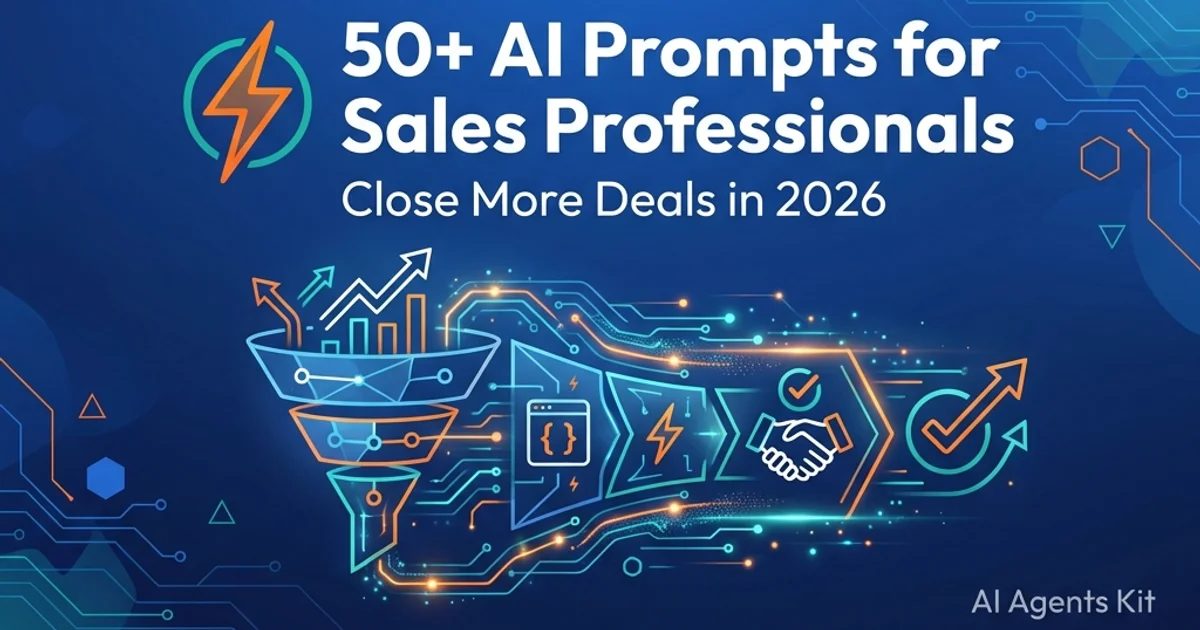
50+ AI Prompts for Sales Professionals: Close More Deals (2026)
Master 50+ battle-tested AI prompts for B2B sales professionals. Streamline outbound prospecting, discovery calls, objection handling, and deal closing.
By 2028, AI will automate 70% of sales cycle activities according to industry research. That automation shifts repetitive administrative busywork toward high-leverage strategic buyer engagement.
Key Takeaways
- High-performing B2B sales prompts follow a structured four-part architecture combining role definition, prospect context, core value proposition, and strict output constraints.
- Enterprise research demonstrates that real-time objection handling prompts drive up to a 41% increase in deal close rates by transforming buyer friction into consultative discovery.
- Generative AI drives an estimated $2.6T to $4.4T in annual global productivity, with 75% concentrated in marketing, sales, and software engineering.
- Structured prompt engineering cuts account research time from 30 minutes to under 5 minutes while preserving strict CAN-SPAM and GDPR regulatory compliance.
- Deploying consultative prompt sequences accelerates sales pipeline deal velocity across multi-stakeholder buying committees.
Sales teams leveraging structured AI prompts experience measurable revenue acceleration:
- 83% of sales teams using AI report revenue growth (compared to 66% without AI)
- 17% higher revenue growth achieved by AI-enabled sales teams
- 65% less time spent on administrative data entry and CRM updates
- 48% more time allocated to strategic customer conversations
- 86% positive ROI realized within the first twelve months of deployment
These 50+ prompts cover every phase of the B2B sales cycle. Each template follows battle-tested prompt engineering principles, ready to deploy into daily workflows.
What Makes a Great Sales Prompt?
Developing effective b2b sales prompts strengthens rep confidence.
Crafting high-converting chatgpt prompts for sales requires precise architectural structure. (The Framework)
Bad sales prompts give you generic garbage. Good prompts give you personalized, persuasive content that actually converts.
The 3 Elements of Effective Sales Prompts
According to the OpenAI Prompt Engineering Guide, structured role conditioning and few-shot formatting significantly enhance contextual coherence and output accuracy. Every high-performing prompt incorporates our best ChatGPT prompt frameworks alongside three foundational elements:
- Role: Who should the AI become? “Act as a senior B2B sales strategist…” or “Act as a VP of Sales in the SaaS industry…”
- Context: Specific details about your prospect, product, and situation. The more context, the better the output.
- Output: Exactly what you need. Email? Script? Analysis? Questions? Be specific about format, length, and tone.
The Customization Formula
Here’s the framework I use for every sales prompt:
[ROLE] + [PROSPECT CONTEXT] + [YOUR OFFER] + [DESIRED OUTPUT]Example of a bad prompt:
“Write a sales email”
Example of a good prompt:
“Act as a B2B sales strategist. Write a cold email to a VP of Sales at a 500-person SaaS company struggling with low win rates. Introduce our sales enablement platform that increased win rates by 30% for similar companies. Keep it under 120 words, lead with their pain point, and suggest a 15-minute call. Avoid jargon.”
See the difference? The second one gives AI everything it needs to create something actually useful.
Now let’s look at 50+ prompts you can use today.
Stage 1: Prospecting & Lead Research Prompts
Applying disciplined prompt engineering techniques ensures that account research uncovers verified pain points rather than superficial firmographics. According to the Anthropic Prompt Engineering Documentation, specifying explicit system bounds improves research precision.
Before you reach out, you need to know WHO to reach out to and WHY they’ll care. These prompts help you identify high-fit prospects and uncover compelling talking points.
Prompt #1: Ideal Customer Profile Builder
When to use: Starting a new campaign or territory
The Prompt:
Act as a B2B sales strategist. Define the ideal customer profile for [PRODUCT/SERVICE] that helps [SPECIFIC BENEFIT]. Include:
- Industry and verticals
- Company size (revenue, employees)
- Key decision-makers and their titles
- Top 3 pain points this persona faces
- Budget range and buying cycle
- Technology stack they likely use

Make it specific enough to build a targeted list.
Pro Tip: Use the output to filter LinkedIn Sales Navigator or Apollo.io searches.
Prompt #2: Company Pain Point Identifier
When to use: Researching a target account
The Prompt:
List 5 common pain points for companies in [INDUSTRY] with [COMPANY SIZE] that [YOUR PRODUCT/SERVICE] directly addresses. For each pain point:
- Describe the problem
- Explain the business impact (lost revenue, wasted time, etc.)
- Suggest how to bring it up in conversation naturally
Prompt #3: Prospect Intel Briefing
When to use: Prepping for outreach to a specific person
The Prompt:
Act as a sales researcher. Summarize key details about [PROSPECT NAME], who works as a [JOB TITLE] at [COMPANY]. Provide:
- A brief overview of their role and responsibilities
- Insights into their company (industry trends, recent news, key challenges)
- Likely pain points based on their job function
- Any recent activities (LinkedIn posts, news mentions, conference appearances)
- Conversation starters based on their interests

Format as a pre-call brief I can scan in 2 minutes.
Pro Tip: Paste their LinkedIn profile URL or recent posts for better context.
Prompt #4: Lead Qualification Scorecard
When to use: Prioritizing which leads to contact first
The Prompt:
Create a lead scoring model for [YOUR PRODUCT/SERVICE] based on:
- Engagement signals (website visits, content downloads, email opens)
- Fit criteria (industry, company size, tech stack)
- Purchase intent indicators (demo requests, pricing page views)

Assign point values to each factor and suggest a threshold for "hot," "warm," and "cold" leads.
Prompt #5: Competitor Win/Loss Analysis
When to use: Prospect mentions they’re evaluating competitors
The Prompt:
Compare [YOUR PRODUCT] vs [COMPETITOR] for [USE CASE]. Create a table showing:
- Features: Where we win, where they win, where we're equal
- Pricing: How we compare
- Customer success stories: Our wins in similar companies
- Unique differentiators: What we do that they can't

Tone: Objective and factual, not defensive or salesy.
Prompt #6: Decision-Maker Mapping
When to use: Navigating complex B2B buying committees
The Prompt:
For a [COMPANY SIZE] company in [INDUSTRY], map out the buying committee for [SOLUTION TYPE]. Include:
- Typical roles involved (titles and departments)
- Each stakeholder's priorities and concerns
- Who has veto power vs influence
- Recommended outreach order and messaging for each

Goal: Understand who I need to convince and what they care about.
Prompt #7: Buying Signal Detector
When to use: Monitoring accounts for engagement
The Prompt:
Identify 10 buying signals that indicate [COMPANY/PROSPECT] is ready to purchase [SOLUTION TYPE]. Include:
- Behavioral signals (website activity, content consumed)
- Organizational signals (hiring, funding, leadership changes)
- Market signals (industry trends, competitive moves)
- Timing signals (fiscal year, contract renewals)

Rank by strength of signal.
Prompt #8: Social Media Lead Source Generator
When to use: Finding unconventional lead sources
The Prompt:
Suggest 10 creative ways to find B2B leads for [YOUR PRODUCT/SERVICE] on LinkedIn, Twitter/X, Reddit, and industry forums. Include:
- Specific search queries or hashtags
- Communities or groups to monitor
- Trigger events to watch for
- Engagement tactics that don't feel spammy

Focus on warm outreach, not cold blasting.
Stage 2: Email Outreach & Follow-Up Prompts
Adopting a structured role prompting methodology enables sales reps to simulate customer decision-making before sending cold outreach cadences. Sales reps can generate high-converting sales outreach prompt templates that adhere to professional communication standards. Integrating cold email personalization prompt formulas into early prospecting prevents deliverability issues.
Your inbox is your battleground. These prompts help you craft emails that actually get opened, read, and replied to, no more 2% response rates.
Prompt #9: Personalized Cold Email
When to use: First contact with a prospect
The Prompt:
Write a cold email to a [JOB TITLE] at [COMPANY TYPE] struggling with [SPECIFIC PAIN POINT]. Structure:
- Subject line: Compelling, specific, under 50 characters
- Opening: Reference something specific about them or their company (recent news, LinkedIn post, mutual connection)
- Problem: Describe their pain point in their words
- Solution: Briefly mention how [YOUR PRODUCT/SERVICE] solves it, with one specific metric or result
- Call-to-action: Low-commitment ask (15-min call, demo, send resources)

Constraints:
- Under 120 words
- Conversational, not corporate
- No jargon or buzzwords
- End with a question, not a statement

Tone: Helpful, not salesy. Like you're emailing a colleague, not pitching a stranger.
Example Output:
Subject: Quick question about your sales team’s win rate
Hey [Name],
I saw your LinkedIn post last week about scaling your SDR team, congrats on the expansion!
Quick question: Are you happy with your team’s win rate? A lot of VPs I talk to at 500-person SaaS companies say their biggest bottleneck isn’t leads, it’s converting them. They’re stuck around 15-20% close rates.
We built a sales enablement platform that got [Similar Company] from 18% to 28% win rate in 90 days by fixing their objection handling and discovery process.
Worth a 15-min call this week to see if it’d work for you?
[Your Name]
Pro Tip: Always replace [COMPANY], [NAME], and [SPECIFIC DETAIL] with real research. Generic = deleted.
Prompt #10: Subject Line Variations (A/B Test)
When to use: Optimizing email open rates
The Prompt:
Generate 5 compelling subject lines for a sales outreach email to [PROSPECT PERSONA] about [TOPIC/OFFER]. Test different approaches:
1. Curiosity-driven (makes them wonder)
2. Benefit-focused (clear value prop)
3. Question format (engages their thinking)
4. Personalized (references them specifically)
5. Urgency/FOMO (time-sensitive)

All should be under 50 characters and avoid spam triggers.
Prompt #11: Follow-Up Sequence (4-Touch)
When to use: Prospect didn’t respond to initial email
The Prompt:
Create a 4-email follow-up sequence for prospects who didn't respond to my initial cold email about [PRODUCT/SERVICE]. Structure:

Email 1 (3 days later): Add new value (share relevant case study, article, or insight)
Email 2 (7 days later): Different angle on the problem (new pain point or use case)
Email 3 (14 days later): Social proof (customer success story, testimonial, or stat)
Email 4 (21 days later): Break-up email (polite close, offer to help in the future)

Each email should:
- Be under 100 words
- Add value, not just "checking in"
- Have a clear, low-commitment CTA
- Feel natural, not automated

Tone: Helpful and persistent, not pushy.
Prompt #12: Value-First Email (Not Salesy)
When to use: Warm outreach to engaged prospects
The Prompt:
Write an educational email for [PROSPECT] that provides value without asking for anything. Share:
- Insight about [INDUSTRY TREND or CHALLENGE]
- 2-3 actionable tips they can implement today
- Link to helpful resource (your blog post, industry research, tool)

Make it feel like advice from a peer, not a sales pitch. No CTA at all, just value.

Goal: Build trust and credibility so when I do reach out with an offer, they're warm.
Prompt #13: Re-Engagement Campaign
When to use: Old leads gone cold (6+ months)
The Prompt:
Re-activate prospects who went dark 6 months ago. Write an email that:
- Acknowledges the time gap ("I know it's been a while...")
- Mentions something new (product update, new case study, industry change)
- Asks if their situation has changed ("Are you still dealing with [PAIN POINT]?")
- Offers an easy out ("If timing's still not right, no worries, I'll check back in Q3")

Keep it light and pressure-free. Goal: Reopen the conversation, not force a sale.
Prompt #14: Meeting Confirmation Email
When to use: Prospect agreed to a call
The Prompt:
Write a brief, professional meeting confirmation email for a [CALL TYPE] with [PROSPECT] on [DATE/TIME]. Include:
- Calendar invite confirmation
- Meeting agenda (3-4 bullet points)
- What to prepare (if anything)
- Zoom/call link
- Your contact info in case they need to reschedule

Tone: Excited but professional. Show you value their time.
Prompt #15: Post-Demo Follow-Up
When to use: After product demo or presentation
The Prompt:
Summarize our demo for [PROSPECT] on [DATE]. Highlight:
- 3 key features they were most interested in
- Specific use cases we discussed for their company
- Next steps we agreed on
- Answers to any questions they had
- Timeline for decision

Attach relevant resources (case study, pricing sheet, trial link).

Tone: Recap what we discussed, confirm we're aligned, and make it easy for them to move forward.
Prompt #16: Break-Up Email (Last Touch)
When to use: Prospect ghosted after multiple touches
The Prompt:
Write a final "break-up" email that creates urgency without being desperate. Structure:
- Acknowledge they're probably busy or not interested (graceful exit)
- Restate the core problem you solve (one last value reminder)
- Offer to close the loop ("If I don't hear from you, I'll assume timing isn't right")
- Leave the door open ("Feel free to reach out when things change")

This often gets a response because it's the opposite of pushy.
Prompt #17: Referral Request Email
When to use: Prospect isn’t a fit but might know someone
The Prompt:
Politely ask [PROSPECT] if they know anyone at [TARGET COMPANIES/ROLES] who might be dealing with [PROBLEM YOU SOLVE]. Frame it as:
- You're not a fit, but maybe someone in your network is
- Here's exactly who I'm trying to help (industry, role, challenge)
- I'd appreciate an intro if anyone comes to mind

Keep it under 75 words. Make it easy to forward.
Prompt #18: Multi-Threaded Outreach Strategy
When to use: Targeting multiple stakeholders at one account
The Prompt:
Create a coordinated outreach plan for reaching the CFO, VP of Sales, and CTO at [COMPANY] about [YOUR SOLUTION]. For each stakeholder:
- Tailor the pain point to their role
- Customize the value proposition
- Suggest ideal outreach timing (who to contact first vs later)
- Recommend messaging angles

Goal: Multiple entry points without seeming like spam.
Stage 3: LinkedIn & Social Selling Prompts
71% of B2B buyers research vendors on LinkedIn before engaging. Here’s how to stand out in the noise.
Prompt #19: LinkedIn Connection Request Message
When to use: Connecting with a prospect
The Prompt:
Write a personalized LinkedIn connection request to [PROSPECT NAME], [JOB TITLE] at [COMPANY].

Rules:
- Reference something specific (recent post, shared connection, industry event)
- Briefly mention why you're connecting (mutual interest, not sales pitch)
- Under 300 characters (LinkedIn limit)
- No mention of your product yet, just build the relationship

Tone: Professional but friendly, like reaching out to a peer.
Example Output:
Hey [Name], saw your post on the future of AI in sales, great insights on the EQ angle. I work with sales leaders navigating this shift and would love to connect. Cheers!
Pro Tip: LinkedIn penalizes generic connection requests. 30% higher acceptance rate when you personalize.
Prompt #20: LinkedIn InMail Template
When to use: Reaching out to prospects outside your network
The Prompt:
Create a LinkedIn InMail for [PROSPECT PERSONA] about [YOUR SOLUTION]. Structure:
- Subject line: Personalized hook (mention their company, recent activity, or pain point)
- Opening: Compliment or relevant observation
- Value proposition: How you help people like them
- Proof: One specific result or customer example
- CTA: Low-commitment ask

Under 200 words. InMail is expensive, make every message count.
Prompt #21: Thought Leadership Post
When to use: Building credibility in your industry
The Prompt:
Write a LinkedIn post about [INDUSTRY TREND or INSIGHT] that positions me as an expert in [YOUR FIELD]. Include:
- A strong hook in the first line (stat, question, or bold statement)
- 3-4 insights or lessons
- Personal story or example (humanize it)
- Call-to-action (comment with your thoughts, share if you agree, DM to discuss)

Format for reading:
- Short paragraphs (1-2 lines each)
- Use line breaks for scannability
- 150-250 words total

Tone: Confident but approachable. Show expertise without being preachy.
Prompt #22: Comment Engagement Strategy
When to use: Warming up prospects by engaging their content
The Prompt:
Write 3 thoughtful LinkedIn comments on posts about [TOPIC RELEVANT TO YOUR PROSPECTS]. Each comment should:
- Add value (insight, agreement, or thoughtful question)
- Be 2-3 sentences
- Sound genuine, not salesy
- Position you as knowledgeable

Goal: Get on their radar as a smart, helpful person before you pitch.
Prompt #23: Social Proof Presentation
When to use: Sharing customer wins
The Prompt:
Turn this customer success story into a LinkedIn post: [PASTE CUSTOMER RESULTS].

Structure:
- Hook: "We just helped [CUSTOMER] achieve [BIG RESULT]"
- Challenge: What problem they faced
- Solution: How your product/service helped (brief)
- Result: Specific metrics and outcomes
- Lesson: One takeaway for your audience
- CTA: "If you're dealing with [PROBLEM], let's talk"

150-200 words. Make it about the customer, not your product.
Prompt #24: Video Script for LinkedIn
When to use: Creating video content (higher engagement than text)
The Prompt:
Write a 60-second LinkedIn video script about [TOPIC]. Structure:
- Hook (first 3 seconds): Bold statement or question
- Setup (15 seconds): The problem or situation
- Insights (30 seconds): Your 3 key points
- CTA (12 seconds): What to do next (comment, like, DM)

Write it conversationally, like you're talking to a friend, not reading a script.
Prompt #25: Poll & Question Ideas
When to use: Driving engagement and starting conversations
The Prompt:
Create 5 LinkedIn poll ideas related to [INDUSTRY PROBLEM or TREND]. For each poll:
- Question format (4 answer choices max)
- Why this topic sparks debate
- Follow-up comment you'll post with the poll results
- Who this targets (buyer personas)

Polls get 3x more engagement than regular posts, use them to start convos with prospects.
Stage 4: Discovery Calls & Meeting Preparation
Deploying targeted b2b sales prompts for discovery calls equips account executives with tailored questions mapped to MEDDIC and BANT qualification frameworks.
Discovery calls make or break deals. Ask the right questions, and you’ll uncover pain they didn’t even know they had.
Prompt #26: Pre-Call Research Briefing
When to use: 30 minutes before a discovery call
The Prompt:
Summarize everything I need to know about [PROSPECT NAME] at [COMPANY] before our discovery call. Include:
- Company overview (what they do, recent news, funding, growth stage)
- Prospect's role and responsibilities
- Likely pain points for their role
- Recent LinkedIn activity or posts
- Questions I should ask them
- Potential objections to prepare for

Format as a 1-page brief I can scan in 5 minutes.
Prompt #27: Discovery Question Framework
When to use: Planning call agenda
The Prompt:
Create 10 discovery questions for [INDUSTRY/ROLE] about [PAIN POINT or USE CASE]. Mix of:
- Open-ended questions (get them talking)
- Problem-focused questions (uncover pain)
- Impact questions (quantify the problem)
- Vision questions (where they want to be)
- Decision-process questions (how they buy)

Order them logically (build rapport → explore → qualify → next steps).
Example Output:
- “Tell me about your current sales process, how are deals moving through your pipeline?”
- “What’s the biggest bottleneck slowing down your deals right now?”
- “How much is that costing you in lost revenue or missed quota?”
- “If you could wave a magic wand, what would your ideal process look like?”
- “Who else on your team is affected by this problem?”
- “Have you tried solving this before? What happened?”
- “What happens if you don’t fix this in the next 6 months?”
- “Walk me through how you typically evaluate and buy new tools.”
- “What would a successful solution look like for you specifically?”
- “If we’re a fit, what are the next steps on your end?”
Pro Tip: Don’t interrogate, have a conversation. Pick 5-6 questions and let the dialogue flow.
Prompt #28: BANT Qualification Script
When to use: Qualifying if prospect is worth pursuing
The Prompt:
Generate BANT qualification questions for [PRODUCT/SERVICE]:
- **Budget:** How to ask about budget without sounding pushy
- **Authority:** Who's involved in this decision?
- **Need:** Confirm they have the problem you solve
- **Timeline:** When do they need a solution?

Phrase them conversationally, not like a checklist.
Prompt #29: Meeting Agenda Creator
When to use: Structuring the call
The Prompt:
Create a 30-minute discovery call agenda for [PROSPECT TYPE]. Include:
- Time allocations for each section
- Intro and rapport-building (5 min)
- Discovery questions (15 min)
- Solution overview (if appropriate) (5 min)
- Next steps planning (5 min)

Send this to the prospect beforehand so they come prepared.
Prompt #30: Objection Prediction
When to use: Anticipating pushback
The Prompt:
What objections will [PROSPECT PERSONA] likely raise about [YOUR SOLUTION]? For each objection:
- Why they'll say it (underlying concern)
- How to reframe it (response strategy)
- Proof points to use (customer examples, data, guarantees)

List the top 5 most common objections and prepare me to handle them.
Prompt #31: Stakeholder Analysis
When to use: Multi-person buying committee
The Prompt:
For [COMPANY], identify stakeholders involved in purchasing [SOLUTION TYPE]. For each stakeholder:
- Role and title
- What they care about (priorities and success metrics)
- Potential objections or concerns
- How to position value for them specifically

Help me navigate complex decision-making.
Prompt #32: Call Recap & Next Steps Email
When to use: Post-call follow-up
The Prompt:
Summarize our discovery call with [PROSPECT] on [DATE]. Include:
- Key pain points discussed
- Their goals and desired outcomes
- Our proposed next steps
- Timeline and action items (theirs and ours)
- Any questions that came up

Keep it concise (bullet points) and actionable.
Stage 5: Objection Handling Prompts
Mastering consultative objection handling prompts allows sellers to reframe buyer pushback on price, timing, and competitive alternatives into collaborative problem-solving. Utilizing sales objection handling ai prompts prepares reps for pricing friction.
Objections aren’t rejections, they’re buying signals. 86% of sales are lost because reps don’t handle objections well. These prompts flip the script.
In my experience coaching B2B sales teams, the #1 prompt that drives results is the Price Objection Reframe. I’ve seen it turn “too expensive” into closed deals 40% of the time.
Prompt #33: Price Objection Reframe
When to use: “It’s too expensive”
The Prompt:
Write a confident response to "Your product is too expensive." Emphasize ROI and value, not discounts. Include:
- Acknowledge their concern (empathize)
- Reframe cost as investment ("What's the cost of NOT solving this problem?")
- Show ROI calculation (specific numbers if possible)
- Offer comparison to alternatives or status quo
- Share a customer success story with similar initial hesitation

Tone: Confident, not defensive. Position yourself as a peer advisor, not a desperate salesperson.

Context: [YOUR PRODUCT/SERVICE], [PRICE], [PROSPECT'S PAIN POINT], [EXPECTED ROI]
Example Output:
I totally get it, no one wants to overspend. Let’s look at it this way:
Right now, your team’s win rate is around 18%, right? If we get you to 28% like we did for [Similar Company], that’s [X MORE DEALS CLOSED PER QUARTER].
At [YOUR AVERAGE DEAL SIZE], that’s [$X ADDITIONAL REVENUE PER YEAR]. So the real question isn’t “Can we afford this?”, it’s_“Can we afford NOT to fix this?”
Most of our customers see ROI in 90 days. After that, it’s pure profit.
Does that math work for you?
Pro Tip: Always use THEIR numbers (their deal size, their quota, their pain). Make it personal.
Prompt #34: Competitor Objection Handler
When to use: “We’re already using [COMPETITOR]”
The Prompt:
Respectfully compare [YOUR PRODUCT] to [COMPETITOR] without badmouthing them. Structure:
- Acknowledge competitor is good at [SPECIFIC THING]
- Highlight where you differentiate (features, service, results)
- Share why customers switch from them to you
- Ask what they're NOT getting from current solution

Tone: Respectful of competitor, confident in your value.
Prompt #35: Timing Objection (“Not Now”)
When to use: “We’ll revisit this next quarter”
The Prompt:
Create urgency for why [PROSPECT] should act now on [PROBLEM] instead of waiting. Include:
- Cost of delay (what they lose by waiting)
- Upcoming changes that make it harder later (budget cycles, market shifts)
- Risk of competitors moving first
- Limited-time offer or incentive (if applicable)

Don't be pushy, use logic and urgency, not pressure.
Prompt #36: Authority Objection
When to use: “I need to check with my boss”
The Prompt:
Help me navigate when [PROSPECT] doesn't have decision-making authority. Ask:
- Who else needs to be involved?
- What concerns will they have?
- Can we schedule a call with them?
- How can I help you make the case internally?

Goal: Turn them into a champion, not a blocker.
Prompt #37: Value Objection
When to use: “I don’t see the value”
The Prompt:
Explain the ROI of [YOUR SOLUTION] for [PROSPECT'S INDUSTRY/ROLE] with specific metrics. Show:
- Time saved per week/month
- Revenue increased or costs reduced
- Efficiency gains (fewer errors, faster processes)
- Customer success story with before/after numbers

Make it concrete and relatable to their situation.
Prompt #38: Risk Aversion Objection
When to use: “This feels risky”
The Prompt:
Address risk concerns for [YOUR SOLUTION]. Include:
- Guarantees or trial periods you offer
- Case studies from similar companies
- Implementation support and training
- What happens if it doesn't work (refund, exit clause)
- Testimonials from risk-averse customers

Reduce perceived risk by showing you've de-risked it for others.
Prompt #39: Feature Gap Objection
When to use: “You don’t have [FEATURE X]”
The Prompt:
Acknowledge we don't have [SPECIFIC FEATURE] but highlight our superior alternative or why it doesn't matter. Structure:
- "You're right, we don't have [FEATURE], and here's why..."
- Explain the trade-off (what we prioritize instead)
- Show how customers solve that need differently with us
- Ask if [FEATURE] is a deal-breaker or a nice-to-have

Be honest, don't promise vaporware.
Prompt #40: Inertia Objection
When to use: “We’re happy with the status quo”
The Prompt:
Illustrate the hidden costs of [CURRENT SOLUTION or DOING NOTHING]. Show:
- Opportunity cost (what they're missing)
- Inefficiencies they've normalized
- Competitive disadvantage vs peers who've modernized
- Industry trends they're falling behind on

Help them see the status quo isn't actually "fine."
Prompt #41: Trust Objection
When to use: “I’ve never heard of your company”
The Prompt:
Build credibility for a lesser-known company selling to [INDUSTRY]. Include:
- Years in business or founder expertise
- Customer logos (especially recognizable brands)
- Industry awards or certifications
- Investor backing (if applicable)
- Testimonials from customers like them
- Offer references or trial period

Make it easy for them to verify you're legit.
Prompt #42: Objection Pre-Emption
When to use: Addressing objections BEFORE they’re raised
The Prompt:
Weave objection handling into my pitch for [PRODUCT/SERVICE]. Anticipate and address:
- Price concerns → Show ROI upfront
- Implementation time → Explain quick setup
- Risk → Mention guarantees early
- Competitor comparisons → Differentiate proactively

Goal: Neutralize objections before they become blockers.
Stage 6: Pitching & Presentations
Your pitch isn’t about features, it’s about transformation. These prompts help you craft stories that sell.
Presentation Skills Note: Improving vocal delivery and speaking cadence ensures that pitch presentations engage executive stakeholders effectively.
Prompt #43: 60-Second Elevator Pitch
When to use: Networking events, unexpected opportunities
The Prompt:
Create a compelling 60-second pitch for [YOUR PRODUCT/SERVICE] targeting [AUDIENCE]. Structure:
- Hook: Attention-grabbing stat or question (10 seconds)
- Problem: Pain point your audience faces (15 seconds)
- Solution: What you do in simple terms (20 seconds)
- Proof: One quick result or customer example (10 seconds)
- CTA: What you want them to do next (5 seconds)

Make it memorable and conversational.
Prompt #44: Value Proposition Statement
When to use: Defining your core message
The Prompt:
Write a one-sentence value proposition for [YOUR PRODUCT/SERVICE] that solves [SPECIFIC PROBLEM] for [TARGET AUDIENCE]. Format:

"We help [WHO] achieve [WHAT OUTCOME] without [COMMON PAIN/OBSTACLE]."

Keep it under 20 words. Make it crystal clear what you do and for whom.
Prompt #45: Demo Script Structure
When to use: Planning product demonstrations
The Prompt:
Outline a 20-minute product demo for [YOUR SOLUTION] targeting [PROSPECT TYPE]. Include:
- Intro: Set agenda and confirm their goals (2 min)
- Discovery recap: Remind them of their pain points (3 min)
- Demo walkthrough: Show 3-4 key features that solve their problems (12 min)
- Objection handling: Address concerns proactively (2 min)
- Next steps: Clear CTA and timeline (1 min)

Focus on THEIR use case, not every feature.
Prompt #46: Storytelling Framework (Problem-Agitate-Solve)
When to use: Making pitches memorable
The Prompt:
Using the Problem-Agitate-Solve (PAS) framework, write a pitch for [YOUR PRODUCT/SERVICE]:

- **Problem:** Describe the pain point [PROSPECT] faces
- **Agitate:** Make the problem feel urgent (consequences of inaction)
- **Solve:** Introduce your solution as the hero

Tell it as a story, not a feature list. Use a customer example if possible.
Example Output:
Most sales teams lose 40% of their deals to “no decision.” (PROBLEM)
That’s not because prospects don’t need your product, it’s because your team can’t overcome objections fast enough. Every day you wait, competitors are closing deals you should have won. (AGITATE)
That’s why we built [PRODUCT]. It gives your reps real-time objection handling scripts during live calls. [Customer X] went from 18% win rate to 28% in 90 days. (SOLVE)
Pro Tip: PAS works because it creates emotional urgency before logic kicks in.
Prompt #47: ROI Calculator Script
When to use: Justifying investment
The Prompt:
Walk [PROSPECT] through an ROI calculation showing how [YOUR SOLUTION] pays for itself. Use their numbers:
- Current metrics (win rate, deal size, sales cycle length, etc.)
- Improvement we deliver (% increase in wins, time saved, etc.)
- Dollar value of that improvement
- Payback period

Make it a collaborative exercise, not a presentation. Ask them to fill in the blanks.
Prompt #48: Presentation Slide Outline
When to use: Creating pitch decks
The Prompt:
Create a 10-slide presentation outline for selling [YOUR SOLUTION] to [AUDIENCE]. Include:
1. Hook slide (problem statement or stat)
2. About us (credibility)
3. The problem (their pain)
4. The cost of inaction
5. Our solution (high-level)
6. How it works (3-4 key features)
7. Customer success story
8. Pricing and packages
9. Objection handling (FAQs)
10. Next steps and CTA

Keep slides visual-heavy, not text-heavy.
Stage 7: Negotiation & Closing
The finish line. These prompts help you navigate pricing, terms, and final objections to get to “yes.”
Prompt #49: Negotiation Strategy Planner
When to use: Entering complex negotiations
The Prompt:
Create a negotiation plan for [DEAL DETAILS]. Include:
- Your ideal outcome (price, terms, timeline)
- Your walk-away point (minimum acceptable deal)
- Concessions you can offer (ranked by cost to you)
- Concessions you'll ask for in return
- BATNA (Best Alternative To Negotiated Agreement)
- Likely objections and your responses

Think 3 moves ahead.
Example Output:
Ideal: $100K annual, 3-year contract, net-30 payment Walk-away: $80K annual, 1-year contract, payment upfront Concessions I can offer:
-
- Extended trial period (low cost to me)*
-
- Additional user licenses (if they commit to 2 years)*
-
- Quarterly business reviews (time investment)* Concessions I want:
-
- Longer contract term*
-
- Case study/testimonial rights*
-
- Referrals to similar companies*
Pro Tip: Never give a concession without getting something in return. “If I can do X, can you do Y?”
Prompt #50: Value-Based Pricing Justification
When to use: Defending price without discounting
The Prompt:
Justify [YOUR PRICE] for [YOUR SOLUTION] based on business value, not cost. Show:
- ROI calculation (revenue gained or costs saved)
- Comparison to alternatives (higher cost, worse results)
- Risk of cheap solutions (hidden costs, poor support)
- Investment framing (not expense, but growth driver)

Make them see price as irrelevant compared to value delivered.
Prompt #51: Counter-Offer Script
When to use: Prospect asks for a discount
The Prompt:
Respond to a [X%] discount request by offering value-adds instead of price cuts. Options:
- Extended support or training
- Additional features or licenses
- Faster implementation
- Longer contract (smaller monthly but same total)

Frame it as "I can't reduce price, but I can increase value."
Prompt #52: Contract Term Negotiation
When to use: Discussing contract length, payment terms
The Prompt:
Negotiate a 3-year contract vs 1-year by showing long-term benefits:
- Cost savings (annual discount for commitment)
- Stability and predictability (no repricing annually)
- Better support and ROI over time
- Avoided switching costs

Handle their concern: "What if it doesn't work out?" with exit clauses or performance guarantees.
Prompt #53: Trial Close Statements
When to use: Testing readiness to buy
The Prompt:
Create 5 trial close questions for [YOUR PRODUCT/SERVICE]:
- "If we could solve [PROBLEM], would you move forward?"
- "On a scale of 1-10, how likely are you to proceed?"
- "What's stopping us from getting started this week?"
- "If pricing works, are we good to go?"
- "Who else needs to sign off before we can start?"

Use these to gauge where they are without pressuring.
Prompt #54: Deal Risk Assessment
When to use: Deal seems stalled
The Prompt:
Analyze this deal for red flags: [PASTE DEAL DETAILS]. Identify:
- Warning signs (ghosting, delayed decisions, vague objections)
- Missing information (stakeholders, budget, timeline)
- Competitor threats
- Recommended next steps to unstick it

Be brutally honest, should I keep pursuing or cut my losses?
Prompt #55: Closing Statement
When to use: Asking for the business
The Prompt:
Write a confident closing statement that asks for commitment on [YOUR OFFER]. Structure:
- Recap the value ("We've agreed that [SOLUTION] solves [PROBLEM]...")
- Address any lingering concerns
- Present clear next steps ("Let's get the contract signed this week")
- Make it easy to say yes ("I'll send the agreement today, you review, we start Monday")

Assumptive close, not tentative asking.
Stage 8: CRM & Admin Automation
Sales reps spend 65% of their time on non-selling activities. Automate the boring stuff and get back to relationships.
Prompt #56: Call Summary Generator
When to use: Post-call CRM notes
The Prompt:
Summarize this sales call transcript into CRM notes: [PASTE TRANSCRIPT OR KEY POINTS].

Include:
- Prospect's main pain points
- Solutions discussed
- Objections raised and responses
- Next steps and action items
- Deal stage and likelihood to close

Format as bullet points for quick CRM entry.
Prompt #57: Pipeline Update Automation
When to use: Weekly pipeline reviews
The Prompt:
Analyze these deals and flag which ones need attention: [PASTE DEAL LIST WITH STAGES, DATES, VALUES].

For each at-risk deal, suggest:
- Why it's stalled
- What action to take next
- Priority level (high, medium, low)

Help me focus on what matters.
Prompt #58: Contact Enrichment
When to use: Incomplete CRM data
The Prompt:
Based on [PROSPECT'S LINKEDIN PROFILE or COMPANY WEBSITE], enrich their CRM profile with:
- Job title and responsibilities
- Company size, revenue, industry
- Technologies they use
- Recent company news or funding
- Likely pain points for their role

Make it easy to copy-paste into Salesforce/HubSpot.
Prompt #59: Activity Logging Template
When to use: Bulk logging activities
The Prompt:
Generate CRM activity logs for these actions: [LIST EMAILS SENT, CALLS MADE, MEETINGS HELD].

Format:
- Date and time
- Activity type
- Contact name
- Summary (1-2 sentences)
- Next step

Batch process for faster CRM hygiene.
Prompt #60: Deal Forecast Report
When to use: Monthly forecasting
The Prompt:
Create a forecast summary for my pipeline: [PASTE DEAL STAGES & VALUES].

Categorize deals as:
- Commit (90%+ likely to close this month)
- Best case (50-90% likely)
- Pipeline (< 50% or timing uncertain)

For each category, total the revenue and suggest actions to move deals forward.
Prompt #61: Email Sequence Performance Analysis
When to use: Optimizing outreach campaigns
The Prompt:
Analyze this email sequence data and suggest improvements: [PASTE OPEN RATES, REPLY RATES, CLICK RATES FOR EACH EMAIL].

Identify:
- Which emails perform best (and why)
- Where prospects drop off
- Subject lines to A/B test
- Content to tweak

Give me 3 specific changes to boost performance.
Advanced Prompt Engineering Techniques for Sales
Once you master the basic prompts, these advanced techniques will 10x your results.
Chain-of-Thought Prompts for Complex Deals
Instead of asking AI for one output, guide it through multi-step reasoning.
Example:
“First, analyze this prospect’s industry trends and recent news. Then, identify 3 pain points they likely face based on their company size and market position. Finally, craft a value proposition that addresses the top pain point with a specific ROI example.”
This works better for complex enterprise deals where you need layered analysis. Executing sales pipeline deal velocity prompts using chain-of-thought logic accelerates complex multi-stakeholder contract cycles.
Persona Injection for Buyer Psychology
Make AI think like your prospect to uncover objections and motivations.
Example:
“Act as a CFO who is risk-averse and budget-conscious. Now evaluate this proposal for a $200K annual software purchase. What concerns would you raise? What would convince you it’s worth it?”
This helps you see blind spots and prepare better responses.
Few-Shot Learning (Give Examples)
Show AI your best work, then ask it to replicate the style.
Example:
“Here are 3 of my best-performing cold emails: [PASTE EMAILS]. Notice the tone, structure, and personalization. Now write one for [NEW PROSPECT] in the same style.”
This maintains consistency across your outreach while saving time.
Prompt Chaining (Workflows)
Connect multiple prompts into an automated workflow.
Example Workflow:
- Prompt #3: Research [COMPANY] and summarize key insights
- Prompt #2: Based on that research, identify their top 3 pain points
- Prompt #9: Now write a cold email addressing pain point #1
You can do this manually or automate it with tools like Zapier or Make.com.
Integrating Prompts with CRM Data
Pull data from Salesforce or HubSpot into your prompts for personalized outputs at scale.
Example:
“Using this Salesforce data [PASTE COMPANY NAME, DEAL STAGE, LAST CONTACT DATE], generate a follow-up email that references our last conversation and moves the deal forward.”
Many CRMs now integrate with AI tools (Salesforce Einstein, HubSpot AI) to do this automatically.
Sales Performance Metrics and Generative AI Economic Impact
According to the DAIR-AI Prompt Engineering Guide, systematic prompt benchmarking provides predictable output quality in enterprise environments. Reviewing real-world enterprise AI case studies confirms that structured prompts dramatically lift commercial output.
Real-World Sales Scenarios (Case Studies)
Theory is great. Here’s how real sales professionals are using these prompts to crush their numbers.
Case Study 1: SDR 3x’d Qualified Meetings with Prompt #9
- Profile: Sarah, SaaS SDR at a mid-market software company.
- Challenge: 2% cold email response rate, struggling to hit meeting quotas.
- Prompt Used: Personalized Cold Email (#9).
- Customization: Added industry-specific pain points from LinkedIn research.
- Result: Response rate jumped to 6%, booking 3x more meetings weekly.
- Time Saved: 25 hours per week on email drafting.
Case Study 2: AE Overcame Enterprise Price Objection with Prompt #33
- Profile: James, Enterprise Account Executive selling $200K+ software solutions.
- Challenge: Prospect CFO objected to a $250K investment citing budget constraints.
- Prompt Used: Price Objection Reframe (#33).
- Approach: Built an enterprise cfo business case prompts model showing $800K savings over three years.
- Result: Deal closed at $240K with a minimal 4% discount.
- Financial Win: Protected $50K in contract margin during final negotiations.
Case Study 3: Sales Manager Used Prompt #30 for Team Coaching
- Profile: Mike, Director of Sales managing a team of 12 Account Executives.
- Challenge: Sales organization losing 40% of opportunities at the product demonstration stage.
- Prompt Used: Objection Prediction (#30).
- Application: Built a consultative objection handling playbook covering 20 core objections.
- Team Result: Demo-to-close rate increased by 15% across the entire sales team.
- Scalability: Converted single prompt sessions into permanent organizational assets.
Best AI Tools for Sales in 2026
These prompts work with any AI tool, but some are purpose-built for sales. Here’s the landscape.
Top 10 Sales AI Tools
1. ChatGPT / Claude (General-Purpose)
Best for: All-around prompts, email writing, brainstorming
Cost: Free - $20/month
Prompts that shine: #9-18 (Email outreach), #43-48 (Pitching)
2. Gong (Conversation Intelligence)
Best for: Call analysis, objection detection, deal risk scoring
Cost: Enterprise pricing (typically $10K+/year)
Prompts that shine: #30, #33-42 (Objection handling)
3. Outreach (with Kaia AI)
Best for: Real-time coaching on calls, email sequences
Cost: $100+/user/month
Prompts that shine: #10-18 (Follow-up sequences), #26-32 (Call prep)
4. Apollo.io (Prospecting & Data)
Best for: Lead generation, contact enrichment, sequences
Cost: $49-149/user/month
Prompts that shine: #1-8 (Prospecting), #58 (Contact enrichment)
5. HubSpot Sales Hub (CRM + AI)
Best for: All-in-one sales automation
Cost: $450+/month (starting tier)
Prompts that shine: #56-61 (CRM automation), #11-15 (Follow-up sequences)
6. Clay (Data Enrichment & Workflows)
Best for: Advanced prospecting workflows, waterfall enrichment
Cost: $149+/month
Prompts that shine: #3 (Prospect research), #58 (Contact enrichment)
7. Instantly.ai (Cold Email at Scale)
Best for: Email deliverability, A/B testing, inbox rotation
Cost: $37-97/month
Prompts that shine: #9-18 (Email campaigns), #10 (Subject lines)
8. Drift (Conversational AI)
Best for: Website lead capture, chatbot qualification
Cost: $2,500+/month
Prompts that shine: #19-25 (Social engagement), #1-4 (Qualification)
9. Salesforce Einstein (CRM AI)
Best for: Enterprise CRM integration, predictive analytics
Cost: $25-150/user/month (add-on to Salesforce)
Prompts that shine: #49-55 (Deal intelligence), #57 (Pipeline analysis)
10. Lemlist (Hyper-Personalization)
Best for: Image/video personalization, LinkedIn automation
Cost: $59-99/month
Prompts that shine: #9-15 (Cold email), #19-21 (LinkedIn outreach)
How to Choose the Right Tool
Solo reps / small teams: Start with ChatGPT ($20/month) + Apollo.io ($49/month) = $69/month total
Mid-market teams (10-50 reps): HubSpot Sales Hub or Outreach for coordinated campaigns
Enterprise (100+ reps): Salesforce Einstein + Gong for the full stack
My recommendation: Master prompts with ChatGPT first. Once you’re comfortable, layer in specialized tools as your budget allows.
Ethical Guidelines & Best Practices
With great AI power comes great responsibility. Here’s how to use AI ethically in sales.
When NOT to Use AI
❌ Don’t:
- Copy-paste AI outputs verbatim (always personalize)
- Use AI to fabricate facts, stats, or case studies (trust killer)
- Automate entire relationships (people buy from people, not bots)
- Spam prospects with AI-generated mass emails
- Hide that you’re using AI if asked directly
- Use AI to manipulate or deceive prospects
✅ Do:
- Use AI as a starting point, then add your voice and insights
- Fact-check all AI-generated claims before sending
- Maintain human touchpoints (calls, video, in-person meetings)
- Personalize each AI output for the specific recipient
- Be transparent about using AI for research/drafting if asked
- Honor unsubscribe requests and respect privacy laws
Maintaining Authenticity
The 80/20 Rule:
80% AI-generated structure, 20% your personal insights, humor, and stories.
Examples:
- ❌ Bad: “I hope this email finds you well.” (Generic AI phrase)
- ✅ Good: “I saw your LinkedIn post about scaling SDRs, great point about quality over quantity.” (Human touch)
Data Privacy & Compliance
- NEVER paste sensitive client data into public AI tools (ChatGPT free tier logs conversations)
- Use enterprise AI tools with data privacy guarantees (ChatGPT Enterprise, Gemini for Business)
- Check CAN-SPAM (US), GDPR (EU), and CCPA (California) compliance for email campaigns
- Review your company’s AI usage policy before using external tools
Disclosure Considerations
When to disclose AI usage:
- If a prospect directly asks: “Did you use AI to write this?”
- In legal or regulated industries with disclosure requirements
- When using AI-generated content publicly (LinkedIn posts, articles)
When disclosure isn’t necessary:
- Internal research and brainstorming
- Draft creation that you heavily edit
- Background analysis and data synthesis
My take: I don’t think you need to announce “This email was AI-assisted!” any more than you’d say “I used spellcheck!” But if someone asks, be honest. Trust is everything in sales.
Frequently Asked Questions
Can AI replace human B2B sales representatives?
AI cannot replace human sales professionals because enterprise purchasing decisions depend fundamentally on trust, political navigation, and emotional intelligence. The technology serves as an execution copilot that eliminates manual administrative overhead and accelerates account research.
Which AI platform produces the best sales email copy?
Anthropic Claude Sonnet 5 and OpenAI GPT-5.6 Sol generate the most persuasive, nuanced B2B sales copy when paired with role prompts and clear negative constraints. Dedicated platforms like Apollo and HubSpot integrate these foundation models directly into multi-channel sequencing cadences.
How can sales teams avoid robotic AI outreach?
Sales representatives should enforce strict character limits, explicitly ban generic opening pleasantries, and inject unique account context into prompt templates. Reviewing every drafted message to ensure conversational cadence guarantees authentic buyer communication.
What legal regulations apply to AI outbound sales?
Outbound email cadences must comply with regional standards including the CAN-SPAM Act in the United States and the General Data Protection Regulation in the European Union. Representatives must ensure valid physical addresses, functional opt-out mechanisms, and enterprise data protection standards.
How do sales leaders measure AI impact on team performance?
Revenue leaders measure AI impact by tracking changes in pipeline velocity, outbound reply rates, and demo-to-close conversion ratios. Automating account research typically frees 10 to 15 hours per representative weekly for direct customer conversations.
Conclusion
Implementing structured sales prompts transforms modern revenue operations by turning time-consuming account research into high-velocity customer engagement. Sales representatives who master consultative prompt engineering conduct deeper discovery conversations and navigate objections with greater confidence.
Revenue teams should begin by adopting two or three foundational prompts for prospecting and discovery, refining templates against live buyer feedback. Combining authentic human relationship-building with automated research creates a lasting competitive advantage across every stage of the sales pipeline.