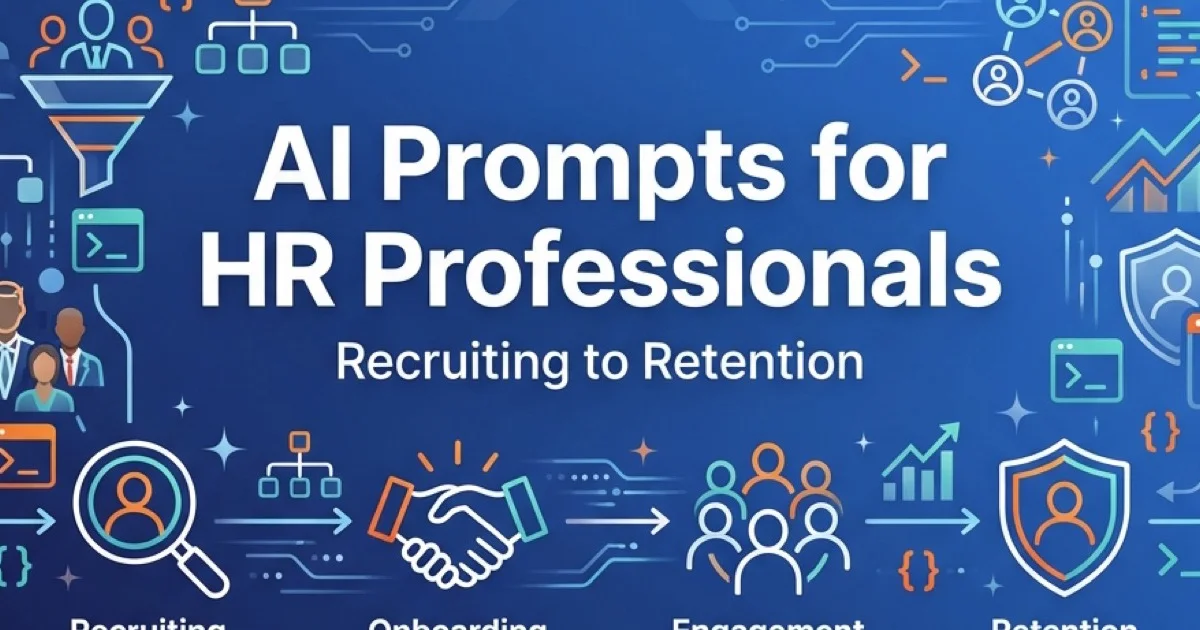
AI Prompts for HR Professionals: Recruiting to Retention (2026)
Discover 40+ AI prompts for HR professionals covering recruiting, onboarding, employee engagement, performance reviews, and retention in 2026.
Human resources teams face mounting operational pressure to draft precise job architectures, standardize candidate evaluations, and formulate personalized employee feedback without sacrificing empathy. Utilizing structured AI prompts for HR professionals enables people teams to accelerate recruitment drafting, structure performance reviews, and automate onboarding workflows with high consistency.
Key Takeaways
- AI prompts for HR professionals reduce routine administrative drafting overhead by 40% to 60% across the employee lifecycle.
- Role prompting with strict schema constraints standardizes job descriptions and reduces unintentional linguistic bias.
- Candidate scorecards generated through AI prompts enforce uniform rubric criteria across diverse interview panels.
- Anonymization protocols and enterprise zero-retention controls protect sensitive employee personal data from public training pools.
The integration of artificial intelligence in human resources operations shifts personnel teams from manual administrative execution toward strategic workforce planning. Automation handles documentation drafting, allowing managers to allocate focused attention toward talent development and employee relations.
According to empirical research in the NBER Workforce Productivity Working Paper, corporate deployments of generative AI reduce document drafting time across personnel workflows by 40% to 60%. For a strategic overview of enterprise automation platforms, review our comprehensive AI in HR guide.
Why HR Professionals Need AI Prompts in 2026
Repetitive administrative demands frequently divert people operations teams from high-leverage organizational initiatives. This hr ai prompts library helps teams reclaim valuable hours each week. Deploying chatgpt for human resources workflows standardizes review rubrics, role descriptions, and internal policies with high accuracy.
Deploying structured prompt workflows provides tangible operational improvements:
- Time Allocation: People operations teams recover 5 to 10 hours weekly by automating routine job descriptions, policy documentation, and administrative correspondence.
- Linguistic Consistency: Structured templates maintain objective qualifications across job postings, preventing ambiguous requirements.
- Feedback Quality: Automated frameworks assist managers in articulating constructive, behavior-focused performance evaluations.
How to Use These AI Prompts Effectively
Achieving consistent results with generative models requires supplying structured operational context and strict schema constraints rather than simple open-ended requests.
Customizing Prompts for Your Context
Every prompt in this guide includes placeholders in brackets. Supplying company size, industry domain, required technical competencies, and cultural values ensures generated artifacts match organizational standards. For deeper control over model personas and tone guidelines, review our analysis of custom instructions and system prompts.
Model Selection Across HR Workflows
Different language models demonstrate distinct strengths across organizational tasks:
| AI Model Architecture | Primary HR Use Case | Architectural Strengths |
|---|---|---|
| GPT-5.6 Sol | General administrative tasks, correspondence, interview questions | Fast conversational iteration with 128K context window |
| Claude Sonnet 5 | Long-form policy writing, employee handbooks, performance reviews | Nuanced tone comprehension with large 200K token context |
| Gemini 3.7 Flash | Workforce survey analysis, exit interview feedback clustering | 2M token context window ideal for ingesting broad survey datasets |
Privacy and Data Protection Controls
Safeguarding personnel information represents a non-negotiable legal and ethical requirement:
- Mandatory Anonymization: Redact all employee names, home addresses, phone numbers, and compensation details prior to prompt execution.
- Enterprise Licensing: Utilize enterprise deployments guaranteeing zero data retention and strict training opt-outs.
- Restricted Data Types: Never input social security numbers, medical records, or disciplinary investigation notes into external model endpoints.
AI Prompts for Recruiting and Talent Acquisition
Recruiting represents a critical operational domain where talent acquisition teams achieve measurable efficiency gains through generative workflows. Research from the Kaya and Bogers arXiv Study on Recruiting Bias and the Mujtaba et al. arXiv Systematic Review on AI Recruitment indicates that structured evaluation rubrics combined with human-in-the-loop oversight mitigate demographic bias while accelerating screening velocity.
Candidates preparing for technical rounds should also consult our AI job interview questions guide to understand evaluation criteria from the applicant perspective.
Job Description Writing
Writing job descriptions is one of those tasks that seems simple until you’ve done it 50 times. You want to attract great candidates, avoid discriminatory language, optimize for search engines, and actually describe the role accurately. Oh, and make it interesting enough that people want to apply.
Here are prompts that help:
Prompt 1: Create a Complete Job Description
Create a job description for a [job title] at a [company size/type] company. The role focuses on [main responsibilities]. Our ideal candidate has [key requirements]. Our company culture is [culture description]. Include: role overview, key responsibilities (5-7 bullets), required qualifications, preferred qualifications, what we offer, and a compelling "why join us" section. Use inclusive language and avoid gendered pronouns.Example in action: “Create a job description for a Senior Customer Success Manager at a 100-person B2B SaaS company. The role focuses on managing enterprise accounts, reducing churn, and identifying expansion opportunities. Our ideal candidate has 5+ years in customer success, experience with enterprise software, and strong relationship-building skills. Our company culture is remote-first, data-driven, and values work-life balance. Include…”
Prompt 2: Reduce Bias in Existing Job Descriptions
Review this job description and identify language that might discourage diverse candidates from applying. Flag: gendered language, unnecessarily restrictive requirements, culture fit cliches, and aggressive tone. Provide specific revision suggestions: [paste job description]I used this one recently on a job description that required “10+ years experience” and discovered we could rewrite it as “7+ years experience OR demonstrated equivalent expertise through…” Guess what? We got three fantastic candidates who would’ve self-selected out under the old requirements.
Prompt 3: Optimize for ATS and SEO
Optimize this job description for Applicant Tracking Systems and search engines. Identify important keywords for [job title] that are missing. Suggest where to naturally incorporate terms like [relevant skills/tools]. Maintain readability for human readers: [paste job description]Prompt 4: Create Multiple Versions for Different Platforms
Rewrite this job description in three versions: 1) A formal 300-word version for our careers page, 2) A conversational 150-word version for LinkedIn, 3) A brief 50-word version for Twitter/job boards. Maintain key requirements and compelling aspects: [paste job description]Candidate Sourcing and Screening
Once your job description is posted, the resumes start coming in. If you’re lucky, you get 50. If you’re unlucky (or your job is really appealing), you get 500. Either way, you need to screen them.
Prompt 5: Resume Analysis Against Job Requirements
Analyze this resume against our job requirements. Job requires: [list key requirements]. Rate the candidate's fit in each area (Strong/Moderate/Weak/No evidence) and explain why. Highlight any red flags or exceptional qualifications. Recommend: Definitely interview / Maybe interview / Pass. Here's the resume: [paste resume text]A word of caution: I always review AI’s screening recommendations before making final decisions. AI is great at pattern matching, but it might miss context that’s obvious to humans. Use this as a first-pass filter, not a final decision-maker.
Prompt 6: Generate Boolean Search Strings
Create Boolean search strings for finding [job title] candidates on LinkedIn. Include: required skills [list skills], preferred experience [list], and relevant job titles. Provide 3 variations: broad (high volume), targeted (balanced), and narrow (highly specific).Prompt 7: Create Screening Criteria
Develop a screening checklist for [job title] candidates. Include: must-have qualifications (automatic screen-outs if missing), nice-to-have qualifications (scored 1-5), yellow flags to investigate, and green flags that indicate exceptional fit. Base criteria on: [paste job requirements]Prompt 8: Draft Outreach Messages to Passive Candidates
Write a personalized LinkedIn outreach message to a passive candidate for [job title]. Their background includes [key details from LinkedIn]. Our opportunity offers [unique selling points]. Tone should be professional but warm, specific to their experience, and clear about next steps. Keep it under 150 words.Interview Question Development
I will be honest: before I started using AI to help develop interview questions, mine were functional, but repetitive. They worked, but they were not particularly creative, and I definitely had favorite questions I would lean on too heavily.
AI helps you create diverse, role-specific questions that actually assess what you need to know.
Prompt 9: Create Behavioral Interview Questions
Create 10 behavioral interview questions for [job title] focusing on [key competencies/skills]. For each question, include: the competency being assessed, what to listen for in a strong answer, and a potential follow-up question. Format as STAR (Situation, Task, Action, Result) questions.Prompt 10: Generate Competency-Based Questions
Design interview questions that assess [specific competency] for a [job title] role. Include: 2-3 questions per competency, scoring rubric (what constitutes a weak/average/strong answer), and examples of ideal responses. Competencies to assess: [list competencies]Prompt 11: Create Structured Interview Scorecard
Design a structured interview scorecard for [job title]. Include: competencies to evaluate (from job description), rating scale (1-5 with definitions), specific criteria for each rating level, space for notes/examples, and final recommendation section. Make it easy to complete during or immediately after the interview.These prompts help ensure every candidate gets evaluated on the same criteria, which is crucial for fair hiring. Deploying these recruiting ai prompt templates ensures candidate scorecards remain fair, objective, and easy to compare across panels.
AI Prompts for Onboarding and Training
You know that feeling when a new hire starts and you realize nobody has updated the onboarding plan in two years? AI helps people teams create comprehensive, up-to-date onboarding materials without starting from scratch every time. For teams standardizing organizational workflows across operations and IT, exploring structured operations AI prompts helps streamline cross-functional onboarding steps.
Onboarding Plan Creation
Integrating employee onboarding prompt engineering into team documentation prevents knowledge gaps for new hires.
Prompt 12: Create a 30-60-90 Day Onboarding Plan
Design a 30-60-90 day onboarding plan for a [job title] at a [company type]. Include specific goals, key activities, people to meet, systems to learn, and success metrics for each 30-day period. Day 1 should focus on [priorities]. By day 90, they should be able to [outcomes]. Include manager check-in points.I have used this prompt for roles ranging from entry-level coordinators to senior directors. The structure it provides is solid, and then I customize based on the specific person and role.
Prompt 13: Generate Welcome Email for New Hire
Write a warm, informative welcome email for a new [job title] starting on [date]. Include: what to expect on day one, what to bring/prepare, who they'll meet, where to go (if in-office) or how to log in (if remote), and an enthusiastic note about company culture. Tone should be friendly and reduce first-day anxiety. Keep it under 300 words.Prompt 14: Design Orientation Checklist
Create a first-week orientation checklist for a new [job title]. Include: administrative tasks (IT setup, paperwork), introductory meetings, training sessions, reading materials, and early wins/quick projects. Organize by priority (must-do vs. nice-to-have) and estimated time. Ensure the list feels achievable, not overwhelming.Training Material Development
Creating training materials from scratch is time-consuming. AI assists with structuring modules, summarizing concepts, and generating practical knowledge checks.
Prompt 15: Create Training Module Outline
Design a training module outline for [topic/skill] aimed at [target audience]. Include: learning objectives (what participants will be able to do after completing), module structure (sections/topics), estimated duration for each section, activities/exercises, and assessment method. Target total time: [duration].Prompt 16: Convert Policy into Training Content
Convert this policy document into engaging training content for employees. Break down into: core concepts (simplified language), real-world scenarios/examples, common questions and answers, and what employees need to do differently. Make it digestible and practical, not legalistic: [paste policy]Prompt 17: Generate Assessment Questions
Create quiz questions to test understanding of [training topic]. Include: 5 multiple choice questions (with correct answers and explanations), 3 scenario-based questions, and 2 open-ended reflection questions. Questions should assess comprehension, application, and critical thinking. Difficulty level: [beginner/intermediate/advanced].Microlearning is effective because employees actually complete concise modules. But creating bite-sized content takes planning. These prompts help you structure information in digestible chunks.
Prompt 18: Design Microlearning Content
Break down [complex topic] into 5 microlearning modules, each taking 5-7 minutes to complete. For each module: concise title, 2-3 key takeaways, brief explanation (150-200 words), one practical example, and a quick check-your-understanding question. Design for mobile-friendly consumption.AI Prompts for Employee Engagement and Culture
Employee engagement is one of those areas where the human touch matters most. AI cannot replace authentic relationships or genuine culture. But it can help you gather better feedback, communicate more effectively, and identify patterns you might miss.
Survey Design and Analysis
Prompt 19: Create Employee Engagement Survey
Design an employee engagement survey with [number] questions covering: job satisfaction, manager effectiveness, team dynamics, professional development, work-life balance, and company culture. Include: mix of Likert scale (1-5) and open-ended questions, estimated completion time under 10 minutes, and one unique question that reveals insights about [specific concern]. Ensure questions are clear and unbiased.Prompt 20: Analyze Survey Results and Identify Themes
Analyze these employee survey responses and identify key themes, patterns, and areas of concern. Sort findings by: most frequently mentioned topics, sentiment (positive/negative/neutral), differences between departments or tenure levels, and surprising insights. Provide: 3-5 major themes, supporting quotes, and potential root causes: [paste survey responses]I ran this prompt on our last engagement survey and it surfaced a pattern I’d completely missed: employees with 2-3 years tenure were significantly less engaged than both newer employees and veterans. That led to discovering we had a “mid-career plateau” problem that needed addressing.
Prompt 21: Generate Action Items from Feedback
Based on these survey results and identified themes, create an action plan with: immediate wins (quick improvements we can make now), medium-term initiatives (1-3 month projects), long-term strategies (culture/structural changes), owners for each action, and how we'll measure success. Survey findings: [paste key themes]Prompt 22: Design Pulse Survey Questions
Create weekly pulse survey with 3 questions that take under 2 minutes to complete. Focus on [current priority/concern]. Questions should: track changes over time, be answerable with quick ratings plus optional comments, and give early warning signals about [potential issues]. Provide 4 week rotation of questions.Communication and Recognition
Prompt 23: Draft Company-Wide Announcement
Write a company-wide announcement about [change/news/initiative]. Tone should be [professional/casual/celebratory]. Include: why this matters, what's changing, how it affects employees, timeline, and where to get more information. Address potential concerns about [anticipated questions]. Keep it clear, concise, and action-oriented. Length: [short/medium/long].Prompt 24: Generate Personalized Recognition Messages
Write a recognition message for an employee who [specific achievement/behavior]. Highlight: what they did, the impact it had on [team/project/company], why it exemplifies our values of [company values], and encouragement to continue. Tone should be genuine and specific, not generic praise. Keep it personal and authentic.Pro tip: The prompt gives you structure, but always add your own voice and specific details. People can tell when recognition is templated.
Prompt 25: Create Team-Building Activity Ideas
Suggest 5 team-building activities for a [team size] [remote/hybrid/in-office] team. Team characteristics: [describe team]. Goals: [improve communication/build trust/have fun/other]. For each activity: brief description, estimated time, required materials/setup, and how it achieves the goal. Mix of quick energizers and deeper activities.Prompt 26: Write Internal Newsletter Content
Create an internal newsletter section highlighting [topic/achievement/update]. Make it engaging and relevant to employees. Include: catchy headline, 2-3 paragraph overview, employee quote or story, and call-to-action or next steps. Avoid corporate jargon. Tone: [conversational/professional/enthusiastic]. Length: 200-300 words.Diversity, Equity, and Inclusion Initiatives
Prompt 27: Review for Inclusive Language
Review this [policy/communication/document] for language that may be non-inclusive or could alienate certain groups. Flag: gendered language, cultural assumptions, accessibility issues, ableist terms, and jargon that excludes non-experts. Provide: specific examples of problematic language and inclusive alternatives: [paste text]Prompt 28: Generate DEI Training Scenario
Create a realistic workplace scenario for DEI training about [specific topic: microaggressions/bias/accessibility/etc]. Include: detailed setup (characters, situation, context), the problematic behavior or decision point, questions for discussion, and learning objectives. Scenario should be nuanced, not heavy- handed, and spark meaningful conversation for [audience level].Prompt 29: Create Discussion Guide for Diversity Topic
Design a facilitated discussion guide for a [team size] conversation about [DEI topic]. Include: opening activity to build psychological safety, 5-7 discussion questions (ranging from personal reflection to systemic critique), ground rules for respectful dialogue, potential challenges/sensitivities to watch for, and how to close the conversation constructively. Time: [duration].AI Prompts for Performance Management
Performance reviews are probably the most time-consuming HR task that also has the highest stakes. Get them wrong and you damage morale, create legal risk, or lose good people. Get them right and you help people grow.
Utilizing structured performance review prompts for managers eliminates vague, unhelpful feedback while accelerating review cycles. AI cannot evaluate performance for you, but it can help you structure feedback clearly, identify patterns, and ensure you remain consistent and fair across your organization.
Performance Review Writing
Prompt 30: Draft Performance Review
Draft a performance review for [job title] who achieved [list accomplishments] and showed growth areas in [list development needs]. Include: overall performance summary (strengths and areas for improvement), specific examples for each point, constructive language that motivates rather than discourages, and clear path forward. Balance positive and constructive feedback. Tone: direct but supportive. Based on these notes: [paste raw notes]Here is the reality about this prompt: it will not write a perfect review out of the box. What it does is take your scattered notes and observations and organize them into a coherent structure. You will still need to add specificity and your own voice.
Prompt 31: Rewrite Feedback Constructively
Rewrite this performance feedback using constructive, specific language that focuses on behaviors and impact rather than personality or character. Original feedback: [paste feedback]. Transform into: objective observation, specific example, impact it had, and specific improvement suggestion. Remove vague or emotionally charged language.I use this one frequently when reviewing other managers’ draft feedback. It has saved teams from several vague comments that would have led nowhere.
Prompt 32: Generate Development Goals
Based on this performance review and career aspirations, create 3-5 SMART development goals for [employee] for the next review period. Each goal should include: specific objective, measurable outcomes, achievable given their current role and resources, relevant to their career growth, and time-bound. Context from review: [paste relevant sections]Prompt 33: Create Balanced Review
Review this performance feedback and ensure it's balanced and complete. Check for: ratio of positive to constructive feedback (aim for balanced, not sugar-coated), specific examples for each claim, actionable improvement suggestions, and acknowledgment of growth/progress. Flag if feedback is too harsh, too soft, or missing critical elements: [paste draft review]Prompt 34: Convert Notes to Professional Format
Convert these raw performance review notes into a professional, well-structured review. Organize into sections: accomplishments and strengths, areas for development, progress on previous goals, and goals for next period. Make language professional but authentic, specific but concise: [paste notes]Goal Setting and Development Plans
Prompt 35: Create SMART Goals
Design 4-5 SMART goals for a [job title] aligned with [company objectives/department goals]. Employee's focus areas: [list areas]. Each goal needs: Specific clear outcome, Measurable success criteria, Achievable given resources/timeline, Relevant to role and company needs, Time-bound with clear deadline. Include how we'll track progress.Prompt 36: Generate Professional Development Plan
Create a 12-month professional development plan for an employee who wants to [career aspiration]. Current role: [job title]. Current skills: [list]. Skills to develop: [list]. Include: specific learning objectives, development activities (training, stretch projects, mentoring), timeline, resources needed, and milestones. Make plan ambitious but achievable.Prompt 37: Design Career Path Framework
Design a career progression framework for [job family/role]. Show: entry-level to senior trajectory, skills and responsibilities at each level, typical time-in-role at each stage, and what distinguishes good vs. excellent performance. Help employees understand: where they are now, what's next, and how to get there. Make it transparent and objective.AI Prompts for Employee Relations and Retention
This is where HR work gets deeply human and genuinely difficult. You are dealing with conflicts, sensitive conversations, and trying to keep good people from leaving. AI cannot replace your judgment here, but it can help you prepare for tough conversations and think through retention strategies.
Conflict Resolution and Difficult Conversations
Prompt 38: Prepare for Difficult Conversation
Help me prepare for a difficult conversation with an employee about [issue: performance problem/behavioral concern/conflict]. Context: [provide situation details]. I need: talking points to open the conversation, how to present the issue objectively, questions to understand their perspective, potential pushback and how to respond, and desired outcomes. Tone should be direct but empathetic.I’ve used this prompt before every challenging conversation for the past six months. It doesn’t make the conversation easy, but it makes me feel prepared. And that confidence shows.
Prompt 39: Generate Talking Points for Conflict
Create talking points for addressing [conflict situation] between [parties]. Issue: [describe conflict]. Goals: [desired resolution]. Include: neutral framing of the situation, questions to uncover root cause, common ground to build on, and potential solutions. Avoid taking sides. Focus on moving forward constructively.Prompt 40: Draft Mediation Discussion Guide
Design a mediation session structure for resolving conflict about [issue] between [parties]. Include: opening statements (setting tone and ground rules), individual perspectives (how each person shares their view), joint problem-solving (identifying solutions together), agreement and next steps. Time: [duration]. Goal: restore working relationship, not assign blame.Retention Strategies
Prompt 41: Analyze Exit Interview Data
Analyze these exit interview responses to identify retention risks and patterns. Look for: common reasons for leaving, differences by department/manager/tenure, early warning signals we should watch for, and systemic issues vs. individual cases. Provide: top 3 retention risks, supporting evidence, and recommended actions: [paste exit interview data]Prompt 42: Create Retention Plan for High Performer
Develop a retention strategy for a high-performing [job title] who [signals they might leave: mentioned competing offer/expressed frustration/being recruited]. What we know: [context about employee and situation]. Create plan addressing: immediate actions to show value, medium-term development opportunities, long-term career path, and clear timeline for each. Be specific and actionable.Prompt 43: Generate Stay Interview Questions
Create a stay interview question set for [employee segment: high performers/flight risks/recent hires]. Goals: understand what makes them stay, identify potential frustrations before they become deal-breakers, and learn how to better support them. Include: 7-10 open-ended questions, suggested follow-ups, and how to turn insights into action. Make it conversational, not interrogative.Prompt 44: Draft Counter-Offer Proposal
A valued [job title] employee has received an external offer for [offered compensation/title/other perks]. Their contributions include: [key value they bring]. Create a counter-offer proposal that addresses: compensation adjustment (if warranted), non-financial value (development, flexibility, projects), why they should stay beyond money, and timeline for discussion. Be honest about what we can and can't match.AI Prompts for HR Policy and Compliance
Let’s be real: writing HR policies is nobody’s favorite task. But it’s necessary, and it needs to be done right because poorly written policies create legal risks and employee confusion.
Prompt 45: Draft Remote Work Policy
Draft a remote work policy for a [company size/type] company. Address: eligibility criteria, expectations for availability and communication, equipment and technology setup, security and data protection, performance evaluation, and compliance with employment laws in [locations]. Balance: flexibility for employees and operational needs for business. Tone: clear and supportive, not controlling.Prompt 46: Update Harassment Policy
Update our harassment and discrimination policy to align with [jurisdiction] current laws and best practices. Include: clear definition of prohibited conduct with examples, reporting procedures (multiple channels), investigation process and timelines, protection against retaliation, and consequences for violations. Make language accessible to all employees, not just HR/legal. Current policy: [paste existing policy if available]Prompt 47: Create Employee Handbook Section
Write an employee handbook section on [topic: PTO/dress code/benefits/etc]. Include: clear policy statement, eligibility and procedures, examples of common scenarios, FAQs, and who to contact with questions. Tone: informative and friendly, not legalistic. Ensure compliance with [relevant regulations]. Length: 1-2 pages maximum.Prompt 48: Generate Compliance Checklist
Create a compliance checklist for [regulation: FMLA/ADA/FLSA/etc] covering [specific scenario]. Include: requirements we must meet, documentation needed, deadlines or timeframes, common mistakes to avoid, and verification steps. Format as actionable checkbox items. Assume user has basic knowledge but needs step-by-step guidance.Prompt 49: Translate Policy into Employee-Friendly Language
Rewrite this policy in plain language that all employees can understand. Remove legal jargon while maintaining accuracy. Use: concrete examples, clear "you" language, short sentences and paragraphs, and formatting (bullets, headers) for scannability. Goal: employees know exactly what's expected without needing to decipher legalese: [paste policy]Ethical Considerations for AI in HR
Deploying generative models across personnel operations requires stringent ethical governance to protect worker rights and institutional integrity. Understanding where AI accelerates workflows and where it creates compliance risks represents essential HR knowledge.
Privacy and Data Protection
Never paste complete performance reviews or personal records containing employee names into public AI tools. Large language models process prompt inputs according to backend configuration settings. Even with enterprise tiers that promise strict data isolation, best practice is to anonymize every prompt input.
Practically, this means:
- Replace identifying names with placeholders like [Employee A] and [Manager B]
- Remove identifying details such as project codenames or unique personnel situations
- Never input sensitive personal data like health information, compensation details, or social security numbers
- Utilize enterprise tiers of AI tools to enforce zero data retention policies
When in doubt, consider whether a public leak of the input data would violate employee privacy. If so, do not include it in an AI prompt.
Avoiding Bias in AI-Assisted Decisions
Language models can amplify existing institutional biases if prompted carelessly. If historical hiring decisions favored specific demographic groups, models will naturally replicate that pattern unless explicitly constrained.
Follow these operational guardrails:
- Resume screening: AI can highlight candidate competencies, but human reviewers must evaluate every finalist before decisions.
- Interview scorecards: AI can structure rubric metrics, but interview panels must confirm they reflect genuine job requirements.
- Performance language: AI can organize scattered notes, but managers must verify all statements reflect actual observed conduct.
Never fully automate decisions regarding hiring, promotion, or termination. Human accountability remains mandatory.
Transparency with Employees
Organizations should maintain transparency regarding how generative AI assists workforce management. When AI assists in consequential talent processes like screening or compensation leveling, clear disclosures ensure candidate and employee trust.
When NOT to Use AI
Certain personnel decisions must remain strictly free from automated model generation:
- Termination decisions: AI can assist with drafting administrative documentation, but the decision itself requires human ethical judgment.
- Sensitive employee situations: Harassment investigations, mental health accommodations, and personal crises require human judgment and empathy.
- Final performance ratings: AI can organize observations, but managers must assign actual ratings based on direct human interaction.
- Legal advice: Consult certified employment attorneys for formal labor compliance questions.
The general rule remains straightforward: the more sensitive and consequential the situation, the less you should rely on AI.
The Human Judgment Remains Essential
AI does not replace HR professionals. It fundamentally changes how teams allocate working hours.
Administrative tasks like formatting job descriptions, writing routine emails, and updating policy documents represent where AI helps. The interpersonal skills of reading between the lines in an interview and navigating team dynamics remain uniquely human. Delegating routine paperwork frees mental bandwidth for critical organizational conversations.
Best AI Tools for HR Professionals
Selecting the proper foundation model depends on the specific documentation complexity and context window required.
ChatGPT (GPT-5.6 Sol) - Best All-Around Option
Best for: General HR tasks, iterative prompting, conversational workflows
Why I use it:
- Most widely accessible and well-known interface
- Excellent conversational flow and rapid instruction following
- 128K context window accommodates standard personnel documents
- Fast execution speed for iterative drafting
Where it struggles:
- Massive handbook compilations over 50 pages can occasionally lose fine details
- Sometimes defaults to overly formal phrasing that requires tone prompting
Pricing: Free tier available, ChatGPT Plus $20/month, Enterprise pricing varies
Best HR use cases: Job descriptions, correspondence, policy drafts, interview scorecards
Claude Sonnet 5 - Best for Long Documents
Best for: Policy writing, employee handbooks, detailed performance reviews
Why I use it:
- 200K context window handles entire policy manuals seamlessly
- Outstanding at preserving tone consistency across extensive handbooks
- Nuanced comprehension of organizational culture nuances
- Strict safety alignment built into reasoning steps
Where it struggles:
- Slightly slower generation speeds on complex prompts
- Less widely known because some HR teams have not yet adopted it
Pricing: Free tier available, Claude Pro $20/month, Teams and Enterprise options available
Best HR use cases: Employee handbooks, comprehensive onboarding guides, long-form policy manuals
Gemini 3.7 Flash - Best for Data Analysis
Best for: Survey analysis, pattern recognition, data-heavy tasks
Why I use it:
- Expansive 2M token context window for massive datasets
- High speed and precision when processing hundreds of open-ended employee survey responses
- Smooth integration with Google Workspace documents and sheets
- Strong capability at identifying cross-departmental sentiment themes
Where it struggles:
- Less suited for casual interpersonal email drafting
- Phrasing can lean technical without deliberate tone constraints
Pricing: Free tier available, Gemini Advanced $20/month (included with Google One AI Premium)
Best HR use cases: Employee survey analysis, exit interview pattern identification, compensation data reviews
Quick Comparison Table
| Feature | ChatGPT (GPT-5.6 Sol) | Claude Sonnet 5 | Gemini 3.7 Flash |
|---|---|---|---|
| Context Window | 128K tokens | 200K tokens | 2M tokens |
| Best For | General tasks | Long documents | Data analysis |
| Ease of Use | ★★★★★ | ★★★★☆ | ★★★★☆ |
| Response Speed | Fast | Medium | Fast |
| Cost (Plus/Pro) | $20/mo | $20/mo | $20/mo |
| HR Strength | Versatility | Consistency | Survey Insights |
My Recommendation for HR Beginners
Start with ChatGPT powered by GPT-5.6 Sol. It is intuitive, widely supported, and manages the vast majority of day-to-day HR authoring tasks with high quality.
Once comfortable with core prompt engineering, introduce Claude Sonnet 5 for multi-page policy manuals and Gemini 3.7 Flash for parsing large employee survey feedback sets. For a detailed comparison of these AI models, check out our complete ChatGPT vs Claude vs Gemini guide.
Frequently Asked Questions
Can AI replace HR professionals?
Generative AI cannot replace human resources professionals because interpersonal judgment, conflict resolution, and nuanced culture building require human empathy. Instead, AI serves as an operational assistant that eliminates routine drafting and administrative overhead across the talent lifecycle.
Are AI-generated job descriptions compliant with employment laws?
AI-generated job descriptions provide structured starting drafts but do not guarantee compliance with evolving local and federal labor regulations. Human resources teams must have legal counsel or compliance officers review all qualifications, salary disclosures, and requirements before publication.
How do I ensure AI doesn’t introduce bias in recruiting?
To mitigate recruitment bias, teams must enforce standardized scoring rubrics and evaluate candidates on objective competency demonstrations rather than demographic histories. Regular demographic audits of AI-assisted screening outcomes ensure algorithmic recommendations do not unintentionally replicate historical hiring imbalances.
Is it safe to put employee data into ChatGPT?
Consumer AI versions use inputs for training and must never receive identifiable employee personal data, medical notes, or disciplinary records. Enterprise tiers with zero data retention and strict administrative anonymization protocols provide the required legal safety for corporate HR workflows.
Which AI tool is best for HR tasks?
ChatGPT powered by GPT-5.6 Sol delivers the best all-around performance for iterative administrative drafting, email templates, and candidate outreach. Claude Sonnet 5 excels at long-form policy manuals and handbooks, while Gemini 3.7 Flash provides superior capacity for analyzing large workforce survey datasets.
How do I get started with AI as an HR beginner?
Begin with low-risk, repetitive drafting tasks like writing routine job descriptions or structuring onboarding checklists using bracketed prompt templates. Always review, edit, and validate model outputs to retain your personal authentic voice and ensure corporate policy compliance.
Can AI help with employee terminations or sensitive HR matters?
AI can assist in structuring talking points and formatting documentation to ensure all objective factual points are addressed clearly. However, models must never make termination decisions or handle sensitive harassment investigations where human empathy and legal accountability are mandatory.
Conclusion
Structured generative AI prompts transform human resources operations by removing the burden of manual, repetitive documentation. When people teams automate job posting drafts, onboarding sequences, and initial review structures, they reclaim critical mental bandwidth for direct employee engagement, leadership development, and strategic organizational design.
For foundational prompt crafting strategies and conversational workflows, explore our guide on how to use ChatGPT. Embracing structured AI templates alongside strict ethical safeguards ensures human empathy and strategic leadership remain at the center of modern people operations.