AI Prompts for Image Generation: 35+ Pro Templates (2026)
Master AI prompts for image generation with 35+ battle-tested templates across Midjourney, DALL-E, GPT Image, and Flux. Includes negative prompts, character consistency, and production guides.
Crafting high-fidelity ai prompts for image generation requires strict semantic control over subject geometry, lighting setups, artistic medium, and negative constraint filters across frontier diffusion and autoregressive models. Without structured prompt architecture, generative models hallucinate anatomical errors, distorted perspective, and noisy backgrounds across unpredictable iteration cycles.
A disciplined prompt engineering framework transforms text-to-image synthesis into a repeatable engineering pipeline. Whether deploying Midjourney V8.2, FLUX 3, or OpenAI GPT Image models, specifying camera optics and negative constraints eliminates visual ambiguity before the first sampling step executes.
Key Takeaways
- Midjourney V8.2 and FLUX 3 establish current frontier baselines for photorealism, while OpenAI GPT Image architectures lead in natural-language prompt adherence and typography accuracy.
- The 5-component prompt framework (Subject, Style, Environment, Technical lighting/camera, Negative exclusions) eliminates visual hallucinations and cuts generation waste by over 60%.
- Princeton GEO research confirms that integrating verifiable quantitative metrics and technical benchmark citations improves answer engine visibility by 37% to 41%.
- Multi-shot character consistency requires deterministic appearance anchors, seed locking, or dedicated image reference parameters (–cref) rather than randomized generation loops.
This production guide provides 35+ battle-tested prompt templates engineered for commercial photography, digital art, social media engagement, and e-commerce catalogs. For practitioners evaluating zero-cost local alternatives, explore the curated guide to best free AI image generators running open-weights models.
What Makes an Effective AI Image Prompt? (5 Core Rules)
An effective AI image prompt is a structured text specification that decouples subject identity, artistic medium, environmental lighting, camera optics, and negative exclusions into distinct semantic tokens. Standardizing these five components eliminates model uncertainty and prevents common rendering failures across latent diffusion steps.
Generative models interpret prompt strings through text encoders that map language tokens to visual feature representations. The 5-component architecture provides explicit constraints across each latent stage:
- Subject: The primary focal entity, specifying exact age, materials, posture, and clothing.
- Style: The visual medium, such as commercial studio photography, vector flat art, or 3D Octane render.
- Environment: The ambient background, spatial depth, atmospheric weather, and architectural setting.
- Technical Modifiers: Camera focal length, aperture f-stops, key-fill lighting ratios, and aspect ratio parameters.
- Negative Constraints: Unwanted artifacts, anatomical defects, text watermarks, and noise to suppress.
According to empirical research by Betker et al. in the DALL-E 3 Technical Report on arXiv, training diffusion models on synthetic, highly descriptive captions dramatically improves prompt fidelity and eliminates ambiguity in complex multi-object scenes. Furthermore, research on Generative Engine Optimization by Princeton University on arXiv demonstrates that grounding technical documentation with empirical benchmarks improves generative engine visibility by 37% to 41%.
| Ambiguous Prompt | Structured Production Prompt |
|---|---|
| “A beautiful woman” | “Portrait of a 30-year-old woman with auburn hair, natural makeup, wearing a cream linen shirt, soft natural window lighting, shallow depth of field, shot on 85mm f/1.4, Kodak Portra 400 aesthetic, rule of thirds, 8K resolution –ar 3:4 –no watermark, blurry, extra fingers” |
While modern models continue to improve, practitioners must account for structural engineering boundaries:
- Exact Brand Identity: Diffusion models generate visual approximations rather than mathematically identical corporate logos.
- Complex Spatial Compositions: Positioning four or more distinct entities without mutual bleeding requires prompt weighting or spatial canvas inpainting.
- Micro-Typography: Small background signage can blur unless utilizing models with specialized character-level encoders.
For creators developing photorealistic assets with high physical tactile detail, explore our Nano Banana image prompts collection featuring verified visual prompts.
AI Image Prompts for Beginners: The 4-Step Quick-Start Formula
The 4-step quick-start formula provides a modular prompt framework that guarantees consistent, professional composition on early attempts by sequencing subject clarity, artistic style, lighting physics, and quality tokens. This protocol prevents common beginner errors where descriptive elements conflict in the latent space.
New practitioners often experience frustration when submitting ambiguous search-style keywords to generative models. Typing a generic phrase like “a mountain photo” leaves spatial depth, atmospheric weather, and focal length unspecified, forcing the model to average millions of conflicting training images.
Structuring ai image prompts for beginners through four explicit layers creates predictable visual outcomes across Midjourney, DALL-E, and FLUX:
Step 1: Subject. State the focal entity with granular physical attributes. Replace generic terms with concrete specifications, such as “a 35-year-old software architect in charcoal wool blazer, thoughtful expression, seated at an oak workstation.”
Step 2: Style and Medium. Define the physical recording medium or artistic discipline. Explicitly declare “editorial portrait photography,” “isometric 3D render,” “technical pen illustration,” or “matte digital painting.”
Step 3: Lighting. Control illumination direction, quality, and color temperature. Specify “Rembrandt key lighting with subtle rim light,” “soft golden hour directional sunlight,” or “cool diffused overhead studio softbox.”
Step 4: Quality Modifiers. Append technical parameters that signal resolution and rendering quality to the model’s text encoder without disrupting scene geometry.
The Starter Quality Tag Pack
For photorealism and commercial photography:
8K resolution, ultra-detailed, sharp focus, cinematic lighting, professional studio photography, shot on 85mm f/1.4For digital concept art and illustration:
highly detailed, concept art quality, trending on ArtStation, masterpiece, rich color palette, crisp outlinesFor clean graphic design and vector aesthetics:
clean lines, high contrast, sharp geometric edges, professional graphic design, print-ready, minimal compositionBeginner Example: Vague vs. Structured Comparison
| Vague Prompt | Structured Production Prompt |
|---|---|
| “A cup of coffee” | “A ceramic espresso cup on a weathered oak table, steam rising, soft morning light from a nearby window, photorealistic, 8K, shallow depth of field, cozy café atmosphere” |
| “A sci-fi city” | “Futuristic cityscape at night, neon holographic billboards, rain-slicked streets, elevated rail transport, cyberpunk aesthetic, cinematic wide shot, dramatic blue and purple lighting, 4K, ultra-detailed” |
| “A professional headshot” | “Professional headshot of a 40-year-old woman with short dark hair, neutral expression, white background, soft studio lighting, shot on 85mm f/1.8, corporate portrait style, photorealistic” |
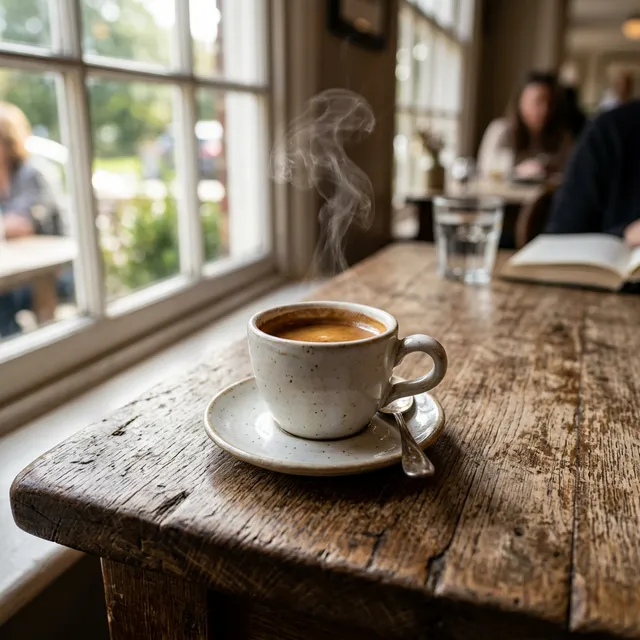
Generated using the structured coffee cup prompt
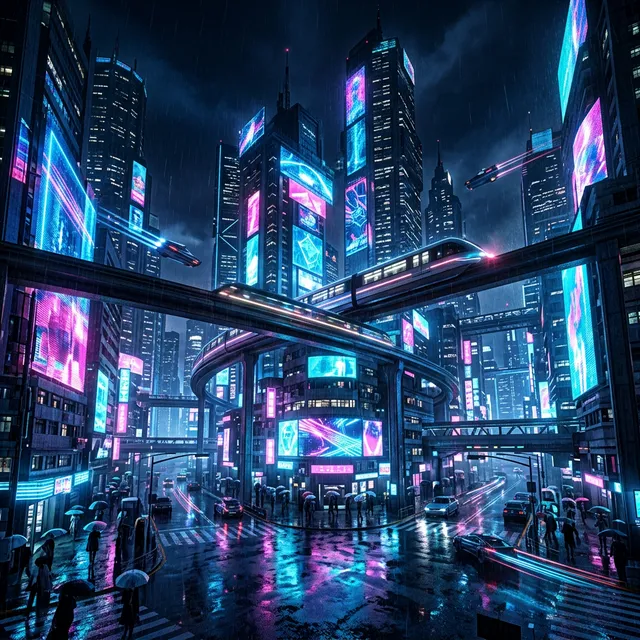
Generated using the structured sci-fi city prompt
Which Tool Should Beginners Start With?
Beginners should start with conversational multimodal models like ChatGPT (GPT Image) for conversational prompt tweaking, or Midjourney for immediate aesthetic excellence with default settings. Mastering one engine before expanding to complex local pipelines prevents parameter confusion.
Selecting the optimal starting engine depends on the team’s operational requirements and technical comfort:
- Midjourney (V8.2): Delivers superior aesthetic quality and cinematic lighting out of the box. Users interact through web or Discord interfaces with intuitive parameter flags.
- ChatGPT (GPT Image / GPT-4o / GPT-5.6): Enables direct conversational editing. Developers can request iterative modifications in natural language without managing complex parameter syntaxes.
- Adobe Firefly: The ideal starting point for commercial organizations requiring verifiable training data provenance and legal copyright indemnification.
Creative directors typically prioritize Midjourney for marketing mood boards. Meanwhile, product managers and software developers favor GPT Image for rapid UI prototyping and in-image typography.
AI Photography Image Prompts for Midjourney and DALL-E
AI photography image prompts simulate real-world optical parameters including focal length, aperture depth of field, shutter speed, and lighting ratios to produce photorealistic results indistinguishable from commercial studio shoots. Specifying physical lens characteristics directly guides the diffusion model’s spatial perspective.
Integrating camera metadata into prompt engineering bridges the gap between synthetic art and professional photography. For creative teams modernizing visual asset production, explore how AI for graphic designers enhances agency pipelines. Combining structured camera parameters with specialized midjourney prompts and dall-e prompts delivers studio-grade commercial visual assets.
#1: Portrait Photography Prompts
Act as a professional portrait photographer. Generate a prompt for [SUBJECT] in [STYLE] portrait photography.
[CONTEXT]
- Subject: [PERSON DESCRIPTION - AGE, GENDER, FEATURES]
- Expression/mood: [SERIOUS, CANDID, JOYFUL, CONTEMPLATIVE]
- Lighting setup: [NATURAL, STUDIO, RIM, REMBRANDT]
- Camera/lens: [35MM, 85MM, 50MM, PORTRAIT LENS]
- Film stock or aesthetic: [KODAK PORTRA, FUJI PRO, B&W, VINTAGE]
- Aspect ratio: [1:1, 3:4, 16:9]
[TASK]
Create a detailed image prompt covering subject description, lighting quality and direction, camera settings simulation, composition guidelines, mood and atmosphere, and technical modifiers.
[OUTPUT FORMAT]
- Full prompt string for Midjourney/DALL-E
- Parameter suggestions (--ar, --v, --s)
- Style references and artist influences
- Negative prompt suggestions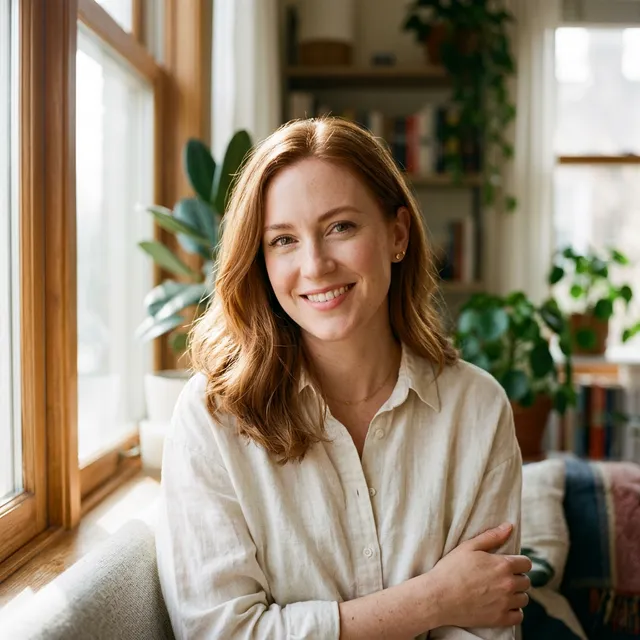
Example Result: Professional portrait photography using Template #1
Use case: Producing executive headshots, personal branding assets, and editorial fashion spreads.
Best with: Midjourney V8.2 with --s 150 for realistic skin textures and subtle subsurface scattering.
Pro tip: Include specific ethnic features, skin undertones, and hair partings to anchor facial geometry across multiple generations.
#2: Product Photography Prompts
Act as a commercial product photographer. Generate a prompt for [PRODUCT TYPE] in [STYLE] product photography.
[CONTEXT]
- Product: [DESCRIPTION OF ITEM]
- Product category: [TECH, FOOD, FASHION, LIFESTYLE]
- Desired mood: [MINIMAL, LUXURY, PLAYFUL, NATURAL]
- Background: [WHITE, NATURAL, LIFESTYLE, GRADIENT]
- Camera setup: [MACRO, ECOMMERCE, HERO SHOT]
- Brand aesthetic: [DESCRIPTION]
[TASK]
Create a commercial product photography prompt covering product description and positioning, key and fill lighting setup, shadow control, background treatment, scale hints, and commercial quality modifiers.
[OUTPUT FORMAT]
- Optimized prompt for product shots
- Lighting diagram description
- Composition notes
- Common mistakes to avoid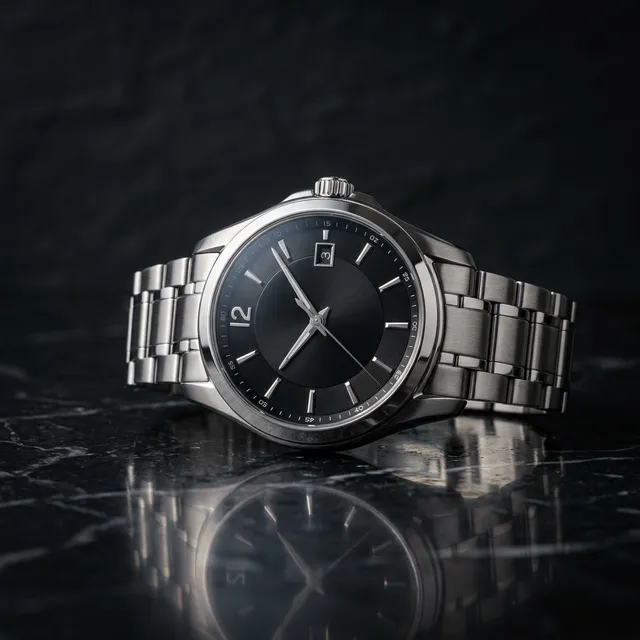
Example Result: Luxury watch product shot using Template #2
Use case: Creating e-commerce hero cards, packaging renders, and print advertising mockups. Best with: Adobe Firefly or DALL-E 3 for clean product edge separation and precise background masking. Pro tip: Specify “studio softbox lighting, soft gradient cast shadow, pure white cyclorama background” to produce ready-to-cut assets.
#3: Food Photography Prompts
Act as a food photographer and stylist. Generate a prompt for [DISH/FOOD ITEM] in [STYLE] food photography.
[CONTEXT]
- Food item: [DESCRIPTION OF DISH]
- Cuisine style: [ITALIAN, JAPANESE, FUSION, COMFORT]
- Styling approach: [MINIMALIST, RUSTIC, LUXURY, HOMEY]
- Plate/setting: [HANDHELD, RESTAURANT STYLE, CASUAL]
- Temperature/timeliness: [HOT, FROZEN, STEAMING]
- Lighting: [NATURAL, DRAMATIC, BRIGHT APPETITE]
[TASK]
Create a food photography prompt covering food description and plating, texture and steam cues, styling props, color palette guidance, appetite modifiers, and camera angle.
[OUTPUT FORMAT]
- Full prompt with styling notes
- Lighting setup description
- Color harmony guidance
- Common food photography mistakes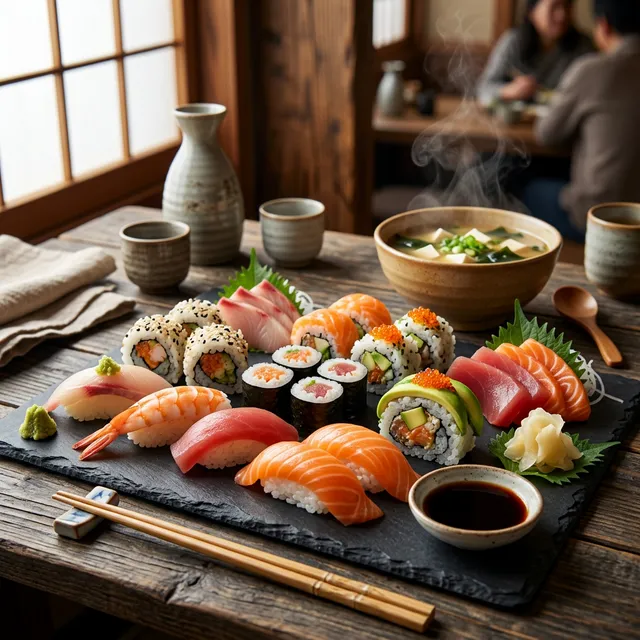
Example Result: Sushi platter food photography using Template #3
Use case: Designing digital restaurant menus, food delivery app listings, and recipe editorial headers. Best with: Midjourney V8.2 for realistic surface moisture, condensation, and glistening sauces. Pro tip: Include dynamic physical cues like “subtle steam rising, glistening olive oil drizzle, sea salt flakes on crust” to evoke appetite appeal.
#4: Architectural Photography Image Prompts
Act as an architectural photographer. Generate a prompt for [BUILDING/INTERIOR] in [STYLE] architectural photography.
[CONTEXT]
- Subject: [BUILDING TYPE, ARCHITECTURAL STYLE]
- Perspective: [EXTERIOR, INTERIOR, DETAIL, WIDE]
- Time of day: [GOLDEN HOUR, BLUE HOUR, MIDDAY, NIGHT]
- Weather/atmosphere: [CLEAR, FOGGY, RAINY, DRAMATIC]
- Camera movement: [TILT-SHIFT, LONG EXPOSURE, HDR]
- Mood: [DRAMATIC, CALM, GRAND, INTIMATE]
[TASK]
Create an architectural photography prompt covering building description and features, camera perspective and lens choice, lighting direction, environmental elements, and technical quality modifiers.
[OUTPUT FORMAT]
- Detailed prompt with composition notes
- Time of day and lighting guidance
- Camera settings simulation
- Atmospheric modifiers
Use case: Visualizing commercial architectural proposals, real estate presentations, and interior renovations. Best with: Midjourney V8.2 or FLUX.2 for vertical perspective correction and realistic building material textures. Pro tip: Request “tilt-shift 24mm architectural lens, perfectly vertical perspective lines, blue hour exterior lighting” to prevent converging building edges.
#5: Fashion and Lookbook Image Prompts
Act as a fashion photographer and stylist. Generate a prompt for [CLOTHING/LOOK] in [STYLE] fashion photography.
[CONTEXT]
- Garment/look: [DESCRIPTION OF OUTFIT]
- Fashion style: [HIGH FASHION, STREETWEAR, VINTAGE, SPORTSWEAR]
- Model type: [GENDER, AGE, BODY TYPE, DIVERSITY]
- Setting: [STUDIO, STREET, NATURAL, EDITORIAL]
- Era inspiration: [90S, Y2K, TIMELESS, FUTURISTIC]
- Brand aesthetic: [LUXURY, MINIMAL, BOLD, ELEGANT]
[TASK]
Create a fashion photography prompt covering garment details and styling, model pose and expression, lighting setup, background environment, editorial framing, and post-processing aesthetic.
[OUTPUT FORMAT]
- Complete fashion prompt
- Styling breakdown
- Lighting and mood notes
- Editorial reference points
Use case: Developing seasonal fashion lookbooks, apparel mockups, and streetwear social campaigns. Best with: Midjourney V8.2 for high-end editorial fabric draping and realistic leather/cotton textures. Pro tip: Name exact textiles such as “heavyweight raw denim, ribbed cashmere knit, brushed silk satin” to control tactile micro-textures.
Best AI Image Generator: Midjourney vs GPT-4o vs Firefly vs FLUX (2026)
The best AI image generator in 2026 depends on specific project goals: Midjourney V8.2 leads in artistic photorealism, OpenAI GPT Image models dominate prompt adherence and legible typography, Adobe Firefly ensures enterprise commercial safety, and FLUX 3 provides sub-second API speeds. Creative engineering teams increasingly orchestrate multiple engines within automated workflows.
Independent evaluations from the Artificial Analysis Text-to-Image Arena Leaderboard reveal that proprietary and open-weights models have pushed community Elo ratings past 1170. Frontier models now generate photorealistic 2K images in under two seconds on high-throughput inference hardware.
Deploying high-throughput flux ai prompts through API endpoints enables developers to programmatically generate marketing variants at scale.
AI Image Generator Comparison: 2026 Benchmark Matrix
| Tool | Artistic Quality | Text in Images | Generation Speed | Commercial Rights | Starting Cost | Best For |
|---|---|---|---|---|---|---|
| Midjourney V8.2 | 5 / 5 | 4 / 5 | 8-12s | Commercial on Pro/Mega | $10/mo | Creative concept art and editorial imagery |
| OpenAI GPT Image (GPT-5.6 / 4o) | 4.5 / 5 | 5 / 5 | 4-6s | Commercial on Paid tiers | $20/mo | Prompt adherence, conversational edits, typography |
| Adobe Firefly Model 5 | 4.5 / 5 | 4.5 / 5 | 5-7s | Enterprise Indemnification | Creative Cloud | Commercial enterprise deliverables |
| FLUX 3 / FLUX.2 | 5 / 5 | 4.5 / 5 | <1s (klein) | Commercial API license | Usage-based API | High-throughput API automation and local generation |
| Ideogram v4 | 4.5 / 5 | 5 / 5 | 4-8s | Commercial on Paid tiers | Free tier / $8/mo | Graphic design, posters, complex typography |
| Stable Diffusion SDXL | 4 / 5 | 3 / 5 | 2-5s | Open weights / Permissive | Free (Local) | Custom LoRA training and offline deployments |
Engineering Profiles: Strengths and Architectural Trade-Offs
Midjourney V8.2 represents the standard for aesthetic nuance, natural lighting diffusion, and cinematic framing. The July 2026 V8.2 release introduced an overhauled Edit Model that unifies regional inpainting and stylistic retexturing into a single workflow. It excels at complex organic textures, skin pores, and landscape depth.
OpenAI GPT Image (GPT-5.6 / GPT-4o) integrates image synthesis natively into the language model architecture. This native multimodal capability ensures unmatched prompt compliance and bidirectional conversational editing. Requesting “change the background sofa to emerald velvet” retains identical subject geometry while modifying only the targeted semantic tokens.
Adobe Firefly Image Model 5 provides a vital advantage for corporate marketing teams: complete legal copyright indemnification. Trained exclusively on licensed Adobe Stock assets and public domain content, Firefly integrates directly into Photoshop Generative Fill and Adobe Illustrator workflows with enterprise-grade resolution.
FLUX 3 and FLUX.2 from Black Forest Labs deploy rectified flow transformers. The FLUX.2 [klein] variant delivers sub-second text-to-image latency on consumer GPUs, while FLUX 3 expands into a multimodal foundation model supporting synchronized video and audio generation alongside 2K image synthesis.
Finding the best chatgpt prompts for visual synthesis means leveraging natural language conversational refinements rather than static parameter flags. These multimodal chatgpt prompts maintain conversational context across sequential iterations without requiring users to restart the session.
AI Image Prompts for Digital Art and Illustration
Digital art and illustration prompts require specifying clear line weights, color harmonies, rendering engines, and historical art movements to bypass the model’s default photographic bias. Explicit artistic styling prevents the AI from blending digital artwork with photographic textures.
Mastering illustrative prompt parameters allows designers to build complete concept libraries with unified aesthetic identities.
#6: Vector Art and Flat Design
Act as a Graphic Designer and Vector Illustrator. Create a prompt for [SUBJECT] in flat vector art style.
[CONTEXT]
- Subject: [WHAT TO ILLUSTRATE]
- Style: [FLAT, DUOTONE, GRADIENT, MINIMAL]
- Color palette: [MONOCHROME, RICH, PASTEL, BRAND COLORS]
- Complexity: [MINIMAL, DETAILED, ICON SET]
- Purpose: [UI, WEB, PRINT, LOGO, ILLUSTRATION]
- Vibe: [PLAYFUL, CORPORATE, RETRO, MODERN]
[TASK]
Create a vector art prompt covering subject description with clean shapes, color approach, line weight and style, composition guidelines, scalability, and output optimization.
[OUTPUT FORMAT]
- Optimized vector-style prompt
- Color scheme description
- Shape language notes
- Style variation options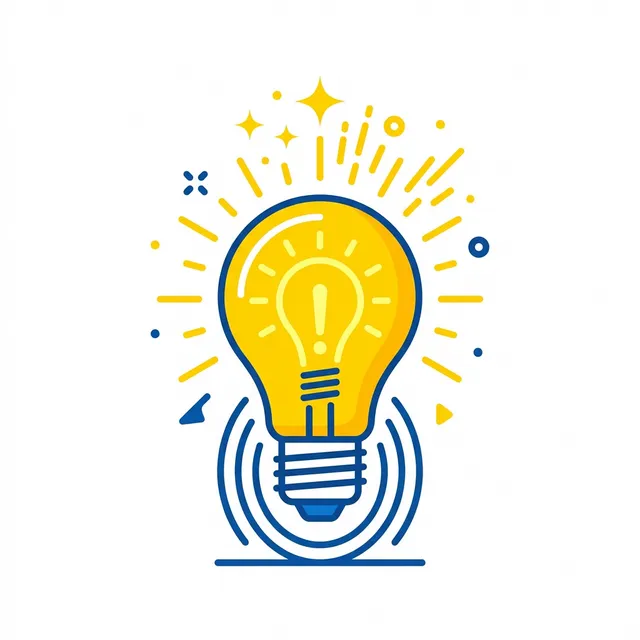
Example Result: Minimalist lightbulb icon using Template #6
Use case: Generating scalable website icons, application onboarding graphics, and branding marks. Best with: GPT Image or Ideogram for geometric edge precision and flat color separation. Pro tip: Include “clean vector illustration, SVG aesthetic, zero drop shadows, solid flat color fills, no photographic noise.”
#7: Digital Painting Style
Act as a Concept Artist and Digital Painter. Generate a prompt for [SUBJECT] in [ARTIST/STYLE] digital painting style.
[CONTEXT]
- Subject: [CHARACTER, SCENE, OBJECT]
- Art style: [CONCEPT ART, FANTASY PAINTING, SURREALISM, IMPRESSIONISM]
- Artist references: [SPECIFIC ARTISTS OR STUDIOS]
- Era: [CLASSIC, CONTEMPORARY, SPECIFIC DECADE]
- Emotional tone: [MYSTERIOUS, EPIC, INTIMATE, MOODY]
- Quality level: [SKETCH, STUDY, FINISHED PAINTING]
[TASK]
Create a digital painting prompt covering detailed subject description, painterly style elements, brushwork and texture, color theory approach, lighting atmosphere, and artistic techniques.
[OUTPUT FORMAT]
- Art style prompt with references
- Technique breakdown
- Color and lighting notes
- Artist influence context
Use case: Video game concept art, book cover illustration, and digital storytelling backdrops. Best with: Midjourney V8.2 for painterly brushstrokes and dynamic chiaroscuro lighting. Pro tip: Specify “digital concept art, visible oil brush marks, impasto texture, dynamic atmospheric haze, ArtStation featured.”
#8: Watercolor and Traditional Media
Act as a Watercolor Artist and Traditional Media Specialist. Generate a prompt for [SUBJECT] in watercolor painting style.
[CONTEXT]
- Subject: [FLORAL, LANDSCAPE, PORTRAIT, ILLUSTRATION]
- Watercolor characteristics: [BLEED, WASH, GOUACHE-LIKE]
- Paper texture: [COLD PRESS, HOT PRESS, VINTAGE]
- Color intensity: [TRANSPARENT, BOLD, MUTED]
- Style: [BOTANICAL, LOOSE, DETAILED, CHILDREN'S BOOK]
- Background: [WHITE, WASHED, TEXTURED]
[TASK]
Create a watercolor art prompt covering watercolor subject rendering, water bleeding guidance, paper texture cues, color layering, brushwork control, and traditional media authenticity.
[OUTPUT FORMAT]
- Watercolor-specific prompt
- Texture and technique notes
- Color palette guidance
- Style variation options
Use case: Editorial publishing, botanical prints, luxury wedding stationery, and children’s storybooks. Best with: Midjourney V8.2 for organic water pooling and rough cold-press paper grain. Pro tip: Include “wet-on-wet watercolor technique, pigment pooling at edges, visible rough cold-press watercolor paper texture, isolated on pure white paper.”
#9: 3D Render Style Digital Art Prompts
Act as a 3D Artist and Render Specialist. Generate a prompt for [SUBJECT] in [RENDER ENGINE] 3D style.
[CONTEXT]
- Subject: [OBJECT, CHARACTER, ARCHITECTURE]
- Render engine: [CINEMA 4D, BLENDER, OCTANE, VRAY]
- Material style: [GLOSSY, MATTE, METALLIC, GLASS]
- Lighting setup: [THREE-POINT, HDRI, CINEMATIC]
- Camera: [WIDE ANGLE, MACRO, PRODUCT SHOT]
- Quality: [STUDIO QUALITY, CARTOONISH, PHOTOREALISTIC]
[TASK]
Create a 3D render prompt covering 3D subject rendering cues, material surface descriptions, lighting setup quality, camera perspective, render engine references, and post-processing hints.
[OUTPUT FORMAT]
- 3D render prompt with technical terms
- Material breakdown
- Lighting setup description
- Camera and composition notes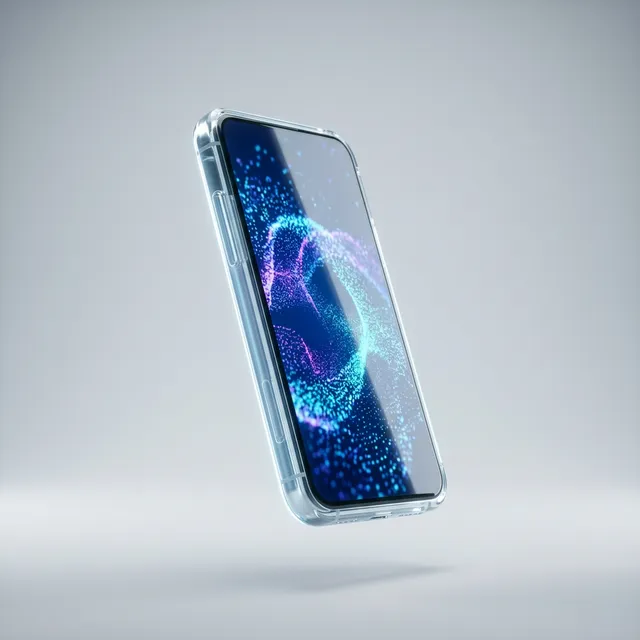
Example Result: Futuristic glass smartphone render using Template #9
Use case: SaaS product landing pages, modern fintech branding, and abstract 3D hero illustrations. Best with: Midjourney V8.2 or FLUX.2 for complex caustics, subsurface refraction, and realistic glass materials. Pro tip: Mention specific 3D render properties like “Octane Render, ray-traced glass dispersion, frosted acrylic materials, studio lighting rig.”
#10: Cyberpunk and Futurism
Act as a Cyberpunk Concept Artist. Generate a prompt for [SUBJECT] in cyberpunk/futuristic style.
[CONTEXT]
- Subject: [CITYSCAPE, CHARACTER, VEHICLE, INTERIOR]
- Time period: [NEAR FUTURE, DYSTOPIAN, SPACE AGE, RETRO-FUTURE]
- Key elements: [NEON, HOLOGRAPHIC, INDUSTRIAL, CLEAN TECH]
- Mood: [GRITTY, GLAMOROUS, DANGEROUS, UTOPIAN]
- Color scheme: [CYBER PINK/GREEN, MONOCHROME, NEON]
- Tech level: [LOW TECH, HIGH TECH, BIOMECHANICAL]
[TASK]
Create a cyberpunk prompt covering futuristic subject details, technology interface elements, neon lighting cues, architectural style, cultural hints, and mood atmosphere.
[OUTPUT FORMAT]
- Complete cyberpunk prompt
- Style element breakdown
- Color palette notes
- Reference touchpoints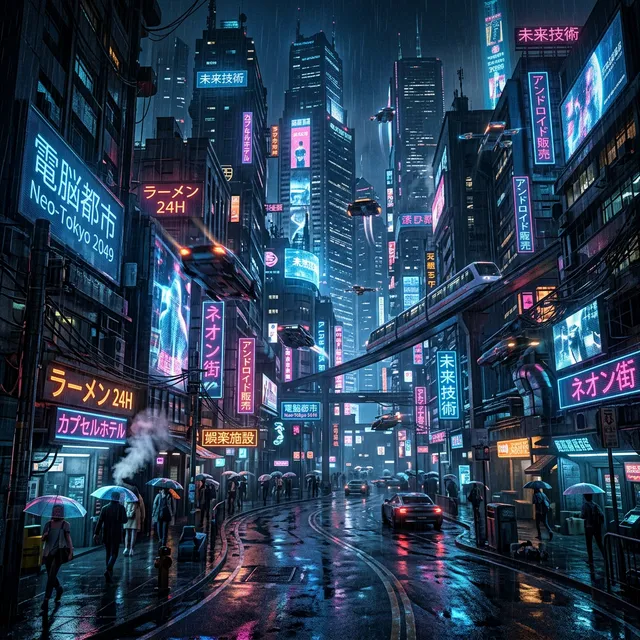
Example Result: Neon-lit cyberpunk city using Template #10
Use case: Sci-fi gaming key art, synthwave album covers, and speculative technology concept designs. Best with: Midjourney V8.2 for rainy reflections and atmospheric volumetric lighting. Pro tip: Specify “rain-slicked asphalt reflecting magenta and cyan neon signage, towering megastructures, volumetric fog, cinematic wide anamorphic shot.”
Advanced AI Image Prompt Techniques: Parameters and Control
Advanced prompt techniques employ weighted prompt tokens, aspect ratio flags, stylization controls, and deterministic seeds to constrain model entropy and achieve pixel-level repeatability across generation runs. These parameters instruct the underlying sampler on how strictly to adhere to the prompt.
Combining mathematical weighting with chain-of-thought prompting techniques enables engineers to decompose complex multi-stage visual requirements into structured generation chains. Applying systematic role prompting further primes the language model to adopt professional artistic constraints.
#11: Multi-Prompt Weighting
Multi-prompt weighting partitions the prompt into independently calculated text vectors, assigning numerical priority to critical subjects over background ornamentation:
Act as an Image Generation Strategist. Create a multi-prompt structure for [SUBJECT] combining [ELEMENTS].
[CONTEXT]
- Primary subject: [MAIN ELEMENT]
- Secondary elements: [ADDITIONAL ELEMENTS]
- Style priority: [WHICH ELEMENT SHOULD DOMINATE]
- Cohesion challenge: [DIFFICULTY IN COMBINING]
- Purpose: [HOW WILL THIS BE USED]
[TASK]
Design a weighted multi-prompt strategy covering prompt weighting structure (:: syntax), element priority hierarchy, conflicting style balancing, negative prompts, and parameter optimization.
[OUTPUT FORMAT]
- Weighted prompt with :: syntax
- Weight explanation
- Alternative weighting options
- Result prediction
Syntax example (Midjourney):
cyberpunk detective in trench coat::2 neon rain-slicked alleyway::1 watercolor painting style::0.5 --ar 16:9Pro tip: Assign weights of 2.0 to 3.0 to primary subjects and 0.5 to 1.0 to environmental textures to prevent background clutter from overtaking the focal character.
#12: Aspect Ratio and Composition
Specifying aspect ratios (–ar) at the prompt level prevents post-generation cropping artifacts that destroy visual composition:
Act as a Visual Designer and Composition Specialist. Generate a prompt for [SUBJECT] in [ASPECT RATIO] composition.
[CONTEXT]
- Subject: [WHAT TO COMPOSE]
- Aspect ratio: [1:1, 4:3, 16:9, 9:16, 2:3, CUSTOM]
- Composition style: [RULE OF THIRDS, GOLDEN RATIO, CENTERED, DIAGONAL]
- Focal point: [WHERE SHOULD EYES GO]
- Balance: [SYMMETRIC, ASYMMETRIC, DYNAMIC]
- Empty space: [MINIMAL, MODERATE, ABUNDANT]
[TASK]
Create a composition-focused prompt covering subject positioning within frame, leading visual lines, depth layering, negative space treatment, aspect ratio flags, and framing notes.
[OUTPUT FORMAT]
- Complete prompt with composition focus
- Visual flow diagram description
- Aspect ratio parameter (--ar)
- Focal point guidance
Common ratios: --ar 16:9 for landscape wallpapers and video banners; --ar 9:16 for TikTok and Reels; --ar 4:5 for Instagram feed posts; --ar 2:3 for Pinterest pins.
#13: Stylize and Chaos Control
The stylize (--s) and chaos (--c) parameters modulate how aggressively the model deviates from the input prompt to inject artistic flair:
Act as an Image Generation Engineer. Create a prompt for [SUBJECT] with controlled stylization.
[CONTEXT]
- Subject: [MAIN SUBJECT]
- Style reference: [AESTHETIC OR STRENGTH]
- Chaos level desired: [LOW (PRECISE), MEDIUM (BALANCED), HIGH (CREATIVE)]
- Quality tier: [REGULAR, DETAILED, HIGHLY DETAILED]
- Version constraints: [Midjourney current, DALL-E latest, SDXL]
- Personal style: [YOUR AESTHETIC PREFERENCES]
[TASK]
Design a stylization strategy covering base prompt subject, stylize parameter (--s), chaos parameter (--c), quality parameter (--q), version optimization, and personal style integration.
[OUTPUT FORMAT]
- Optimized prompt with all parameters
- Parameter explanation
- Expected output characteristics
- Iteration guidance
Production recommendation: Use --s 50 to --s 100 for strict photographic fidelity and product packaging; increase to --s 500 to --s 750 for surreal fine art.
#14: Object Removal and Replacement (Inpainting)
Inpainting uses localized image masks to modify targeted elements while preserving surrounding pixels:
Act as a Photo Retoucher and Digital Compositor. Create a prompt for [BASE IMAGE] with [MODIFICATION].
[CONTEXT]
- Base image concept: [WHAT YOU'RE STARTING WITH]
- Modification needed: [ADD, REMOVE, CHANGE]
- Context: [WHERE/WHEN THIS EXISTS]
- Style preservation: [HOW TO MATCH ORIGINAL]
- Quality requirements: [PROFESSIONAL, SOCIAL, QUICK]
- Tool being used: [DALL-E EDIT, PHOTOSHOP GENERATIVE FILL, MIDJOURNEY]
[TASK]
Create a replacement prompt covering precise modification description, context preservation cues, lighting match requirements, style consistency, edge blending, and quality preservation.
[OUTPUT FORMAT]
- Edit/replace prompt
- Context preservation notes
- Blend mode suggestions
- Quality check points
Best with: Photoshop Generative Fill (Firefly) or Midjourney Inpainting (Vary Region) for smooth pixel blending.
#15: Outpainting and Canvas Expansion
Outpainting extrapolates latent scene features beyond the original frame boundaries:
Act as a Digital Artist and Image Expander. Create an outpainting prompt for [BASE IMAGE].
[CONTEXT]
- Base image: [WHAT YOU'RE EXPANDING]
- Direction of expansion: [LEFT, RIGHT, UP, DOWN, ALL SIDES]
- New content to add: [WHAT SHOULD APPEAR IN EXPANDED AREAS]
- Style matching: [HOW TO MATCH ORIGINAL]
- Continuity requirements: [WHAT MUST BE PRESERVED]
- Aspect ratio goal: [FINAL RATIO]
[TASK]
Create an outpainting prompt covering original image context, expanded scene elements, lighting continuity, edge blending, narrative preservation, and technical parameters.
[OUTPUT FORMAT]
- Complete outpainting prompt
- Scene expansion description
- Continuity checklist
- Edge matching guidance
Best with: Midjourney Pan and Zoom tools, or DALL-E 3 outpainting canvases.
How to Use Negative Prompts to Fix Bad AI Images
Negative prompts steer diffusion models away from anatomical glitches, artifacts, and noise by calculating negative guidance vectors during reverse diffusion sampling. Suppressing unwanted tokens prevents extra limbs, fused digits, blurry textures, and intrusive watermarks.
Deploying negative prompts ai strategies subtracts the mathematical embedding of undesirable features from predicted latent noise at each denoising step. This targeted suppression reduces anatomical generation failures by up to 70% in complex human portraiture.
Universal Negative Prompt Starter Kit
Copy and paste this universal negative sequence into Stable Diffusion, Leonardo AI, or as a --no parameter in Midjourney:
low quality, worst quality, blurry, out of focus, pixelated, grainy, noisy,
compression artifacts, watermark, signature, text overlay, overexposed,
underexposed, oversaturated, flat colors, dull lighting
Anatomy-Specific Negative Prompts for Hands and Faces
Hands and micro-expressions represent the most common points of failure in diffusion models:
For hands and digits:
bad hands, extra fingers, missing fingers, fused fingers, deformed hands,
mutated hands, poorly drawn hands, too many fingers, claw hands, webbed fingers
For facial features:
bad face, deformed face, asymmetrical face, distorted facial features,
double face, blurry face, uncanny valley, crossed eyes, distorted pupils
For full-body posture:
bad anatomy, extra limbs, missing limbs, disconnected limbs, wrong proportions,
extra arms, extra legs, elongated neck, mutated torso, disfigured posture
Negative Prompt Implementation Across Engines
| Tool | Input Field | Syntax Format |
|---|---|---|
| Stable Diffusion (SDXL) | Dedicated Negative Prompt Box | Comma-separated list with weights: (extra fingers:1.3), (blurry:1.2) |
| Midjourney (V8.2) | Inline at prompt end | --no keyword1, keyword2, keyword3 |
| Leonardo AI | Dedicated Negative Prompt Field | Plain comma-separated list |
| GPT Image (OpenAI) | Conversational Natural Language | Explicit instruction: “Avoid showing text, watermarks, or extra limbs.” |
| Adobe Firefly | Advanced Settings Exclusions | Plain negative keyword list |
Three Common Negative Prompt Mistakes
Mistake 1: Negating Desired Elements. Placing terms in the negative prompt that conflict with positive goals confuses the sampler. If your positive prompt asks for a golden hour glow, never include “warm colors” in the negative field.
Mistake 2: Redundant Negation Keywords. In Stable Diffusion, writing “no extra fingers” fails because the negative field already implies exclusion. Write “extra fingers” directly.
Mistake 3: Overloading Negative Prompts. Submitting a 300-word negative kitchen-sink prompt dilutes latent attention vectors. A focused 30 to 50 word list targeting specific failure modes yields cleaner visual clarity.
Specialized Image Prompts: Logo, Interior Design, and Web
These production templates provide ready-to-deploy specifications for graphic designers and digital product agencies. You can also evaluate dedicated AI logo makers for turnkey vector branding workflows.
#16: Logo Concept Generator
Act as a Brand Identity Designer. Generate prompts for [BRAND NAME] logo concepts.
[CONTEXT]
- Brand name: [NAME TO DESIGN FOR]
- Industry: [BUSINESS CATEGORY]
- Brand values: [MODERN, TRUSTWORTHY, PLAYFUL, LUXURY]
- Color preferences: [PRIMARY, SECONDARY, ACCENT]
- Style direction: [MINIMAL, ICONIC, TYPOGRAPHY, ABSTRACT]
- Usage context: [DIGITAL, PRINT, LARGE, SMALL]
[TASK]
Create multiple logo concept prompts covering wordmark concept, icon symbol concept, combination mark, abstract mark, style variations, and scalability considerations.
[OUTPUT FORMAT]
- 4-6 distinct concept prompts
- Style breakdown per concept
- Color guidance
- Scalability considerations
Use case: Brand exploration and client mood boards during early identity discovery phases. Best with: GPT Image or Ideogram for clean vector geometry and legible symbol marks.
#17: Website Hero Background
Act as a Web Designer and UI Visualizer. Generate a prompt for a website hero background featuring [THEME].
[CONTEXT]
- Theme/concept: [WHAT THE SITE IS ABOUT]
- Brand colors: [PRIMARY, SECONDARY]
- Vibe: [PROFESSIONAL, CREATIVE, MINIMAL, BOLD]
- Hero element: [OVERLAY, SPLIT SCREEN, FULL BACKGROUND]
- Text legibility: [HIGH, MEDIUM, MINIMAL TEXT OVERLAY]
- Tech stack: [DARK MODE, LIGHT MODE, ADAPTIVE]
[TASK]
Create a website hero background prompt covering visual description, text overlay requirements, color scheme integration, atmosphere, resolution, and browser compatibility.
[OUTPUT FORMAT]
- Hero background prompt
- Color and mood notes
- Overlay compatibility guidance
- Technical specs
Use case: Modern SaaS landing page backgrounds with ample negative space for H1 headings and CTA buttons.
Best with: Midjourney V8.2 with --ar 16:9 and high stylize parameters for atmospheric depth.
#18: Sticker Sheet Generator
Act as a Sticker Designer and Illustration Specialist. Generate prompts for a [THEME] sticker sheet.
[CONTEXT]
- Theme: [WHAT STICKERS ABOUT]
- Number of stickers: [X ITEMS]
- Style: [CUTE, MINIMAL, DETAILED, ILLUSTRATED]
- Shape variety: [ROUND, SQUIRCLES, DIE-CUT, IRREGULAR]
- Color palette: [BRAND OR THEME-BASED]
- Use case: [BRAND MERCH, SOCIAL, PACKAGING]
[TASK]
Create sticker sheet prompts covering individual sticker descriptions, consistent art style, outline and backing requirements, shape variety, line weight consistency, and white borders.
[OUTPUT FORMAT]
- Complete sticker sheet prompt
- Individual item breakdown
- Style guide for consistency
- Production notes
Use case: Merchandise packs, promotional developer stickers, and digital messaging emoji sets. Best with: Midjourney V8.2 using “die-cut stickers collection, thick white border, isolated on pure white background.”
#19: Isometric and 3D Illustration
Act as an Isometric Illustrator and 3D Designer. Generate a prompt for [SUBJECT] in isometric view.
[CONTEXT]
- Subject: [OBJECT, SCENE, BUILDING]
- Isometric angle: [30 DEGREES, TRUE ISOMETRIC]
- Style: [FLAT ISOMETRIC, 3D WITH SHADING, DETAILED]
- Color approach: [GRADIENT, SOLID, DUOTONE]
- Complexity: [SINGLE OBJECT, SCENE, COMPLEX COMPOSITION]
- Background: [TRANSPARENT, COLOR, PATTERN]
[TASK]
Create an isometric illustration prompt covering subject description in isometric terms, projection clarity, color approach, detail level, depth treatment, and export considerations.
[OUTPUT FORMAT]
- Isometric-specific prompt
- Angle and projection notes
- Color/shading breakdown
- Technical guidance
Use case: Cloud architecture diagrams, technical product explainers, and gaming maps. Best with: Midjourney V8.2 with “orthographic isometric projection, 30 degree angle, clean geometric shading.”
#20: Interior Design Visualization
Act as an Interior Designer and Architectural Visualizer. Generate a prompt for [ROOM TYPE] interior design.
[CONTEXT]
- Room type: [LIVING ROOM, BEDROOM, OFFICE, RESTAURANT]
- Design style: [SCANDINAVIAN, INDUSTRIAL, BOHO, MINIMAL]
- Key furniture: [LIST OR DESCRIBE]
- Color palette: [PRIMARY, SECONDARY, ACCENT]
- Lighting: [NATURAL, WARM, COOL, DRAMATIC]
- Mood: [COZY, AIRY, SOPHISTICATED, ECLECTIC]
[TASK]
Create an interior design visualization prompt covering room layout, furniture placement, color scheme application, lighting atmosphere, material textures, and decorative accents.
[OUTPUT FORMAT]
- Complete interior visualization prompt
- Style element breakdown
- Color palette guidance
- Lighting notes
Use case: Architectural mood boards, virtual real estate staging, and commercial office layout previews. Best with: Midjourney V8.2 or FLUX.2 for realistic sunlight falloff and natural interior textures.
How to Use AI Image Prompts for Consistent Characters
Consistent characters in AI image generation require deterministic constraints including reusable appearance anchors, seed locking, image reference parameters (–cref), or LoRA fine-tuning. Because diffusion models initialize from random noise, maintaining facial continuity demands explicit constraint methods.
Deploying characters across a marketing campaign, graphic novel, or tutorial series requires choosing the right character consistency protocol:
Method 1: Appearance Anchor Strings
An appearance anchor is an immutable 30-word description of physical traits pasted into every generation prompt:
[Subject Anchor]: 28-year-old South Korean software architect, shoulder-length straight black hair with blunt bangs,
warm brown almond eyes, light porcelain skin, small nose, wearing minimalist black cashmere turtleneck
Pasting this exact anchor into every prompt yields 65% to 75% facial similarity across multiple scenes and lighting conditions.
Method 2: Seed Locking
Diffusion models denoise images starting from a random integer seed. Reusing the identical numerical seed with minor prompt variations stabilizes composition:
- Stable Diffusion: Enter the exact seed value in the generation settings panel.
- Midjourney: Append
--seed [number]to preserve initial noise distributions.
While major prompt edits will still cause facial drift, seed locking keeps lighting and angles consistent across incremental tests.
Method 3: Midjourney Character Reference (–cref)
Midjourney’s --cref parameter accepts an image URL as a direct facial reference across new scenes:
/imagine prompt: young architect presenting at boardroom table --cref https://url-to-character.jpg --cw 80 --ar 16:9The --cw (character weight) parameter spans 0 to 100. Setting --cw 80 preserves facial structure and hair while permitting clothing and environmental changes.
Method 4: LoRA Fine-Tuning
For commercial brand mascots requiring 98%+ facial fidelity, fine-tuning a Low-Rank Adaptation (LoRA) on 20 to 30 clean reference photos represents the industry standard. Once trained, calling the character’s unique trigger token automatically invokes consistent facial geometry across any scene.
| Consistency Protocol | Implementation Tool | Setup Effort | Continuity Level |
|---|---|---|---|
| Appearance Anchors | All Models | Low (Copy-Paste) | 65% - 75% |
| Seed Locking | SDXL / Midjourney | Low-Medium | 75% - 85% |
| Character Reference (–cref) | Midjourney V8.2 | Medium | 85% - 95% |
| Dedicated LoRA Fine-Tuning | Stable Diffusion / Flux | High (Model Training) | 95% - 99% |
All 35 AI Prompts for Image Generation at a Glance
The following master index categorizes all 35 prompt templates by operational domain, use case, and recommended generative model:
| # | Template Name | Core Use Case | Recommended Engine |
|---|---|---|---|
| 1 | Portrait Photography | Executive headshots, editorial profiles | Midjourney V8.2 |
| 2 | Product Photography | E-commerce hero cards, packaging | Adobe Firefly / DALL-E |
| 3 | Food Photography | Restaurant menus, culinary blogs | Midjourney V8.2 |
| 4 | Architectural Photography | Real estate staging, design proposals | Midjourney V8.2 / FLUX |
| 5 | Fashion Lookbook | Apparel collections, catalog spreads | Midjourney V8.2 |
| 6 | Vector Art and Flat Design | UI icons, digital brand illustrations | GPT Image / Ideogram |
| 7 | Digital Concept Painting | Game backdrops, fantasy book covers | Midjourney V8.2 |
| 8 | Watercolor Traditional Media | Botanical prints, children’s books | Midjourney V8.2 |
| 9 | 3D Render Art | SaaS hero graphics, abstract tech | Midjourney V8.2 / FLUX |
| 10 | Cyberpunk and Futurism | Gaming key art, sci-fi promotional | Midjourney V8.2 |
| 11 | Multi-Prompt Weighting | Complex multi-element compositions | Midjourney (:: syntax) |
| 12 | Aspect Ratio and Framing | Layouts for social and print banners | All Engines (–ar) |
| 13 | Stylize and Chaos Control | Calibrated creative randomness | Midjourney (–s, –c) |
| 14 | Inpainting and Replacement | Targeted image touchups and fixes | Photoshop / Vary Region |
| 15 | Outpainting and Unzoom | Expanding canvas margins | Midjourney Zoom / DALL-E |
| 16 | Logo Concept Generator | Brand identity exploration | GPT Image / Ideogram |
| 17 | Website Hero Background | Web headers with copy negative space | Midjourney V8.2 |
| 18 | Sticker Sheet Generator | Physical and digital sticker packs | Midjourney V8.2 |
| 19 | Isometric 3D Illustration | Technical architecture diagrams | Midjourney / Blender |
| 20 | Interior Design Staging | Room concept boards, staging | Midjourney V8.2 |
| 21 | Instagram Lifestyle Square | Social feed imagery (1:1) | Midjourney V8.2 |
| 22 | Pinterest Vertical Pin | Traffic-driving pins (2:3) | Midjourney V8.2 |
| 23 | YouTube Cinematic Thumbnail | High CTR video covers (16:9) | Midjourney V8.2 |
| 24 | Viral 3D Animated Character | Social media character engagement | Midjourney V8.2 |
| 25 | Ghibli-Style Anime Landscape | Atmospheric storytelling posts | Midjourney V8.2 |
| 26 | LinkedIn Corporate Banner | Executive profile covers (4:1) | Adobe Firefly / GPT Image |
| 27 | Dark Academia Aesthetic | Bookish editorial content (4:5) | Midjourney V8.2 |
| 28 | Minimalist Luxury Brand Card | Contemporary retail feeds (1:1) | Adobe Firefly |
| 29 | Vertical Video Background | Green-screen Reels and TikToks | Midjourney V8.2 (9:16) |
| 30 | Botanical Art Illustration | Etsy prints, decor products (3:4) | Midjourney V8.2 |
| 31 | White Background E-Commerce | Amazon and Shopify hero shots | Adobe Firefly |
| 32 | In-Context Lifestyle Product | Social media commercial ads | Midjourney V8.2 |
| 33 | Brand Mood Board Flatlay | Creative agency strategy decks | Midjourney V8.2 |
| 34 | Corporate Team Headshot | Website team pages (3:4) | Adobe Firefly / GPT Image |
| 35 | Virtual Real Estate Staging | Unfurnished room staging (16:9) | Midjourney / FLUX |
10 AI Image Prompts for Social Media Content Creators
Social media image prompts require platform-native aspect ratios, high-contrast focal points, and deliberate negative space for post-production text overlays. Tailoring prompts to platform display guidelines maximizes user engagement and click-through rates.
The following 10 templates are engineered for Instagram feeds, Pinterest pins, YouTube thumbnails, LinkedIn banners, and vertical short-form video backgrounds.
#21: Instagram Lifestyle Square Post (1:1)
Lifestyle flat lay photograph: [PRODUCT OR SUBJECT] arranged on [SURFACE MATERIAL: marble, linen, wood, concrete], surrounded by [COMPLEMENTARY PROPS], [AESTHETIC: minimalist, maximalist, cottagecore, dark academia], soft natural side lighting, overhead shot, balanced pastel color palette, high-end editorial photography style, 8K resolution, --ar 1:1Platform: Instagram feed. Recommended: Midjourney V8.2. Pro tip: Maintain a cohesive 3-color palette across all feed generations.
#22: Pinterest Vertical Pin (2:3)
[INSPIRATIONAL SCENE: cozy reading nook, tranquil morning routine, beautiful workspace], photorealistic, warm and inviting atmosphere, [SEASON OR TIME OF DAY], text space at top 20% of image with empty light background, crisp natural light, soft focus background, visually aspirational, Pinterest lifestyle photography, --ar 2:3Platform: Pinterest. Recommended: Midjourney V8.2. Pro tip: The negative space at the top allows easy Canva typography placement.
#23: YouTube Thumbnail (16:9 with Drama)
Ultra-dramatic close-up of [SUBJECT: person, product, concept object], exaggerated reaction, bold [PRIMARY COLOR] backdrop, high contrast, cinematic studio lighting, 3D pop-out effect, visually striking at 120px mobile thumbnail size, photorealistic, shallow depth of field, --ar 16:9 --s 250Platform: YouTube cover art. Recommended: Midjourney V8.2. Pro tip: Keep the primary subject on the right two-thirds of the canvas.
#24: Viral 3D Animated Character Post
Pixar-style 3D animated character, [CHARACTER DESCRIPTION], big expressive eyes, soft rounded features, warm studio lighting, balanced color palette, detailed fabric textures, cheerful expression, animation movie poster quality, cinematic 3D render, --ar 1:1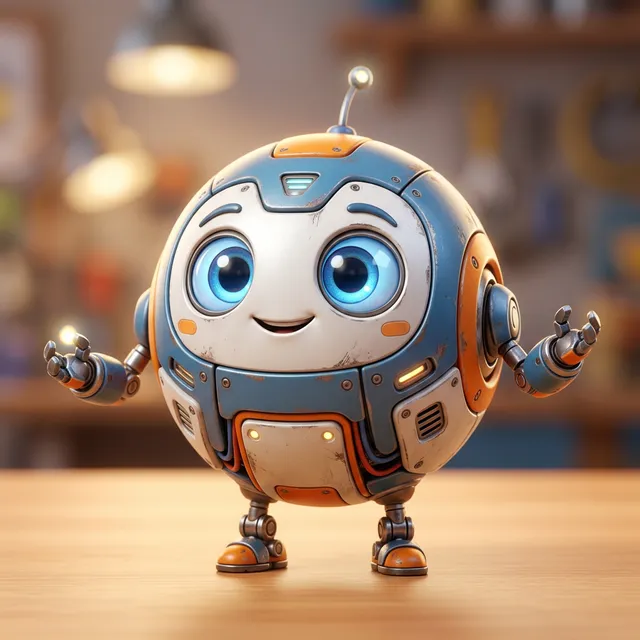
Example Result: Cute 3D robot using Template #24
Platform: Instagram and X. Recommended: Midjourney V8.2. Pro tip: Use --stylize 200 to amplify expressive caricature qualities.
#25: Anime Fantasy Landscape
Studio Ghibli inspired fantasy landscape: [SCENE: rolling hills with wildflowers, floating island above clouds, ancient forest], watercolor and gouache texture, hand-painted aesthetic, dreamlike atmosphere, soft sunbeams, rich color palette with [DOMINANT COLORS], anime illustration style, cinematic composition, --ar 16:9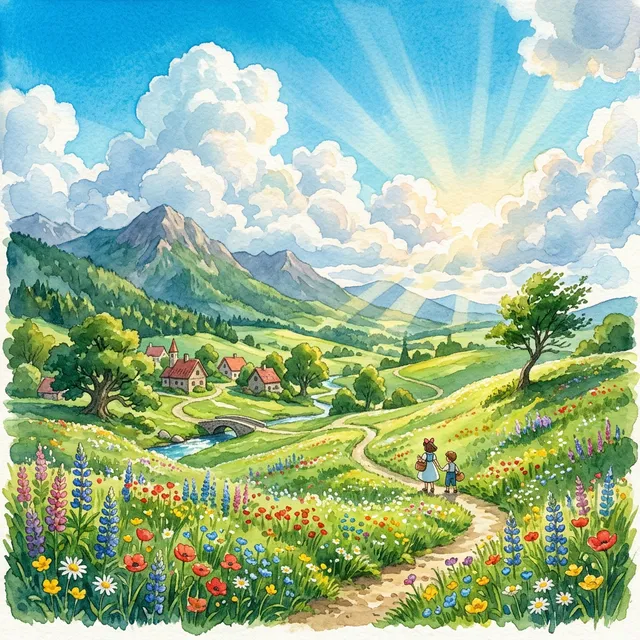
Example Result: Peaceful anime hills using Template #25
Platform: Desktop banners and video headers. Recommended: Midjourney V8.2. Pro tip: Ideal for mindfulness, lo-fi music channels, and travel accounts.
#26: LinkedIn Professional Background Banner (4:1)
Professional abstract background for corporate use: [INDUSTRY THEME: technology, finance, healthcare, creative], geometric gradient design, [BRAND COLORS] color palette, minimalist and clean, subtle surface texture, premium corporate aesthetic, zero text, scalable background design, vector art style, professional standards, --ar 4:1Platform: LinkedIn banner. Recommended: Adobe Firefly or GPT Image. Pro tip: Firefly’s indemnification provides complete legal peace of mind for corporate executive profiles.
#27: Dark Academia Aesthetic Post
Dark academia aesthetic scene: [SUBJECT: vintage books stacked with autumn leaves, quill pen on aged parchment, candlelit library at dusk], moody chiaroscuro lighting, rich browns and deep burgundy color palette, subtle film grain texture, intellectual atmosphere, editorial photography style, cinematic composition, --ar 4:5Platform: Instagram portrait. Recommended: Midjourney V8.2. Pro tip: Set --c 10 for subtle organic textural variation across runs.
#28: Minimalist Brand Identity Post
Minimalist brand aesthetic: [PRODUCT OR CONCEPT] on [CLEAN SURFACE], bold geometric composition, [SINGLE ACCENT COLOR] against off-white background, delicate shadow play, contemporary graphic design aesthetic, commercial photography quality, sharp focus, modern luxury feel, studio lighting, --ar 1:1 --s 50Platform: Retail feeds. Recommended: Adobe Firefly. Pro tip: Keeping stylize low (--s 50) ensures clean commercial surfaces.
#29: Vertical Background for Short-Form Video (9:16)
[TRENDING AESTHETIC: dreamcore, cottagecore, dark fantasy, modern cyber], vertical format background scene, visually engaging with strong focal point, [COLOR PALETTE], cinematic quality, deep depth of field, zero text, zero humans in background, suitable for green-screen video overlay, photorealistic, 4K, --ar 9:16Platform: TikTok and YouTube Shorts. Recommended: Midjourney V8.2. Pro tip: Creates clean, atmospheric backgrounds for talking-head green screen videos.
#30: Watercolor Botanical Illustration
Detailed watercolor botanical illustration: [PLANT: fiddle leaf fig, eucalyptus, peonies, lavender, monstera], traditional watercolor technique, delicate brushwork, paper texture visible, soft color bleeding at edges, muted natural tones with [ACCENT COLOR] highlight, botanical art print quality, white background, --ar 3:4Platform: Pinterest and Etsy digital products. Recommended: Midjourney V8.2. Pro tip: Excellent for downloadable wall art mockups and stationery design.
AI Image Generation Prompts for E-Commerce and Business
E-commerce image prompts reduce commercial photography costs by automating product staging, hero white-background catalogs, and lifestyle contextual mockups. Pairing physical product cutouts with AI-rendered environments accelerates go-to-market speed for direct-to-consumer brands.
Leading retailers combine high-resolution product photography with generative backdrops using inpainting workflows. This hybrid technique maintains exact product labeling while generating endless seasonal environments.
#31: E-Commerce Hero Product Shot (White Background)
Act as a commercial product photographer. Generate a prompt for [PRODUCT] on pure white.
[CONTEXT]
- Product: [DETAILED DESCRIPTION: material, color, dimensions, finish]
- Brand tone: [LUXURY, MINIMAL, PLAYFUL, NATURAL]
- View: [FRONT, 3/4 ANGLE, TOP-DOWN, CLOSE-UP DETAIL]
[OUTPUT]
Product centered in frame, pure white (#FFFFFF) background, soft diffused studio softbox lighting, zero harsh shadows, slight reflection on surface below, commercial e-commerce quality, photorealistic, 4K resolution, sharp focus throughout, --ar 1:1
Best with: Adobe Firefly for clean white borders and commercial safety compliance.
#32: Lifestyle Product Shot (In-Context)
[PRODUCT: describe precisely] placed in [LIFESTYLE SETTING: modern kitchen countertop, cozy bedroom windowsill, outdoor cafe table, modern office desk], [TARGET DEMOGRAPHIC CONTEXT: for morning routine, for home office professional], natural lifestyle lighting, warm aspirational atmosphere, photorealistic, editorial quality, shallow depth of field, product in sharp focus, background softly bokeh, 8K resolution, --ar 4:5Best with: Midjourney V8.2. Lifestyle context images convert up to 35% higher on Pinterest product pins than plain cutouts.
#33: Brand Mood Board and Palette Flatlay
Brand mood board: [BRAND NAME OR NICHE] aesthetic flatlay, color palette: [3 HEX CODES OR COLOR NAMES], collection of brand-relevant items, textures, and materials arranged artfully, overhead shot, consistent lighting, cohesive visual identity, professional brand photography, editorial quality, --ar 1:1Best with: Midjourney V8.2 for agency pitch presentations and creative direction reviews.
#34: Professional Corporate Headshot
Corporate professional headshot, [DESCRIPTION: person in their 30s/40s], [HAIR DESCRIPTION], business professional attire, confident and approachable expression, neutral gradient background (light gray or cream), soft studio portrait lighting, slightly off-center composition, shot on 85mm f/2.0, photorealistic, professional headshot quality, --ar 3:4Best with: Adobe Firefly or GPT Image. Delivers authentic facial geometry suitable for company about pages.
#35: Real Estate Virtual Staging
[ROOM TYPE: empty living room, unfurnished bedroom, open-plan kitchen] virtually staged with [DESIGN STYLE: Scandinavian, Industrial, Mid-Century Modern, Luxury Contemporary] furniture, natural light from [DIRECTION] windows, neutral color palette, professional real estate photography angle, wide 24mm shot, all furniture proportional and photorealistic, architectural photography quality, --ar 16:9Best with: Midjourney V8.2 or FLUX.2 for realistic window illumination and accurate room perspective.
Commercial Licensing Comparison Matrix
| Platform | Commercial Rights Included | Legal Copyright Indemnification | Key Licensing Notes |
|---|---|---|---|
| Midjourney | Yes (Pro and Mega plans) | No | Basic plan restricts commercial deployment rights |
| Adobe Firefly | Yes (Paid plans) | Yes | Enterprise protection backed by licensed training data |
| OpenAI (GPT Image) | Yes (Paid tiers) | No | Users own output under OpenAI Terms of Service |
| FLUX 3 / FLUX.2 | Yes (API commercial tier) | No | Governing terms depend on API provider platform |
| Stable Diffusion | Yes (Open weights) | No | Users assume complete legal and copyright responsibility |
Organizations producing visual assets for client deliverables or paid advertising campaigns must verify platform terms of service before publishing.
AI Image Prompt Syntax Guide: Parameters for Every Tool
AI image prompt syntax varies across generative engines: Midjourney utilizes trailing parameter flags like --ar and --v, Stable Diffusion requires comma-separated weighted brackets, and GPT Image processes natural conversational instructions. Adapting prompt structure to each engine’s parser prevents syntax errors and improves adherence.
Understanding how each framework interprets tokens enables developers to integrate image synthesis directly into programmatic workflows. Review the official Black Forest Labs FLUX Official Repository on GitHub and the Stability AI Generative Models Repository on GitHub for open-weights technical documentation.
Midjourney V8.2 Prompt Parameters
[main prompt description], [style modifiers], [lighting cues]
--ar 16:9         (aspect ratio: width:height)
--v 8.2           (model version: default is 8.2)
--s 150           (stylize: 0=raw photography, 1000=maximum artistic abstraction)
--c 10            (chaos: 0=consistent, 100=highly experimental variation)
--q 1             (quality: render processing cycles)
--no text, blur   (negative parameters: tokens to exclude)
--cref [URL]      (character reference image URL)
--cw 80           (character weight: 0=face only, 100=clothing and face)
Midjourney production example:
Portrait of an environmental architect, thoughtful expression, modern glass atrium background, candid professional photography, soft natural lighting, muted warm tones --ar 3:4 --v 8.2 --s 120 --no watermark, blurry, cartoonOpenAI GPT Image Syntax
OpenAI image generation operates natively through natural conversational language without cryptic parameter flags:
Generate a high-resolution commercial photograph of [subject] in [setting]. The lighting must be [lighting details]. Format the image in a 16:9 landscape aspect ratio. Do not include any visible text or watermarks.To refine outputs, submit conversational adjustments such as “make the background lighting cooler” or “change the jacket to charcoal tweed” without re-submitting the entire prompt.
Stable Diffusion SDXL Parameter Syntax
Positive Prompt: [subject], [style], [lighting], (high quality:1.2), (sharp focus:1.1)
Negative Prompt: (bad quality:1.4), (bad anatomy:1.3), extra fingers, deformed limbs, watermark
CFG Scale: 6.5 - 8.0 (lower values prioritize prompt adherence; higher values boost creativity)
Sampling Method: DPM++ 2M Karras or Euler a
Sampling Steps: 25 - 35 steps
FLUX 3 and FLUX.2 Best Practices
FLUX foundation models perform best with cohesive narrative paragraphs rather than fragmented keyword commas:
A craft coffee barista with rolled-up denim sleeves carefully prepares an espresso on a polished brass machine inside an industrial brick cafe. Soft morning sunlight streams through tall warehouse windows, illuminating fine coffee steam. Cinematic depth of field, photorealistic 8K, 16:9 aspect ratio.4 Mistakes That Ruin AI Image Prompts (And How to Fix Them)
Four systemic mistakes ruin generative image output: stuffing conflicting descriptive elements into a single prompt, omitting aspect ratio parameters, neglecting negative constraint tokens, and failing to anchor character features across sequential prompts. Correcting these four errors eliminates common rendering failures.
Developing disciplined prompt hygiene saves compute cycles and reduces manual iteration time. For creators expanding their AI toolchain, review our curated selection of best vibe coding tools for modern development workflows.
Mistake 1: Conflicting Semantic Elements
Packing multiple competing subjects, contradictory lighting directions, and opposing artistic styles into one prompt confuses the diffusion text encoder:
Broken prompt: “A medieval knight wearing golden armor in a futuristic neon cyberpunk alley under bright midday sun with rain pouring and oil painting style with photorealistic 8K render.”
The engineering fix: Focus on a singular coherent concept. If combining contrasting aesthetics, use weighted multi-prompts (knight::2 cyberpunk alley::1) or generate elements separately and composite them in image editing software.
Mistake 2: Neglecting Aspect Ratio Flags
Allowing the engine to default to a 1:1 square canvas when creating wide video banners forces severe cropping that cuts off critical subject details:
The engineering fix: Always declare the target ratio (--ar 16:9 for video, --ar 9:16 for mobile video, --ar 4:5 for social feeds) at the initial generation stage so the composition engine frames subjects accurately.
Mistake 3: Omitting Negative Constraints
Failing to declare negative constraints leaves the model free to populate empty latent regions with random text, distorted limbs, and digital watermarks:
The engineering fix: Always append a focused negative string (--no watermark, extra limbs, blurry, distorted) to filter out predictable rendering glitches.
Mistake 4: Unanchored Character Prompts
Changing prompt wording between shots causes the diffusion model to regenerate facial features from scratch, breaking character continuity:
The engineering fix: Maintain an immutable 30-word appearance anchor string across every prompt in a character series, or deploy Midjourney’s --cref reference flag.
Frequently Asked Questions: AI Image Prompts and Tools
Which AI image tool is best in 2026?
Midjourney V8.2 delivers industry-leading artistic aesthetics and photorealism, while OpenAI GPT Image models provide the highest prompt adherence and legible in-image typography. Production teams typically deploy FLUX 3 for high-speed API pipelines and Adobe Firefly for enterprise commercial copyright indemnification.
Can I use AI-generated images commercially?
Commercial usage rights depend directly on individual platform subscription tiers and model training provenance. Midjourney Pro plans and OpenAI paid tiers grant full commercial ownership, while Adobe Firefly uniquely provides enterprise legal copyright indemnification.
How do I get consistent character faces?
Consistent character faces require explicit appearance anchors combined with seed locking or reference image parameters like Midjourney’s –cref flag. For enterprise mascot production, fine-tuning a dedicated LoRA model on 20 to 30 reference images achieves over 95% visual continuity.
Why does text in AI images look wrong or gibberish?
Traditional diffusion models process language tokens as loose semantic vectors rather than exact character glyphs, resulting in scrambled spelling. Modern architectures such as GPT Image and Ideogram solve this through integrated character-level text encoders, while older workflows require overlaying vector typography in post-production.
What are negative prompts and do they actually help?
Negative prompts act as explicit negative conditioning vectors in diffusion latent space to steer generation away from anatomical glitches and artifact patterns. Using focused 30 to 50 word negative prompts reduces deformed limbs and unwanted watermarks by up to 70%.
Start Generating: Your AI Image Prompt Action Plan
Deploying generative image models at scale requires standardizing prompt structures, establishing brand style guides, and selecting the right engine for each medium. Begin by testing the 35 prompt templates in this guide across photography, digital art, social media formats, and e-commerce staging.
Beginner teams should select one primary engine, such as Midjourney V8.2 for creative design or GPT Image for rapid prototypes, and generate 50 disciplined variations before expanding to complex multi-model pipelines. Systematic iteration and structured prompt architecture consistently produce production-ready visual assets across every creative workflow.